By Team @ Ledgerly
Offline budget apps: 10 options for private money tracking
Ten offline budget apps compared on privacy, manual entry, backups, platforms and budgeting depth, for tracking money without a bank link.
Updated October 18, 2026
offline budget appprivacy budgeting appsmanual budget appsoffline expense trackerspersonal finance apps
The best offline budget app depends on what you need to protect and what work you're willing to do yourself. In a category where 60% of 20 popular budgeting apps shared at least some data with third parties, and 1 in 4 shared financial information, Ledgerly is the strongest fit for a privacy-first mobile workflow, but the price of that privacy is manual entry.
Most advice on an offline budget app gets one thing wrong. It treats “offline” like a single feature, as if any app either has it or doesn't. In practice, offline budgeting is a bundle of choices about where your data lives, whether the app asks for an account, how transactions get into the system, what happens when you switch phones, and how much friction you can tolerate before you stop using the app.
For this comparison, offline means you can use the app without a bank connection and without an internet connection. If an app offers optional cloud backup or sync, that doesn't break the offline model unless you turn it on. What matters is the default behavior, and what changes when you enable convenience features.
Ledgerly appears in this list because it's the publisher's product, so that should be stated plainly. It also belongs here on merit because it takes the local-first idea seriously: no account, no bank link, and no server-side budget storage unless you explicitly choose a backup path. Every app below is judged the same way. Not by feature count, but by real workflow fit.
What separates these tools isn't just budgeting style. It's mobile simplicity versus accounting depth, household sharing versus solo use, desktop control versus quick capture, and easy backup versus technical overhead.
Offline budgeting isn't “more private” by magic. It's more private only if the app's default setup keeps your data on your device and doesn't push you toward account creation or bank aggregation.
Table of Contents
- 1. Ledgerly
- 2. Bluecoins
- 3. Money Manager: Expense Tracker & Total Asset Management
- 4. Monefy
- 5. AndroMoney
- 6. My Budget Book
- 7. HomeBudget with Sync
- 8. Money Pro
- 9. Moneydance
- 10. Actual Budget
- Top 10 Offline Budget Apps: Feature Comparison
- Choose the Offline Workflow You Will Maintain
1. Ledgerly
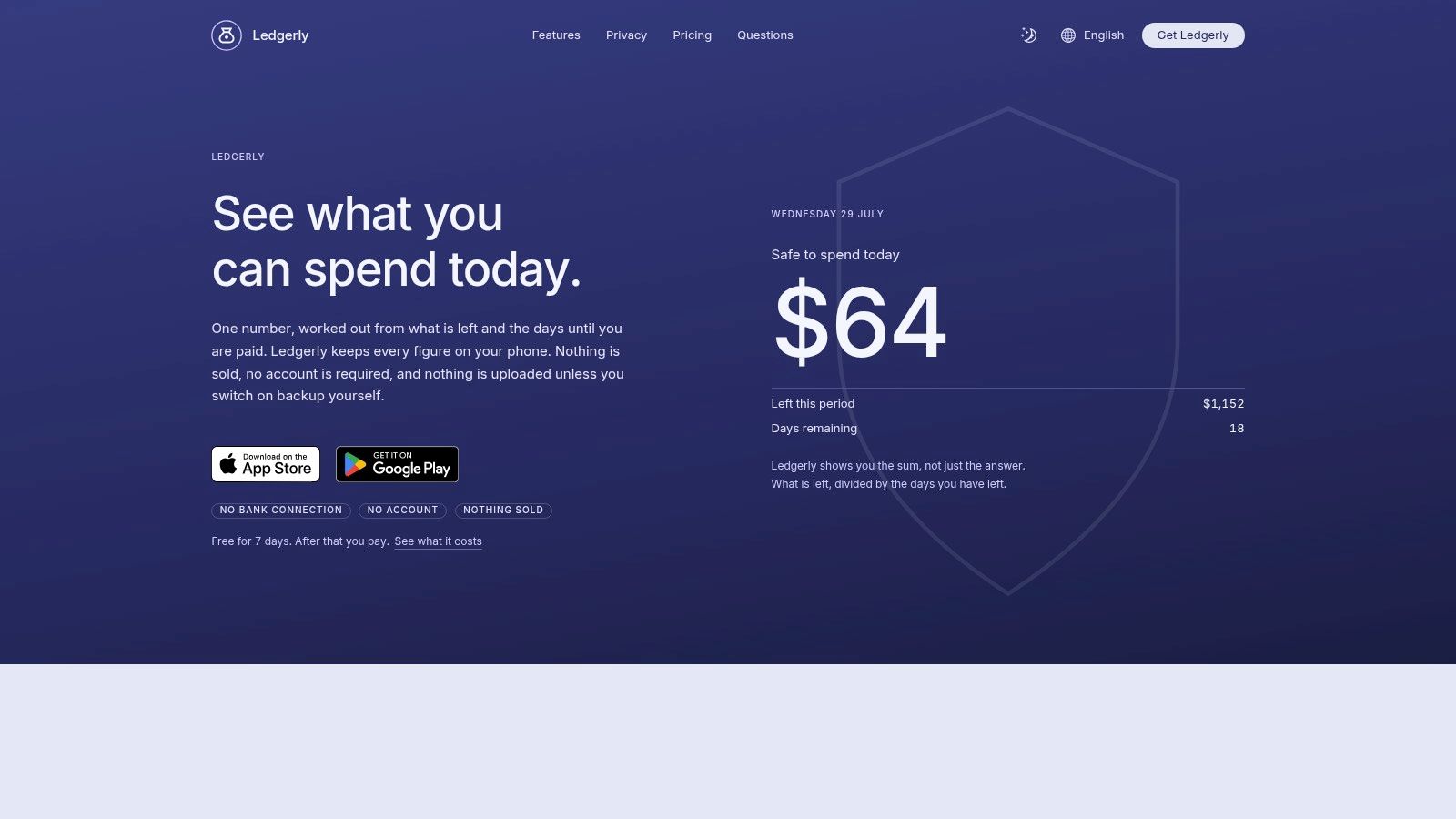
Plenty of budget apps claim to work offline, then ask for an account before they become useful. Ledgerly avoids that pattern. On iPhone and Android, you can start entering transactions without signup, bank linking, or handing your data to a hosted budget account. Records stay on the device unless you choose a backup destination such as Google Drive, iCloud, or a local file.
That design has a cost. You are responsible for the bookkeeping.
Ledgerly is a manual-entry app first, and that matters more than any feature list. Entering amount, category, and account for each transaction takes discipline, but it also keeps the budget from drifting because of bad auto-categorization. For users who already review spending by hand, that trade-off is usually worth it. For users who only keep a budget alive through bank import, it will feel like extra work from day one.
In daily use, the app is organized around quick decisions rather than accounting depth. Today centers on a single "safe to spend today" figure. Plan tracks category progress across monthly, fortnightly, or between-payday cycles. Money rolls accounts into one net view. Tools holds backup options, CSV export, and security settings. The result is a mobile workflow that stays readable in the middle of normal life, not just during a Sunday budget session.
Privacy here is straightforward in practice. No account is required. No bank connection is built in. No server-side budget storage is part of the default setup. Earlier in this article, research on fintech data collection showed why that distinction matters. Ledgerly avoids the usual credential-sharing and aggregation model because there is nothing to connect in the first place.
The migration story is also better than many lightweight mobile apps. CSV export gives you a plain-data exit path, and backups can go to storage you control instead of a vendor-controlled account system. That does not make switching painless. Category structures, routines, and habits still have to move with you. But it does mean your data is not trapped inside a closed sync service.
Use Ledgerly if you want a phone-first budget with local storage, if irregular income makes fixed monthly templates awkward, or if you care about having a clean backup and export path. Pass on it if you want desktop-first budgeting, automatic transaction imports, currency conversion, or an app that interprets your spending for you.
A few practical limits and strengths stand out:
- Offline promise in practice: Works without signup, internet, or bank connection.
- Manual entry feel: Fast enough for frequent logging, but only if you will keep the habit.
- Backup and migration: Optional backup to your own storage plus CSV export.
- Platform support: Strong fit for iOS and Android. Weak fit for desktop-led workflows.
- Payment model: Free to start, then paid. If you do not buy, read, search, export, and backup remain available, but adding new transactions requires payment.
Visit Ledgerly.
2. Bluecoins
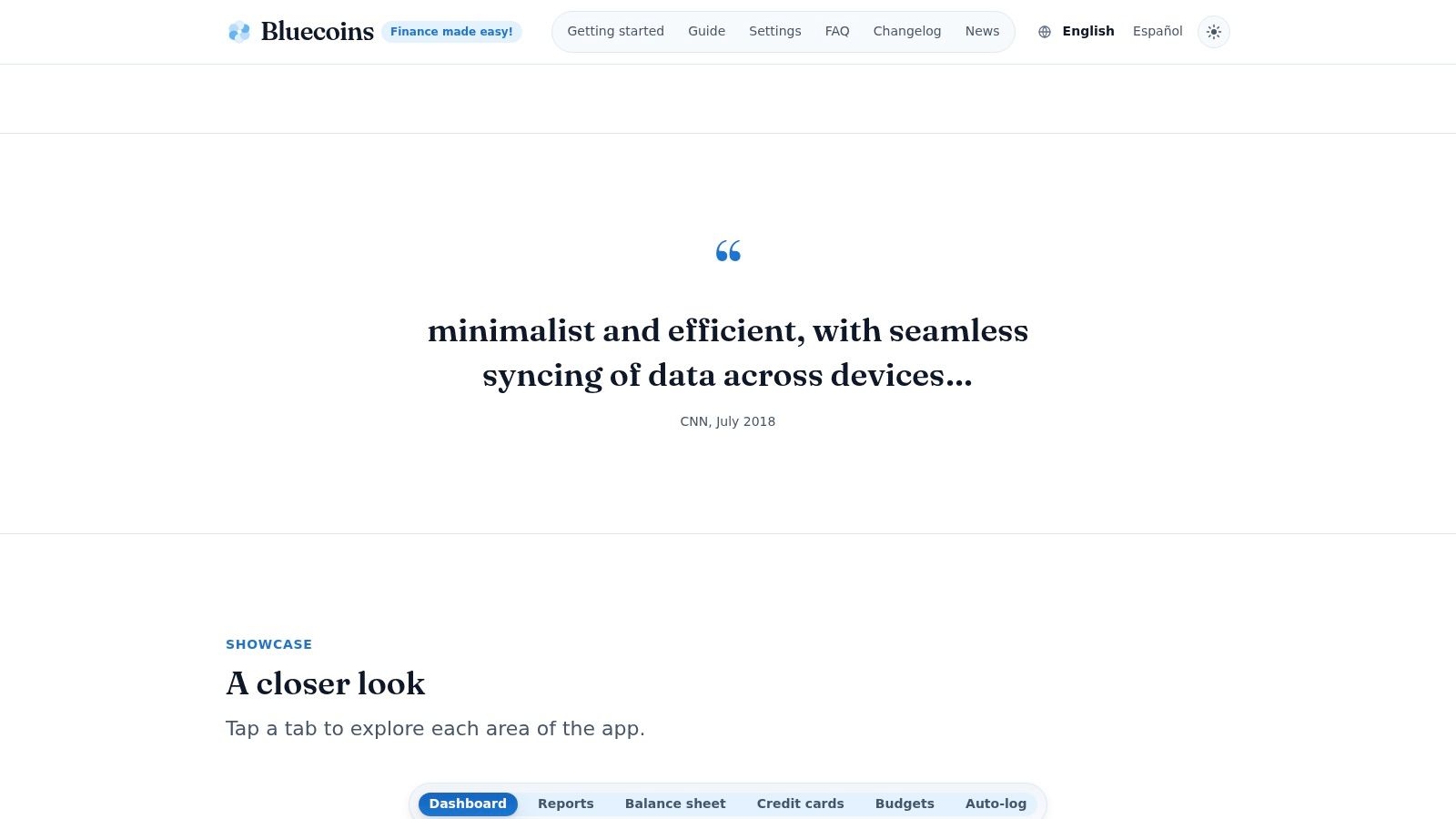
Bluecoins is what I'd pick for the person who wants an offline budget app to feel more like a dense personal-finance console than a minimalist tracker. It's mobile-first, works offline, stores data on the device, and lets you use your own cloud account for optional backup or sync through Google Drive, Dropbox, or OneDrive.
Its strongest trait is range. Manual transactions, recurring entries, transfers, tags, reports, import, export. The app gives you a lot without forcing a bank connection, which is exactly what some privacy-minded users want after trying more invasive tools. If you're comparing Android-focused options, this guide to a budget app for Android that avoids bank linking covers the trade-offs well.
What privacy costs here
Bluecoins asks more from the user than Ledgerly does. Not because it's less private by default, but because a denser interface creates more setup friction. You need to decide whether you want tags, custom categories, backup destinations, and report structures before the app feels fully yours.
That's the recurring trade-off in offline budgeting. The more control you want, the more decisions you usually have to make.
For readers who care about category-level privacy history, earlier data in this article already showed how broad data sharing has been in budgeting apps. Bluecoins stands out because it keeps the core workflow local and leaves sync choices to the user rather than treating remote storage as the default.
Who it fits
Bluecoins is a strong option for Android users who want reporting depth without giving up offline use. It also appeals to buyers who dislike subscriptions, since the Android upgrade path includes a one-time premium purchase.
Pass if you want a light, visually calm app. The interface is information-dense, and new users can feel that immediately.
A few practical notes:
- Best fit: Mobile users who want powerful reports and local control.
- Manual entry feel: Capable, but not as stripped-down as the fastest trackers.
- Backup path: Flexible, with user-controlled cloud providers and import/export options.
- Platform fit: Good for phone-first users, less appealing if you want a full desktop environment.
Visit Bluecoins.
3. Money Manager: Expense Tracker & Total Asset Management
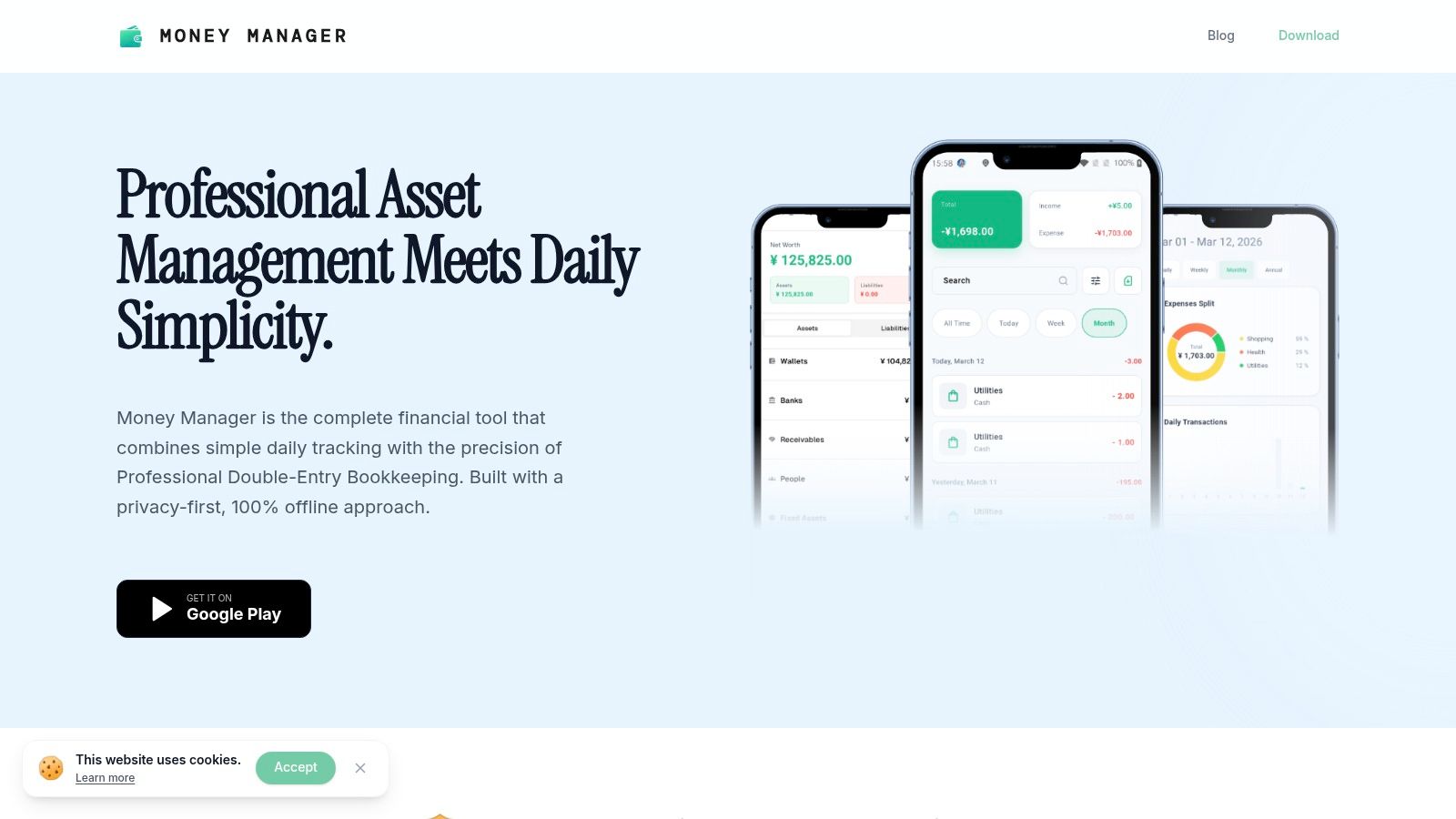
Offline is easy to promise and harder to live with. Money Manager earns its place here because the core workflow stays local, does not depend on a bank connection, and still gives structure that lighter expense trackers often skip.
Realbyte built this app around accounts, categories, and transfers that behave like actual bookkeeping instead of a loose spending log. The result is less forgiving on day one, but more stable after a few months of use. If you move money between cash, checking, cards, and savings regularly, that difference shows up fast. Balances stay clearer because the app expects you to record the movement, not just the spending.
The practical cost is setup discipline. You need to create accounts with some care, decide how you want categories to map to real spending, and stay consistent with transfers. Manual entry is still phone-friendly, but it feels deliberate rather than fast. I would put it in the category of apps that reward habit more than impulse.
Backup is where the offline claim gets tested. Money Manager stores data locally and gives you restore options through device files or Google Drive. That is useful, but it also puts some responsibility back on the user. If you want privacy without an account-first system, you have to be willing to verify that exports work, keep backup files organized, and know how you would migrate after a lost phone.
A broader consumer pattern helps explain why apps like this have a smaller but durable audience. Bankrate reported that smartphone users were far more likely to have banking apps installed than standalone budgeting apps. Money Manager fits the narrower group that wants dedicated records, local control, and better transfer accuracy than a bank app usually offers.
Two people should skip it. First, anyone who wants a calm, minimal interface with almost no learning curve. Second, anyone who knows they will never maintain backups manually.
Here is the cleanest way to judge it in practice:
- Data location: Local database on the device.
- Account requirement: No bank linking needed for the core workflow.
- Manual entry feel: Structured and reliable, but slower than quick-capture apps.
- Backup and migration: Local restore options plus optional Google Drive backup, with some user effort required.
- Platform fit: Best for mobile users who are comfortable treating budgeting as recordkeeping, not just expense logging.
Visit Money Manager: Expense Tracker & Total Asset Management.
4. Monefy
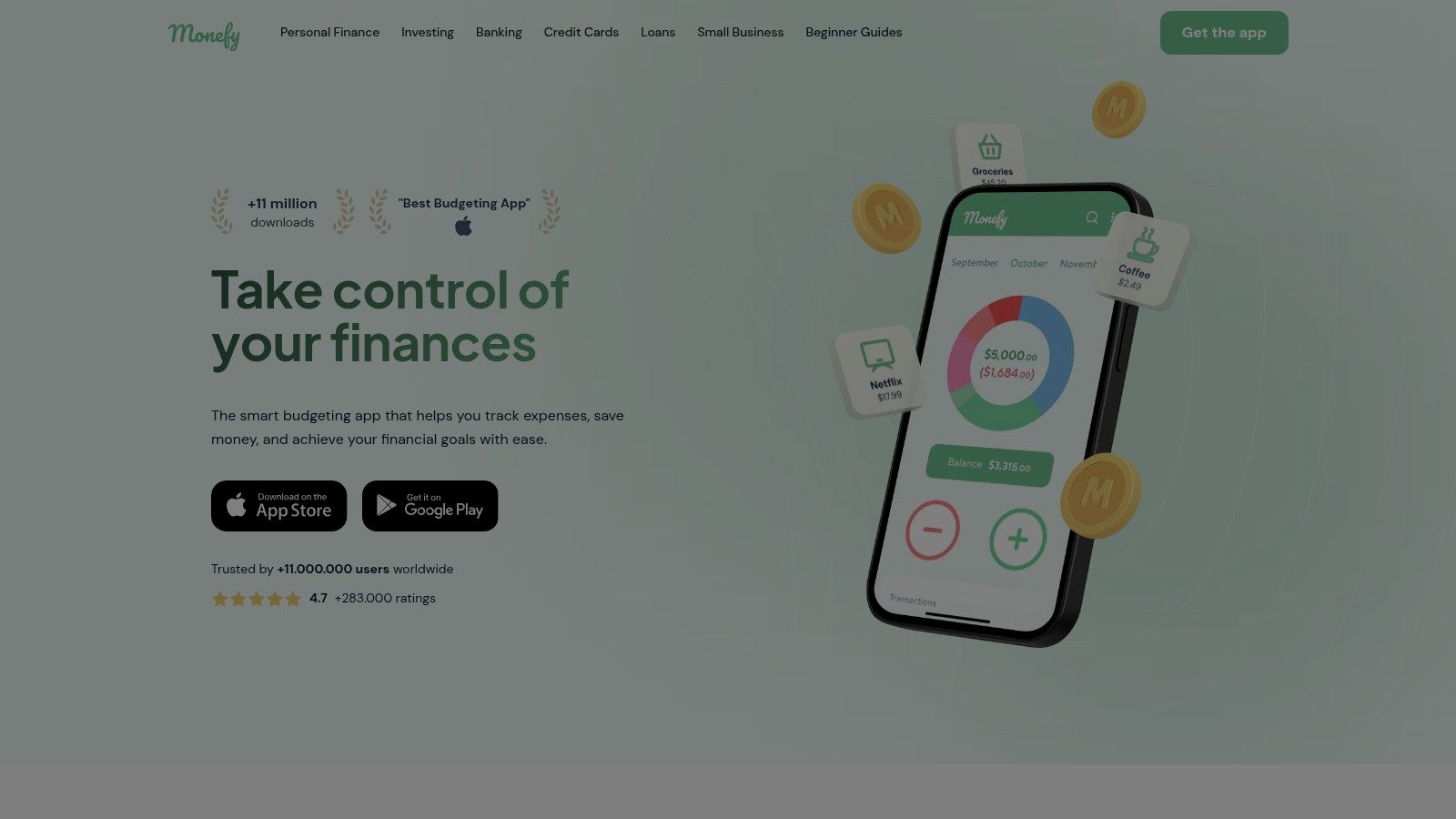
Offline budgeting does not always mean detailed budgeting. Sometimes it means one thing: an app you will open before you forget the purchase. That is Monefy's pitch.
Monefy keeps its records on the device, does not depend on a bank connection, and is built for fast manual entry. In daily use, that matters more than feature depth for a certain kind of user. If your budget habit breaks as soon as every coffee or bus fare needs too many taps, Monefy removes a lot of that friction.
The compromise shows up quickly once spending logs turn into planning. Monefy handles categories and quick capture well, but it is lighter on the account structure, reporting depth, and long-range budget control some users expect from a full personal finance system. People who want a spending diary usually find that acceptable. People who want a full monthly command center usually do not.
Its offline promise is solid, but it is not free of maintenance. Backup options such as Dropbox or Google Drive sync are useful, yet they still ask you to decide where your copy lives and whether your restore path works. If privacy is the goal, that is the recurring trade-off with apps in this class. Less account dependence often means more personal responsibility for backups and migration.
One other practical point. Monefy works on iOS and Android, which makes it easier to keep the same habit across phones, but desktop-centered users may outgrow it fast. Readers comparing quick-capture tools will see the same pattern in this guide to a day-to-day expenses app.
Where the trade-off shows
Choose Monefy if speed is the main requirement and you are comfortable with a simpler record of spending. Pass on it if you want deeper planning, richer reports, or a workflow built around a larger screen.
- Account requirement: No bank linking needed for the core workflow.
- Manual entry feel: Very fast, with low setup overhead.
- Backup and migration: Optional personal cloud sync and export paths, but you need to manage recovery deliberately.
- Platform fit: Good for iPhone and Android users. Weak fit for desktop-first budgeting.
Visit Monefy.
5. AndroMoney

AndroMoney makes its case on a practical point: your budget can stay on the phone, with no bank link and no account standing between you and your records. For readers judging “offline,” that matters more than visual polish.
The app is built for Android users who are comfortable doing a bit more of the work themselves. Manual entry is flexible rather than automated. You can track multiple accounts, move money between them, set budgets, and sort spending into the kinds of categories power users usually want. The web companion also changes the equation a little. It gives you a larger-screen view without turning the whole product into a cloud-first service.
Its strongest argument is file control. AndroMoney offers local backup, optional Dropbox or Google Drive sync, and CSV or Excel import and export. That gives you real exit paths if you decide to leave later. It also means the privacy benefit comes with responsibility. You need to choose a backup routine, test restores, and keep exports organized if you do not want your “offline” setup to become fragile.
The weak point is easy to spot after a few minutes of use. The interface feels old, and older interfaces usually cost time. Expect more taps, denser screens, and a higher chance of forgetting where a setting lives. Some Android users will accept that because the app covers a lot without pushing them toward bank aggregation or subscription-heavy account systems. Others will stop right there.
AndroMoney fits people who want a manual system with broad controls and clear data ownership. Pass if you use iPhone, want a cleaner onboarding experience, or know you will not keep up with backups yourself.
Visit AndroMoney.
6. My Budget Book
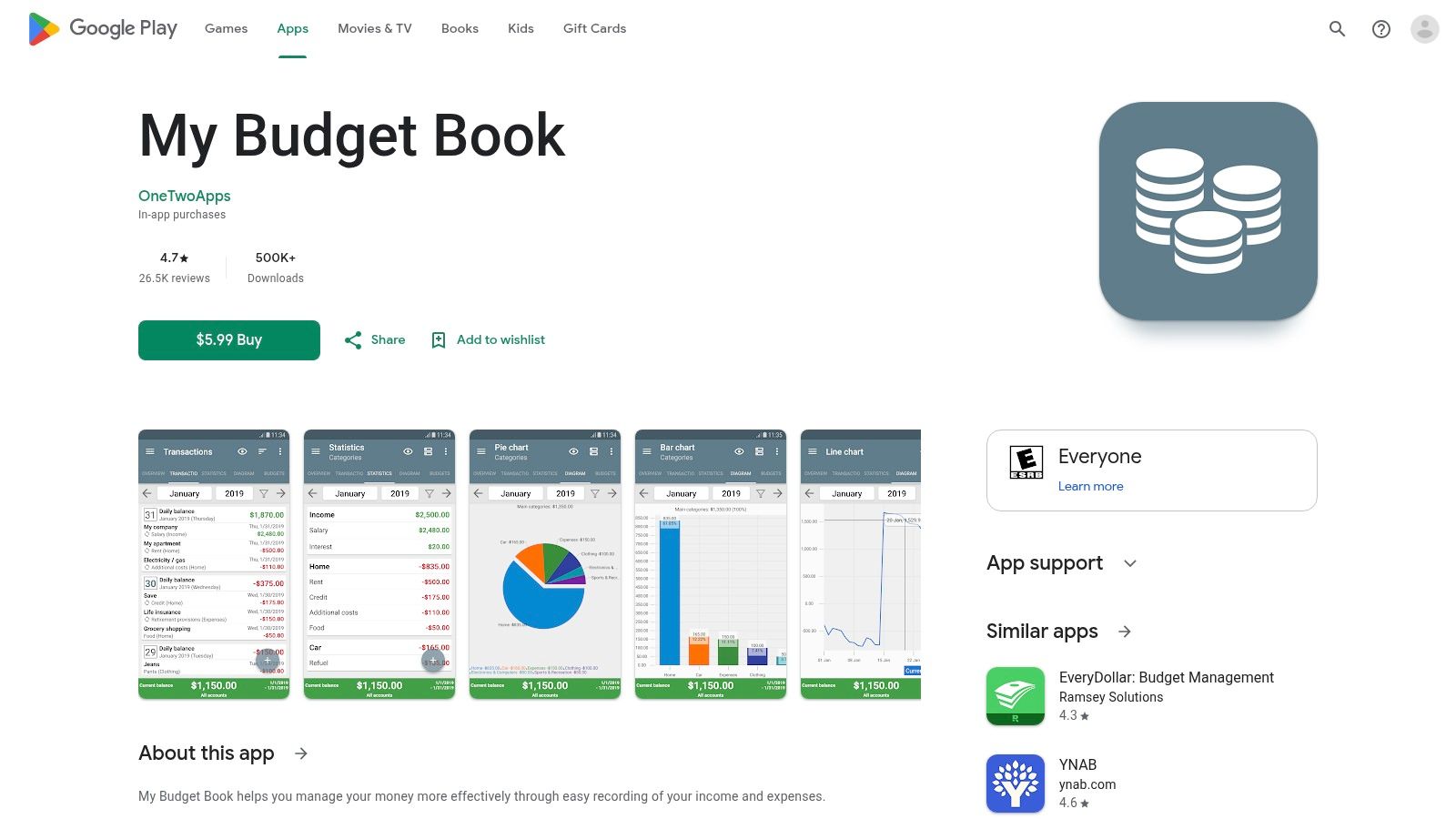
My Budget Book asks a simple question: how much privacy are you willing to maintain yourself? The app keeps its promise better than a lot of “offline” tools because it does not ask for an account, does not depend on bank sync, and stores your budget data on the device. The trade-off is obvious after setup. You are the system administrator too.
That arrangement suits a certain kind of user very well. On Android, it gives manual budgeters a lot of control over how money is grouped, timed, and reviewed. Recurring transactions, custom date ranges, rollover budgets, templates, tags, and detailed category structures are all here. If your budget needs to match an irregular pay cycle or a more hands-on planning method, the app handles that better than simpler trackers.
The manual entry experience is efficient after the initial setup, but it is not especially gentle. Screens are dense. Options go deep. Users who like to shape their own categories and reports will call that flexibility. Users who want fast onboarding will call it work.
The practical test is not whether the feature list looks good. It is whether you will keep the file side of the app in order. My Budget Book includes local import and export, which gives you a real migration path if you switch apps later. That matters. An offline app with no clean export is just a dead end with good marketing.
Who should skip it? Anyone outside Android, anyone who wants household sync across mixed devices, and anyone who knows they will never run backups unless the app nags them. Privacy here costs a bit of discipline.
Visit My Budget Book on Google Play.
7. HomeBudget with Sync
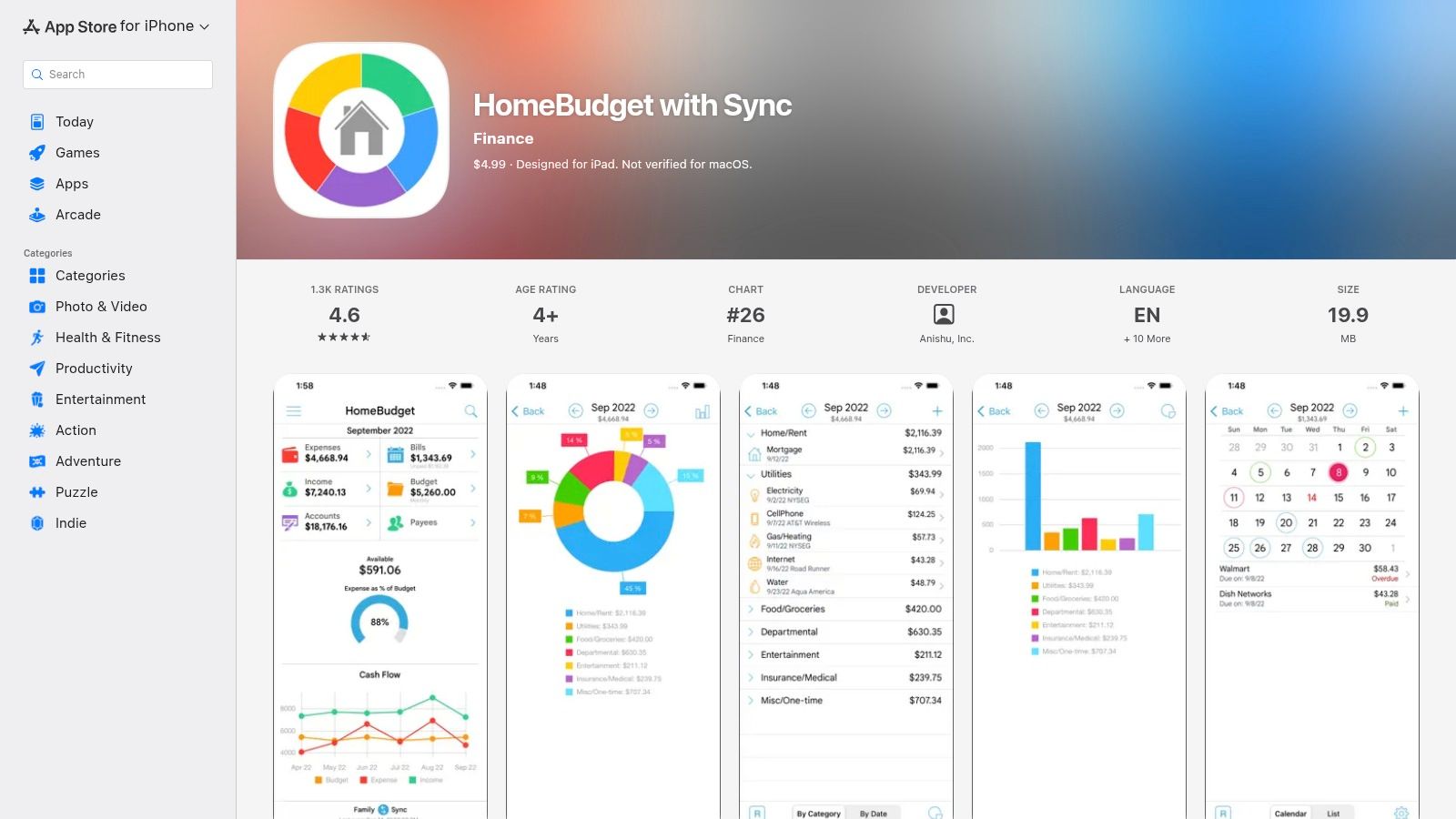
Offline budgeting gets messier the moment a second person is involved. HomeBudget with Sync earns its spot because it addresses that problem directly. You can run it as a local, manual budget on one device, or set it up for shared use across a household without building the whole system around bank feeds.
That distinction matters in practice. Plenty of apps are private on paper until they ask every family member to create accounts, link institutions, or accept a cloud workflow they did not ask for. HomeBudget gives you a more manual arrangement. The trade-off is that you feel the manual parts too.
For a couple or family, the appeal is straightforward: shared categories, recurring bills, reminders, budget limits, and one place to record spending as it happens. Receipt photos help if one person handles reimbursements or warranty records. Rollover budgets are here too, which makes it more usable for groceries, utilities, and other categories that rarely reset neatly at month end.
The offline promise is solid for solo use and acceptable for shared use, with caveats. Data can live on the device. Local backup and restore are available, which gives you a real exit path if you need to migrate later. Sync is optional, not required to use the app, but shared use takes more effort than newer tools that assume you are fine with cloud accounts from day one.
Manual entry is decent once categories and accounts are in place. I would not call it fast or elegant. I would call it workable, especially for households that care more about a shared record than polished design.
Pass on it if any of these are true:
- You budget alone and want the cleanest mobile experience.
- Nobody in the household will tolerate initial setup friction.
- You want desktop-first review or easier export-heavy workflows.
- You want privacy with almost no maintenance overhead.
HomeBudget with Sync is best judged as a household coordination app that can still operate offline, not as the lightest personal expense tracker in the list.
Visit HomeBudget with Sync on the App Store.
8. Money Pro
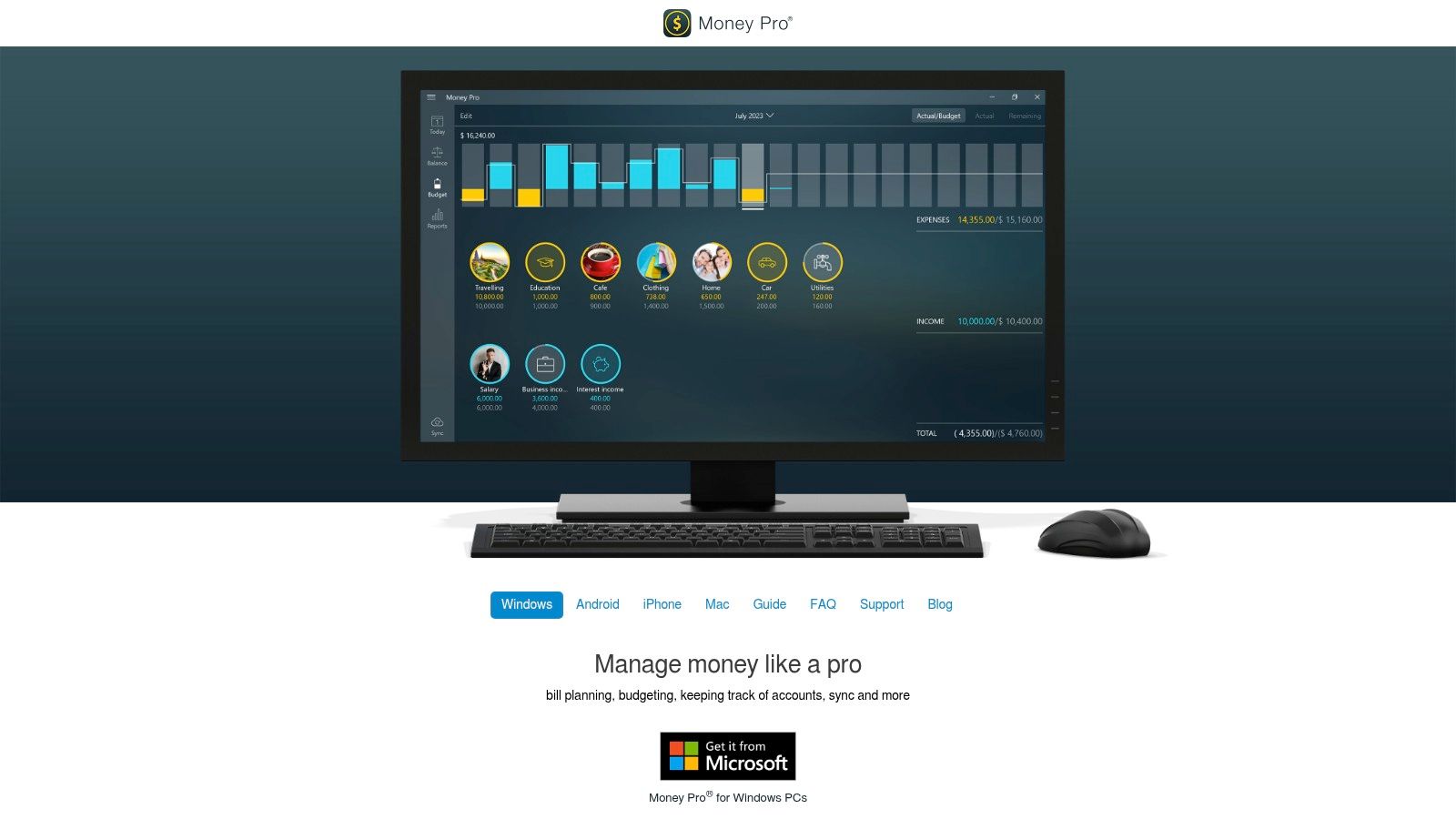
Money Pro earns its place here for one reason. It supports an offline workflow across more device types than almost anything else in this list.
That matters if your real setup is messy. An iPhone in one pocket, a Windows laptop at work, a Mac at home, maybe an Android device somewhere in the household. Money Pro is built for that kind of mixed environment. You can keep data on one device and use it offline, or add iCloud or Money Pro Sync if you decide the convenience is worth the extra data movement.
The trade-off shows up during setup, not after six months. Before entering many transactions, you need to decide what the app is in your life: a local ledger on one device, or a cross-device system with sync, imports, and backups layered on top. People who skip that decision often end up with a setup that works, but feels harder to trust.
Money Pro also sits in an unusual middle ground. It has budgets, recurring bills, reports, multi-currency support, and OFX or CSV imports, so it can handle more than simple expense logging. At the same time, it does not feel as manual-entry-light as Monefy, and it does not give the desktop-centric sense of control that Moneydance does. The result is practical rather than elegant.
For privacy-minded users, the key question is simple: can you live with one device? If yes, Money Pro makes more sense. If no, read the sync options closely and be honest about your tolerance for account setup, backup discipline, and occasional troubleshooting. Privacy here is possible, but it costs a bit of attention.
A quick fit check works better than another feature list:
- Choose Money Pro if your budget needs to survive across Apple, Android, and desktop devices.
- Choose it if imports matter because you are migrating from another tool or reconciling against downloaded files.
- Pass if you want the fastest possible phone entry with almost no setup decisions.
- Pass if your offline rule excludes cloud sync of any kind, even as an option.
Visit Money Pro.
9. Moneydance
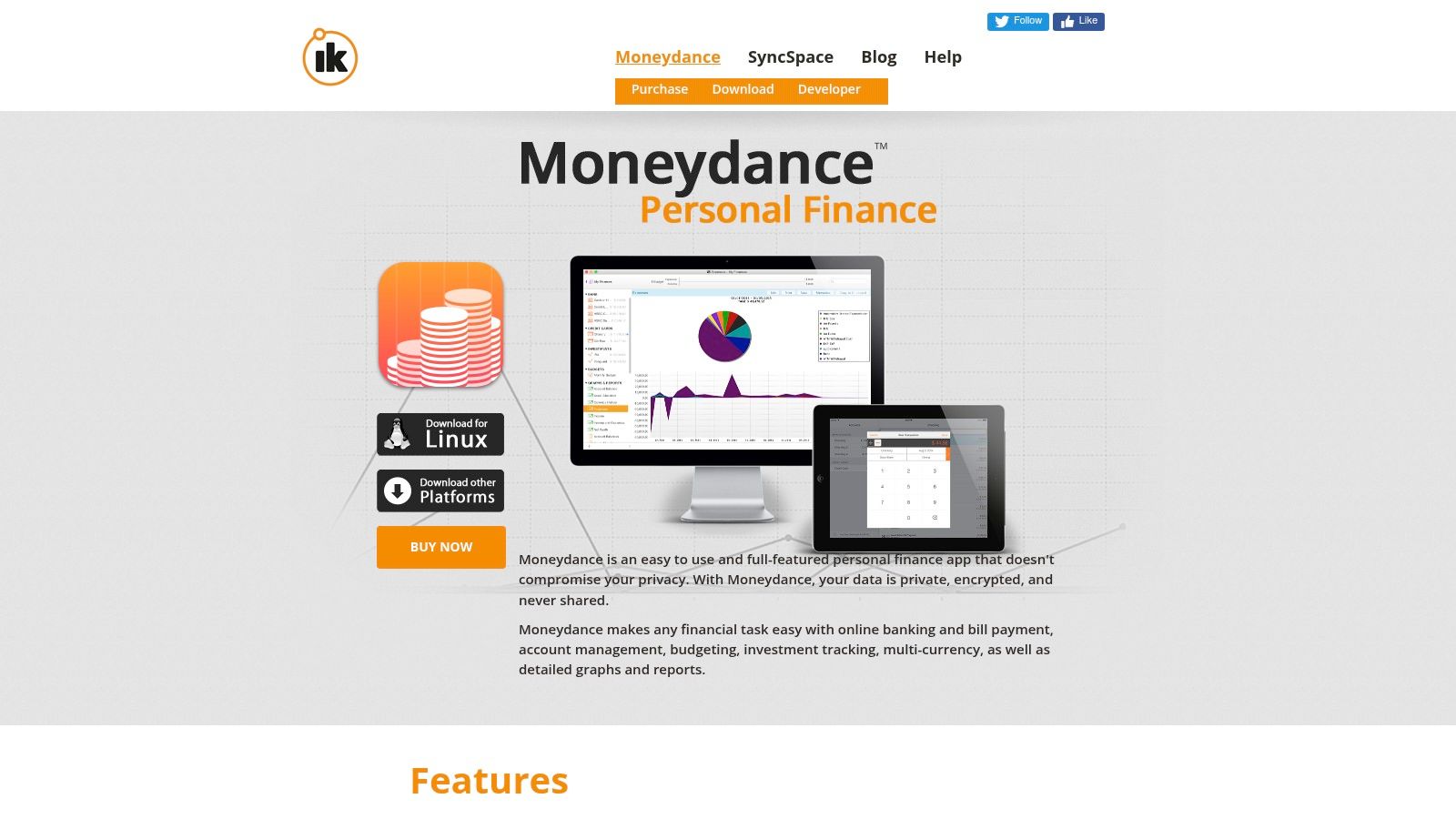
Many apps call themselves offline because they can survive a plane ride. Moneydance is offline in the older, stricter sense. Your main file lives on your computer, the desktop app is the center of the workflow, and you can keep using it without creating an online account.
That matters because the offline promise here is clear in practice. Setup starts with a local desktop ledger on macOS, Windows, or Linux. If you want mobile entry, you add the companion app later. If you want bank downloads or sync, those are choices you make on top of the local file, not requirements imposed at the start.
Moneydance suits people who review money in batches. Entering a few transactions on a phone is possible, but the software makes more sense when you reconcile accounts, inspect older records, check investments, and export data from a full screen. Manual entry feels orderly rather than fast.
There is a trade-off. Privacy costs less cloud trust here, but it asks for more desktop discipline. You need to know where your file is stored, how you back it up, and how you will migrate it if you change machines. That is a fair exchange for many users. It is extra organizational work for anyone who wants a budget app to disappear into the background.
The mobile companion role is also worth stating plainly. Moneydance can support on-the-go capture, but the phone is not the natural home of the system. Anyone who wants the whole budget process to live comfortably on mobile should pass.
Moneydance makes sense if these points sound attractive:
- You want local file ownership on desktop, with no account required to get started.
- You need Windows, macOS, or Linux support more than a polished phone-first experience.
- You care about export and migration paths, and you are willing to manage your own backups.
- You are comfortable adding sync or bank connections only if and when they serve your workflow.
Visit Moneydance.
10. Actual Budget
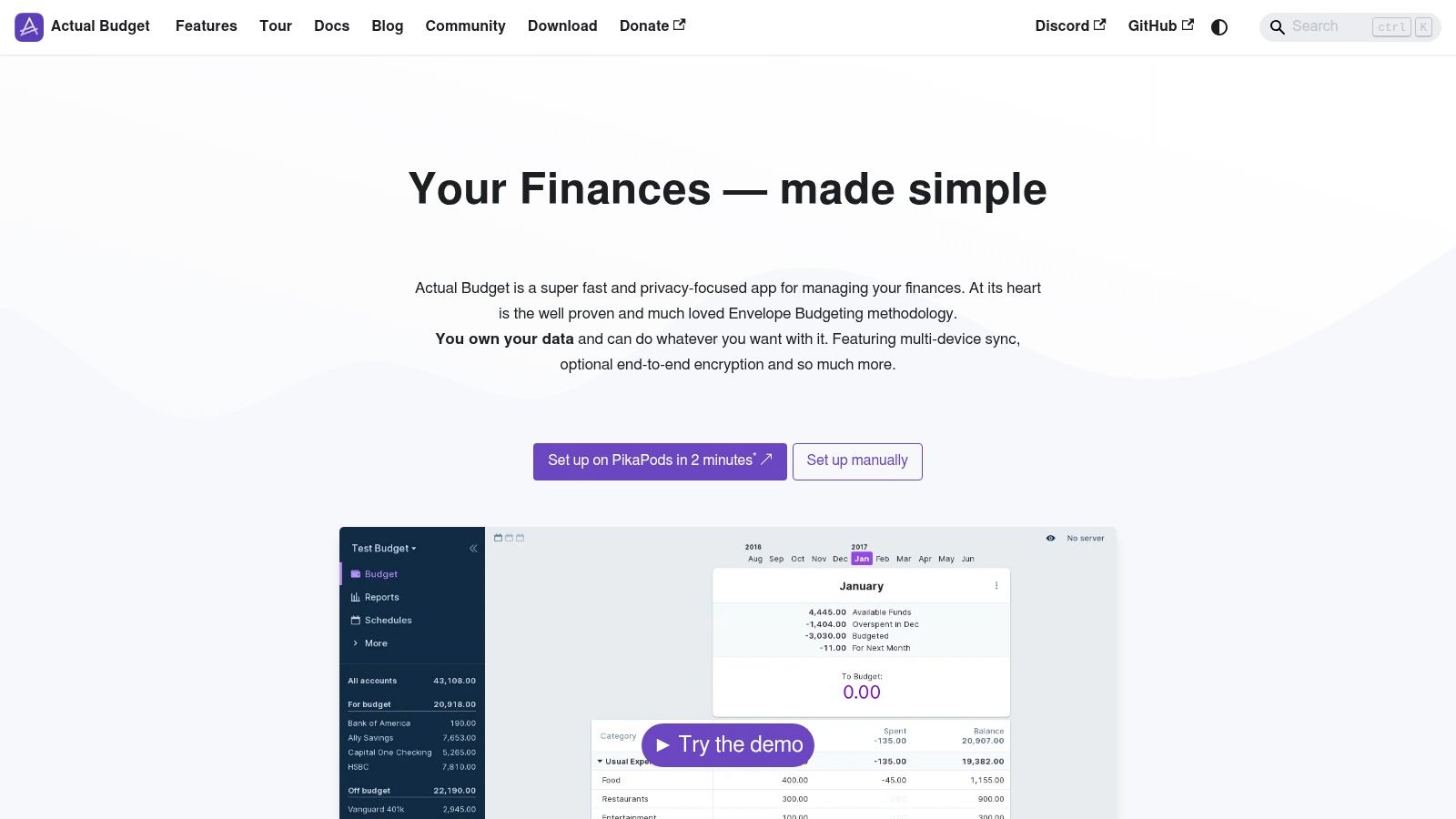
Actual Budget asks a more honest question than most offline apps. Do you want privacy with convenience, or privacy with control? It is one of the few options here that treats your budget as data you can keep, inspect, move, and even host yourself.
In practice, the offline promise is real, but it comes with homework. You do not need an account to start using it locally, and you do not need a bank connection for the core workflow. Manual entry works well if you already like envelope budgeting and do most of your planning from a desktop or laptop. If your budget habit lives on your phone in short bursts, Actual feels less natural than simpler mobile-first apps.
The migration story is better than many privacy-first tools. It can import CSV, QIF, OFX, and QFX, which matters if you are leaving a spreadsheet or another personal finance app and do not want to rebuild years of categories and accounts by hand.
The decision is setup tolerance.
Users who want local-only use can keep things fairly simple. Users who want sync across devices usually need to accept more organizational or technical work, whether that means handling files carefully or setting up self-hosting. That trade-off will appeal to some people and immediately rule it out for others.
A practical way to judge Actual Budget is to check these four points before installing it:
- No account is required for a local start, which makes the offline claim stronger than apps that begin with sign-up.
- Manual entry is deliberate rather than quick-fire. Good for planned budgeting sessions, less good for fast capture at a checkout line.
- Backup and migration paths are strong because the data is portable, but you are responsible for understanding where it lives and how it is protected.
- Platform support makes the most sense for desktop-centered users. Anyone chasing a polished phone-first experience should pass.
Actual Budget fits people who care about open source, envelope budgeting, and file ownership enough to accept some extra setup decisions. If the goal is a private budget system you can control, it is one of the more credible options in the category. If the goal is low-friction mobile budgeting with almost no maintenance, pick something else.
Visit Actual Budget.
Top 10 Offline Budget Apps: Feature Comparison
| App | Key features ✨ | UX & character | Price & value 💰 | Ideal users 👥 | Standout / USP |
|---|---|---|---|---|---|
| Ledgerly | ✨ On‑device manual entry, Today/Plan/Money/Tools, recurring items, CSV export, 165 currencies, offline | Privacy‑first, neutral feedback, lightweight mobile UX | 💰 Free to start → monthly / yearly / lifetime; read/export without buying | 👥 Privacy‑conscious manual budgeters, irregular pay cycles | On‑device by default, with backup the only thing that copies data off, plus a clear “safe to spend today” |
| Bluecoins | ✨ Offline, manual & recurring entries, tags, reports, optional Drive/Dropbox/OneDrive backup | Powerful features; UI dense for new users | 💰 Free plan + one‑time Android premium upgrade | 👥 Android users who want deep reports & one‑time purchase | ✨ Robust reporting and one‑time upgrade option |
| Money Manager (Realbyte) | ✨ 100% offline, double‑entry backbone, budgets, charts, Drive backup | Mature, reliable; utilitarian UI | 💰 Free / IAPs; strong long‑term value | 👥 Users seeking accounting‑grade accuracy | ✨ Double‑entry model for accurate balances |
| Monefy | ✨ Encrypted local DB, two‑tap entry, custom categories, Drive/Dropbox sync | Very fast, low learning curve; clean UI | 💰 Free + Pro upgrade (one‑time) | 👥 Fast manual entry users who prefer simplicity | ✨ Ultra‑quick two‑tap expense entry |
| AndroMoney | ✨ Multiple accounts, transfers, budgets, charts, optional Drive/Dropbox, web companion | Stable and featureful; dated UI | 💰 Free / premium options; good value | 👥 Android users wanting a web companion | ✨ Web companion + flexible imports/exports |
| My Budget Book | ✨ Configurable budgets, recurring templates, tags, CSV export, offline | Powerful but dense; highly configurable | 💰 Paid (Android); strong feature set for price | 👥 Power users on Android who want depth | ✨ Highly configurable budgeting and rollovers |
| HomeBudget with Sync | ✨ Expense/income, recurring bills, receipts, optional Family Sync over Wi‑Fi | Mature feature set; Family Sync can be fiddly | 💰 Paid app; household‑focused value | 👥 Families/households needing shared budgets | ✨ Device‑to‑device Family Sync for households |
| Money Pro | ✨ Budgets, scheduled bills, accounts, OFX/CSV import, iCloud / Money Pro Sync | Cross‑platform; occasional sync friction | 💰 One‑time app + subscription for advanced sync | 👥 Mixed‑device households & power users | ✨ Broad platform support and OFX import |
| Moneydance | ✨ Full budgeting, investments, reports, encrypted mobile sync, plugins | Desktop‑grade, mature and private | 💰 Paid desktop license; companion apps free | 👥 Desktop‑first users who need full finance suite | ✨ Desktop‑centric suite with mobile companion sync |
| Actual Budget | ✨ Offline desktop envelope budgeting, importers, optional self‑hosted E2E sync | Solid for desktop; mobile apps deprecated | 💰 Open‑source / free (donations) | 👥 Users wanting open‑source, envelope method & data ownership | ✨ Local‑first + open‑source with self‑hosted sync option |
Choose the Offline Workflow You Will Maintain
There isn't one universal best offline budget app because “offline” covers several different priorities. Some people want a private mobile ledger that never asks for a bank login. Others want full accounting structure, household sharing, broad device coverage, or an open-source system they can run on their own terms. The right choice is the one whose entry process, restore path, and day-to-day friction match your actual habits.
Ledgerly is the best fit for a focused iPhone or Android workflow built around manual entry, on-device privacy, configurable pay periods, daily spending guidance, and user-controlled backups. It's especially strong if you want one clear number for what you can spend today, and you don't want the app guessing categories or touching your bank. The trade-off is obvious and important. You must keep up with entries yourself.
Monefy is the best option when speed is everything. If your budget habit depends on logging expenses in seconds, its lightweight structure is hard to beat. Bluecoins and Realbyte Money Manager make more sense when you want denser reporting, stronger bookkeeping structure, or more knobs to turn on mobile.
If you're comfortable staying in the Android world, AndroMoney and My Budget Book are still worth serious consideration. They're practical, local-first tools for people who don't need cross-platform polish. HomeBudget with Sync is the pick for shared household budgeting, especially when multiple people need to contribute without handing over bank credentials. Money Pro works well for mixed-device households that need one system across phones and computers. Moneydance is the better answer when the budget should live primarily on a desktop. Actual Budget is the strongest option for people who want open-source envelope budgeting and don't mind extra technical overhead for self-hosting or system setup.
A few implementation choices matter more than app choice:
- Choose one primary device: Don't start with a multi-device setup unless you already know you need it.
- Set accounts and categories first: Entering transactions before the structure is clear usually creates cleanup work.
- Decide on backups early: If optional backup changes the privacy model in a way you dislike, stay local and plan around manual exports instead.
- Create a recurring-item routine: Salary, rent, subscriptions, and regular bills should not depend on memory.
- Export periodically: If the app supports CSV or local backup, use it before you need it.
- Test restore before relying on it: A backup you've never restored is only a theory.
Privacy and control are meaningful differentiators in this category. MX reported that 30% of consumers view the ability to see and control who has access to their financial data as a critical mobile-banking capability, while 29% have already connected multiple financial accounts into one app. That tension explains why offline and local-first budgeting appeals to a distinct group of users. They want visibility, but they don't want hidden data-sharing trade-offs.
The final decision is simpler than it looks. Offline budgeting removes bank automation, so the lasting choice isn't the app with the longest feature list. It's the app whose entry process you'll keep using, whose backup plan you understand, and whose privacy model still feels acceptable six months from now.
Ledgerly gives you a practical offline budget app for iPhone and Android without bank linking, account creation, or server-side budget storage by default. If you want a mobile workflow built around manual accuracy, on-device privacy, recurring items, and simple backup control, visit Ledgerly.