August 22, 2026
Day to Day Expenses App: Privacy-First Tracking Guide
Compare the best day to day expenses app options for 2026. Learn how manual entry, offline use, and privacy-first design change your daily budgeting
day to day expenses appmanual expense trackerprivacy budget appoffline budgetingdaily spend tracker
Most advice treats a day to day expenses app like a data vacuum, connect the bank, automate everything, trust the dashboard. That sounds efficient until you notice the hidden bill, misclassified transactions, shared credentials, and a screen full of summaries that you still have to decode every night. For a lot of people, the better tool is quieter: manual entry, local storage, and a spending view that answers one question fast, how much is safe to spend today.
| App type | Privacy | Effort | Offline use | Best fit |
|---|---|---|---|---|
| Bank-linked tracker | Lower, because it depends on account access | Low after setup | Usually limited | People who want automation first |
| Spreadsheet tracker | High if kept local | Higher | Yes | Users who want full control and structure |
| Local-first app | High | Moderate | Yes | Privacy-focused users who still want mobile speed |
| Minimal manual app | High | Moderate | Yes | People who track purchases daily and want simplicity |
The main decision isn't whether an app looks modern. It's whether the app matches the way you spend, review, and correct money in real life.
Table of Contents
- Why Automatic Bank Syncing Is Not Always Better
- What to Look for in a Day to Day Expenses App
- Comparing the Main Types of Expense Trackers
- Real-World Scenarios for Daily Expense Tracking
- Building a Sustainable Manual Entry Habit
- When to Choose a Minimalist Privacy-First Tracker
- Your Decision Checklist for Choosing the Right App
Why Automatic Bank Syncing Is Not Always Better
Automatic syncing feels like the obvious upgrade until daily use exposes the trade-offs. Bank-linked apps can pull in transactions quickly, but they also ask for credentials, depend on third-party aggregation, and often turn a simple purchase into a cleanup task when something lands in the wrong category. For a day to day expenses app, that matters more than flashy charts, because the whole point is to capture spending while it still feels fresh.
There's also a habit cost. A bank feed encourages passive checking, while manual entry forces a short pause after each purchase, which can make spending feel more real and easier to remember later. That's one reason privacy-first tools still have an audience, especially among people who don't want every account tied into one place.
The hidden cost is not only privacy
Privacy loss is the clearest objection, but it's not the only one. Bank-linked tools can blur transfers, double-count moving money between accounts, and misread cash, shared cards, or irregular payments. Once that happens, the dashboard starts to feel polished but unreliable.
A finance app is only useful if you trust the number it gives you after a real purchase, not just the report it builds later.
That trust gap is where manual entry keeps winning for some users. The category isn't niche anymore, either, because digital finance app use is already mainstream in major markets. A 2024 U.S. consumer survey found that 83% of internet adults had used a digital finance service app in the past year, up from 78% in 2021, and users averaged 2.4 financial apps each (TechBullion). In the UK, dedicated money-management apps reached about 4.9 million lifetime downloads, which research cited by The Fintech Times described as roughly one in 10 adults using a dedicated app to manage finances (TechBullion).
Fast use beats heavy dashboards
Daily finance behavior is short and repetitive. A 2025 industry report said finance apps generated 7.35 billion downloads in 2024 and 21.4 billion hours of in-app time worldwide, while installs rose 27% year over year and sessions rose 24% (FinstatGlobe). It also reported average global session length at 6.59 minutes, with APAC users averaging about seven minutes per session in H1 2025 (FinstatGlobe).
That pattern supports a simpler workflow. People don't always want a financial cockpit. They want to log a coffee, check the week, and move on.
What to Look for in a Day to Day Expenses App
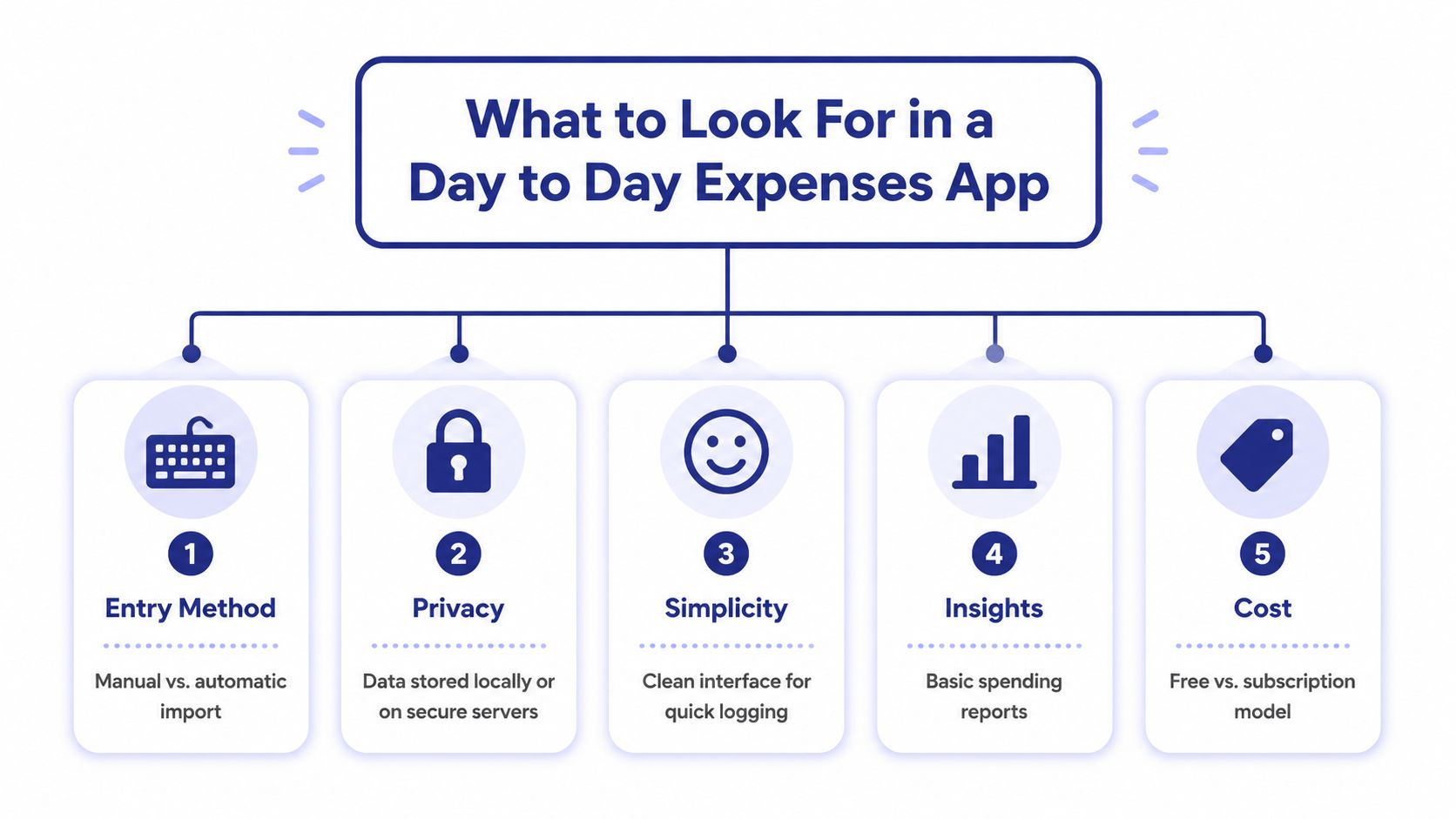
A sustainable tracker usually gets judged on the wrong thing first, how many features it has. The better test is whether it survives ordinary life, which means groceries, coffee, rent, transfers, cash purchases, and the occasional forgotten receipt. A day to day expenses app should make those actions quick enough that you'll still use it on a tired Tuesday.
Entry method and friction
Manual entry isn't a downgrade if it's fast. In a 2024 comparison of 45 budgeting apps, all reviewed apps supported manual transaction entry, while only 29 supported recurring income or expense transactions and 19 supported recurring transfer transactions (App Store listing for Balance Personal Finance). That gap matters because recurring items reduce repeated typing and make a manual app less annoying over time.
Privacy and storage model
The privacy question is simple. Where does the data live, and who can touch it? If the app depends on bank logins or cloud-only storage, you're trading control for convenience. If it stores data locally, especially with encrypted on-device storage, you keep the ledger closer to the person who's responsible for it.
The same logic applies to offline use. If you can log expenses on a train, in a dead zone, or while traveling, the app becomes part of the habit rather than a dependency on connectivity. Ledgerly's privacy page outlines a local-data model and on-device approach, which is the kind of architecture privacy-focused users usually want to confirm before they commit (Ledgerly privacy).
Simplicity, insights, and cost
Simplicity matters because clutter kills routine. The best mobile trackers don't bury you in tabs, ads, or analysis you'll never revisit. Basic reports, account totals, and a clean summary are enough for most daily tracking, especially if the app's main job is to keep spending visible.
Cost matters too, but not because free is always better. A cheap app that's annoying to use becomes expensive in time. A paid app that cuts friction and preserves privacy can be worth more than a full-featured tool that collects too much data and still leaves you unsure what you can spend today.
Comparing the Main Types of Expense Trackers
The right choice depends on what problem you're solving. Some people need automation, some need privacy, and some need something they'll open every night. The archetype matters more than the logo.
| App Type | Data Privacy | Entry Method | Offline Use | Irregular Income Fit |
|---|---|---|---|---|
| Bank-linked aggregators | Lower, because data passes through account connections | Automatic import, sometimes with manual fixes | Usually limited | Mixed, because automation can obscure timing |
| Spreadsheet-based trackers | High if kept on device or local files | Fully manual | Yes | Strong, if the user builds their own structure |
| Open-source local-first tools | High, if the data stays local | Manual or hybrid, depending on the tool | Often yes | Strong when recurring items and cash flow are supported |
| Minimalist manual-entry mobile apps | High | Manual with recurring shortcuts | Yes | Strong, especially for daily runway tracking |
Bank-linked aggregators
These work best for people who want a wide view of account activity and don't mind cleanup. The trade-off is that the app decides how your transactions should look before you do, which can create friction when a transfer, refund, split purchase, or cash expense gets labeled poorly. If your main goal is accuracy at the point of spend, automation can get in the way.
Spreadsheet trackers
Spreadsheets reward discipline. They're transparent, customizable, and very private if you keep them local, but they're not fast. For users who enjoy control and don't mind structured upkeep, they can be excellent. For everyone else, they usually become a monthly chore instead of a daily habit.
Open-source local-first tools
Local-first tools sit in a useful middle ground. They tend to prioritize ownership, offline reliability, and a simpler data model. A study of an offline expense-tracking system described a local-first architecture using Room with SQLCipher encryption for transaction data, plus manual expense entry and receipt scanning so cash and offline payments still work without continuous connectivity (IRJET study).
Minimalist manual-entry mobile apps
This is the most practical fit for people who want fast logging without bank access. The category works especially well for irregular income, because you can pair recurring items with a rolling daily spend view instead of forcing every month into the same shape. Products in this space often focus on “safe to spend today” logic, which matches how real budgets feel between paydays (FlowBudget App Store page).
One useful pattern stands out: manual apps often feel smaller, but they can be more honest. Transfers stay visible as moves, cash stays real, and the user sees the ledger instead of an interpreted version of it.
Real-World Scenarios for Daily Expense Tracking
A good app has to survive messy situations, not just neat test cases. That's where the differences between bank sync and manual entry become obvious.

A freelancer with irregular paydays
A freelancer doesn't live on calendar-month certainty. Pay arrives late, invoices clear at different times, and a clean monthly budget can still feel misleading if the account balance swings hard mid-cycle. A day-to-day tracker works better when it surfaces a current spending runway instead of waiting for a full monthly recap.
That's why apps advertising a “safe to spend today” figure matter for people paid weekly, biweekly, or irregularly. The useful question isn't “what did I budget this month?” It's “what can I spend before the next bill or payout changes the picture?”
A privacy-conscious user with cash and credit
Cash-heavy and privacy-focused users usually don't want to hand over banking credentials just to record lunch, gas, or a grocery run. They also don't want background imports guessing which card paid for what. Manual entry gives them a cleaner map of reality because the user names the account at the moment of entry.
That's particularly valuable when a user moves between cash, checking, savings, and credit. If every transfer gets treated like a new expense, the numbers drift. If the app keeps transfers as moves, the total remains easier to trust.
A household with multiple accounts
Households often need one place to view shared spending without turning the app into a corporate dashboard. Multiple accounts, recurring bills, and separate spending buckets can get complicated fast. A lightweight tracker helps when it treats the account system as a practical ledger instead of a pile of disconnected feeds.
The best daily system is the one that makes corrections easy when life changes, not the one that looks perfect on the first import.
That's where on-device apps can shine. A user can correct balances, log recurring items, and keep multiple budgets separated without opening a browser, checking login permissions, or untangling a sync issue. For people who want a daily money habit rather than a data pipeline, that's a meaningful difference.
Building a Sustainable Manual Entry Habit
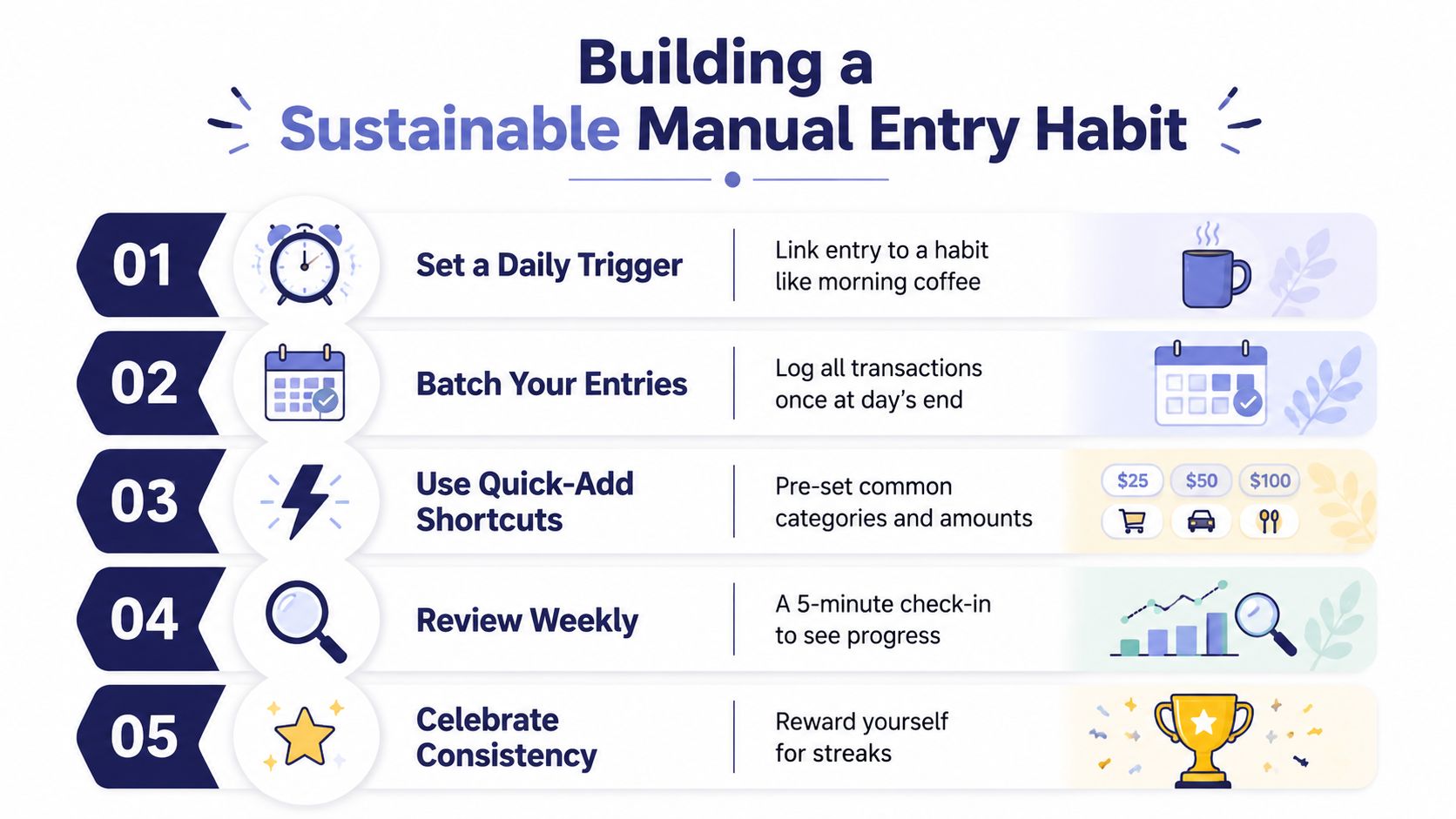
The objection to manual tracking is always the same, it sounds like work. In practice, the routine becomes manageable when the app keeps the workflow shallow and the user stops trying to make each entry feel like bookkeeping.
Start with one trigger
Tie entry to a stable habit, like finishing coffee, leaving a store, or sitting down after dinner. That reduces decision fatigue because the action becomes attached to something you already do. The goal is not perfection, it's making the log feel automatic without requiring an external bank feed.
Keep the categories narrow
Too many categories make the app slower and the data noisier. Start with the buckets you review, then split only when a category becomes too broad to be useful. If you can't explain why a category exists, you probably don't need it yet.
Use recurring items and corrections well
Recurring transactions are what make manual tracking sustainable across rent, salary, subscriptions, and similar repeats. Balance corrections matter too, because the point is to stay accurate, not to pretend every account balance always began cleanly. Ledgerly's export guidance can help when users want a structured copy of their records, and the CSV examples page shows how exported data is typically organized (Ledgerly CSV export examples).
A simple weekly check is enough. Review missing entries, confirm transfers, and clear any balance drift before it gets annoying. If the app lets you manage those changes quickly, the habit holds.
When to Choose a Minimalist Privacy-First Tracker
Choose a minimalist privacy-first app when you care more about trust than automation. That usually means you want offline access, local storage, no bank login, and a workflow that keeps transfers, cash, and recurring items clear without a lot of noise. If you've used bank-linked tools and spent more time cleaning data than learning from it, this type of app will probably feel calmer.
It's also the better fit if your income is irregular or your spending is split across accounts. A local-first manual tracker can turn a messy cash flow into a simple daily number without depending on a server-side view of your money. That's valuable when the app's real job is to tell you whether today's spending is safe, not to generate a polished monthly report after the fact.
Minimalist trackers do ask for more user input, so they're not for everyone. If you want a bank feed to do the work and don't mind sharing access, a different tool may suit you better. If you'd rather keep the ledger on your phone and decide every entry yourself, the trade-off usually pays back in clarity.
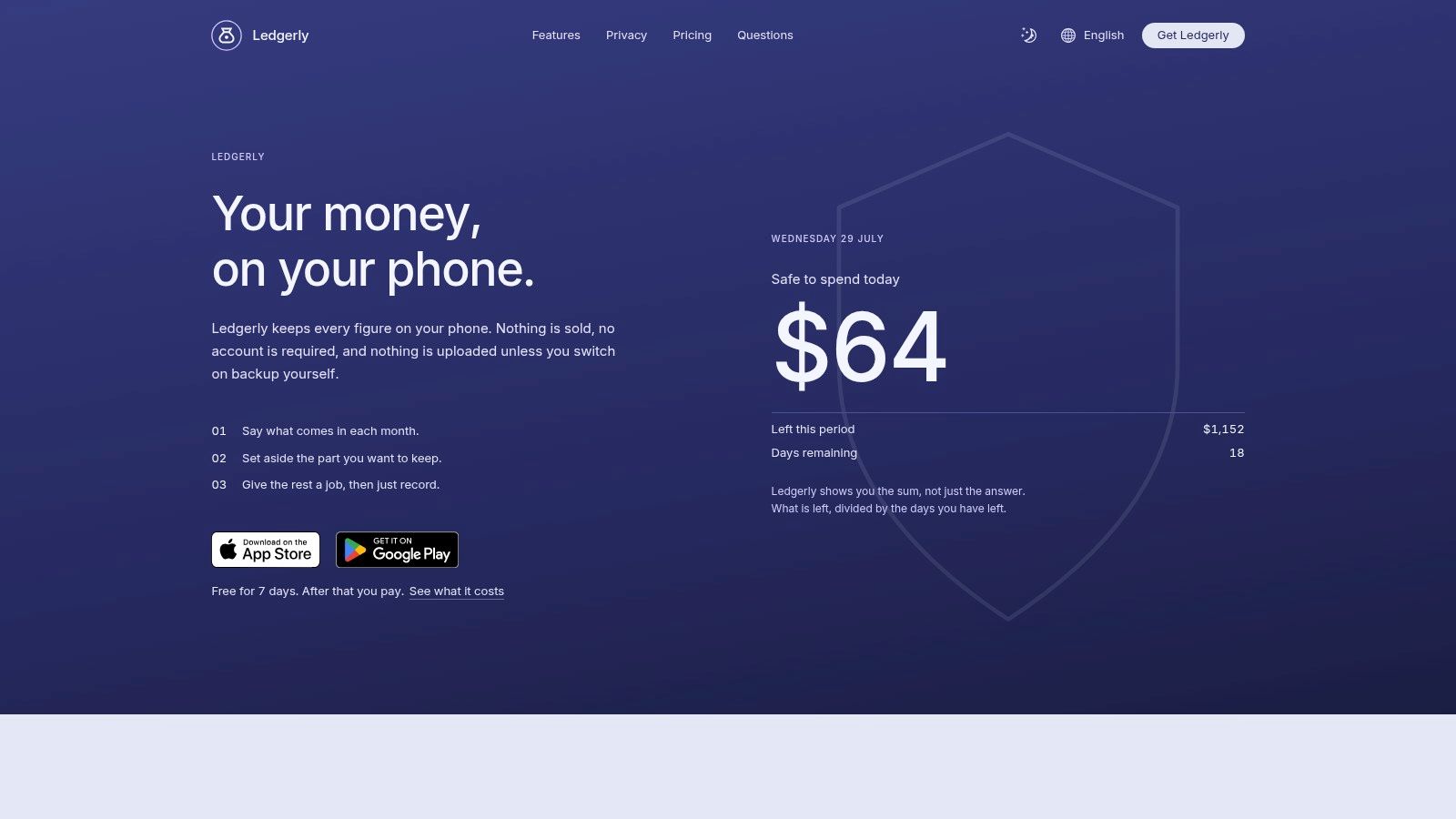
One option in that category is Ledgerly, a mobile budget and expense tracker that keeps data on the device and supports manual entry, recurring items, offline use, and CSV export. If that matches the way you want to manage money, read more about the product fit on the best budget apps without bank linking page.
Your Decision Checklist for Choosing the Right App
Use this as a fast filter before you commit.
- Privacy first: If you don't want bank login sharing, choose a local-first or offline app.
- Daily effort: If manual entry feels manageable, pick a tool built around quick add and recurring items.
- Income pattern: If your pay is irregular, look for a daily spend view, not just a monthly summary.
- Offline need: If you travel, commute, or want reliability anywhere, make offline support essential.
- Simplicity: If you abandon apps with crowded dashboards, choose the one with the fewest moving parts.
A good day to day expenses app should help you spend with more awareness, not more noise. If it can't stay private, stay fast, and stay understandable on an ordinary weekday, it's probably the wrong fit.
Ledgerly is built for people who want daily expense tracking without handing over bank access or relying on cloud imports. If you're ready for manual entry, offline use, recurring items, and on-device storage, visit Ledgerly and see whether that style of budgeting fits how you manage money.
Prepared with the Outrank app