August 21, 2026
8 Export CSV Examples for Financial Data
Explore 8 export csv examples for transactions, balances, and recurring items, with practical tips for spreadsheets and financial tools.
export csv examplesCSV exportfinancial dataspreadsheet importsLedgerly
A CSV file isn't automatically ready for financial analysis just because it contains commas. The header names, date format, sign convention, account treatment, recurring-item structure, and import settings determine whether the file remains understandable after it leaves the app that created it. A spreadsheet may open the file while changing dates, removing leading zeros, or interpreting account transfers as spending.
The eight export CSV examples below represent different ways to create or use a financial export, from Python and SQL pipelines to native mobile sharing and spreadsheet reconciliation. They aren't interchangeable. A server-side report is useful for aggregation, while an on-device transaction export is better for privacy and personal backup.
Read every file the same way before trusting it. Identify the row type, confirm what each field means, check dates and positive or negative amounts, then import a small sample before opening the full export. CSV has remained useful for decades because it is plain text, easy to generate, and readable across spreadsheets, databases, and business tools. Its simplicity helps, but it also means the schema must carry the meaning.
Table of Contents
- 1. Python Pandas CSV Export
- 2. Swift and iOS Native CSV Export
- 3. Kotlin and Android Native CSV Export
- 4. JavaScript and Node.js CSV Export
- 5. SQL Database CSV Export
- 6. React Native CSV Export
- 7. Excel VBA and Macro CSV Export
- 8. Flutter and Dart CSV Export
- CSV Export: 8-Method Comparison
- Choose the Export That Preserves Meaning
1. Python Pandas CSV Export
Python with Pandas is a strong choice when the export needs filtering, grouping, calculations, or several report views before the file is written. A raw transaction list might show one row per expense, while a budget report can group those rows by category and month. The important distinction is that aggregation changes the row meaning, so the filename and headers should make that clear.
A transaction export might include date, account, category, amount, note, and is_transfer. A monthly report could instead use month, category, budgeted, actual, and variance. Both are valid CSV structures, but they shouldn't be mixed in one ambiguous file.
df.to_csv(
    "transactions.csv",
    index=False,
    encoding="utf-8",
    date_format="%Y-%m-%d"
)
Setting index=False prevents Pandas row numbers from becoming an accidental column. UTF-8 preserves text and currency symbols, while an explicit date format gives spreadsheet and database users a predictable value to parse.
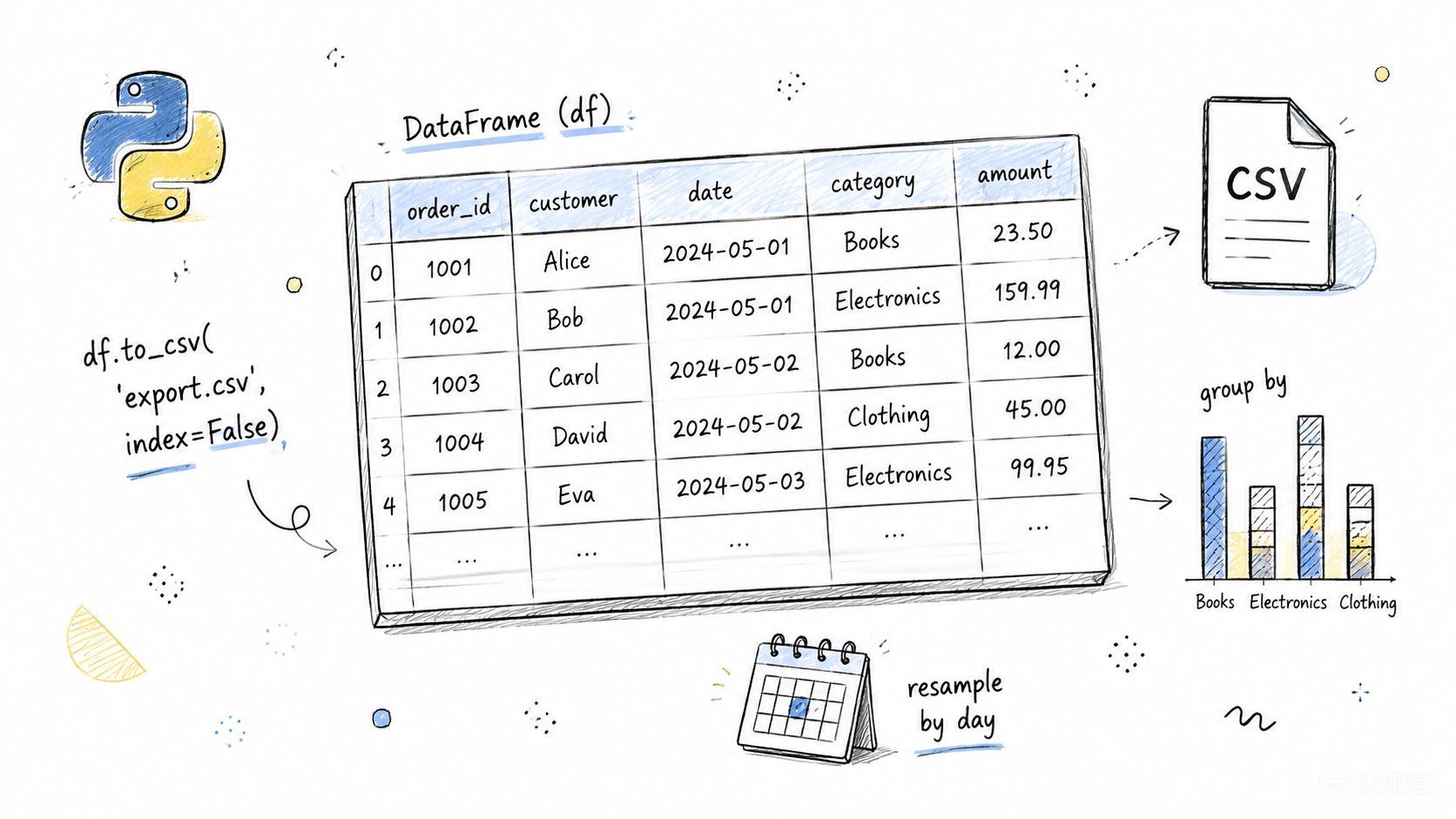
Useful transformations before export
Pandas is particularly practical for:
- Date-range exports: Filter transactions between defined dates before writing the file.
- Category summaries: Use
df.groupby()to produce spending totals by category and period. - Running balances: Sort by date and account, then calculate a balance column that can be reconciled against the source.
- Budget reports: Join budgeted values with actual transactions, but label calculated fields clearly.
- Large files: Write in chunks when the data can't comfortably fit in memory.
A financial export shouldn't treat transfers as expenses. Keep a transfer flag or transaction type in the source-level file, even if a separate report excludes transfers from spending totals. For a privacy-conscious workflow, budget apps without bank linking are a useful comparison point because manual, user-controlled records require the export process to preserve the choices made at entry.
Practical rule: Export raw records and calculated reports separately. The raw file supports auditing, while the report supports decisions.
2. Swift and iOS Native CSV Export
A native Swift export fits an offline-first iPhone or iPad app because the file can be assembled on the device and handed to the system share sheet. That keeps the export under the user's control. The trade-off is implementation responsibility: the app must handle quoting, encoding, dates, temporary files, and sandbox storage without relying on a server to clean up mistakes.
A basic financial row might be generated from a transaction model like this:
let header = "date,account,category,amount,note,is_transfer"
let row = [
    dateString,
    account,
    category,
    amountString,
    escapedNote,
    transferFlag
].joined(separator: ",")
The example only works safely if every field passes through CSV escaping. A note such as Dinner, client meeting contains a comma and needs quoting. A note containing a quotation mark needs that quote doubled inside the quoted field. Newlines require the same care because a single transaction must remain one logical record even when its note spans multiple lines.
Make the file easy to retrieve
Use FileManager.default.urls(for: .documentDirectory, in: .userDomainMask) for sandbox-safe storage. Write the resulting string as UTF-8, then present it through UIActivityViewController so the user can save it to Files, attach it to email, or move it to another approved destination.
Format dates with DateFormatter and a stable pattern such as yyyy-MM-dd. Don't let the device's display locale decide the file schema, because a recipient in another region may parse a localized date differently.
For account exports, include the account identifier and account type rather than relying on the order of rows. For recurring items, export the recurring identifier and recurrence status, not only the next occurrence. Otherwise, a recipient may mistake a scheduled rent item for a completed transaction.
A private export is still sensitive once the user shares it. Make the destination and file contents visible before handing the file to another app.
Test notes with commas, quotes, line breaks, non-Latin characters, and currency symbols. Also test an empty note and an empty optional field. Those cases expose most escaping and column-count errors before release.
3. Kotlin and Android Native CSV Export
Kotlin is a natural fit for an Android app that creates a CSV locally and shares it through email, Google Drive, messaging apps, or a document provider. The main constraint isn't generating comma-separated text. It's managing file access safely under Android's scoped-storage model and ensuring another app receives a content URI rather than an exposed filesystem path.
A reliable flow looks like this:
- Build the schema first: Define the column order in one place so every export uses the same headers.
- Escape every field: Quote values containing commas, quotes, or newlines, and represent internal quotes as doubled quotes.
- Write as UTF-8: Explicitly choose UTF-8 so names, notes, and currency symbols survive the handoff.
- Store privately first: Create the file in an app-controlled directory before offering a share action.
- Share through FileProvider: Grant temporary read access to the receiving app without exposing the private path.
A transaction row should preserve financial meaning, not just display text. For example, amount needs a documented sign convention, while transaction_type can distinguish expense, income, transfer, and balance adjustment. If an account balance is corrected with one adjustment line, that line should remain identifiable rather than being folded into an unrelated expense.
Android-specific choices
Use ActivityResultContracts.RequestPermission() only when the chosen destination requires a permission. Modern Android storage patterns often work better through the system document picker than through broad storage access. Test on Android versions that enforce scoped storage so the export doesn't work only on a developer device.
LocalDateTime.format() can produce consistent dates, but choose the formatter explicitly and document whether the timestamp represents local time or a UTC value. Financial records often need the local transaction date, while audit metadata may need a precise timestamp. Those are different fields and shouldn't be collapsed.
A monthly report can be lightweight, with period, category, income, spending, and net. An account backup needs more detail, including account identifiers, transfer relationships, recurring-item identifiers, and correction markers. The report is readable. The backup is recoverable. Don't call both “transactions.csv.”
4. JavaScript and Node.js CSV Export
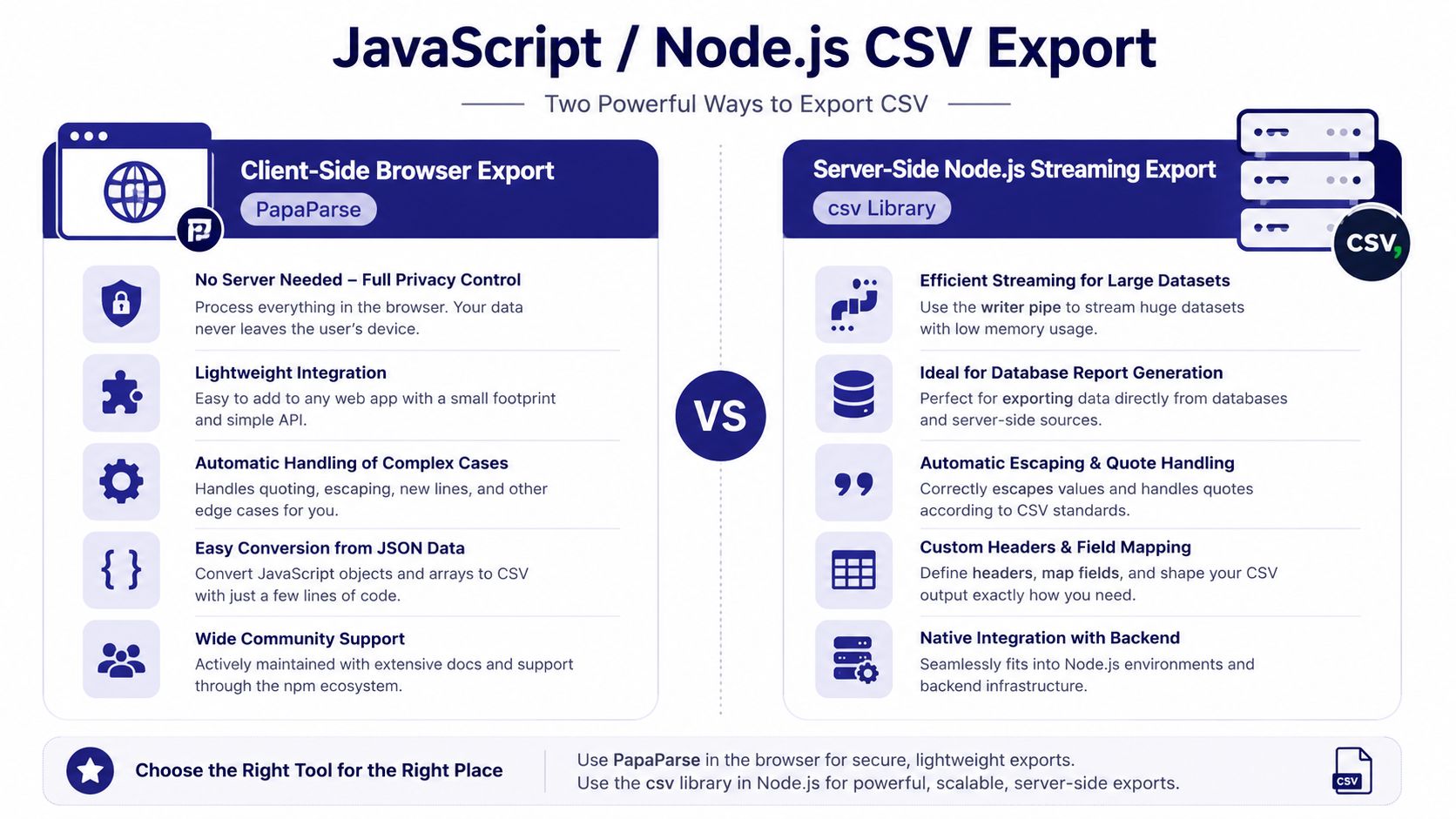
JavaScript covers two different export environments. In a browser, the app can convert transaction objects into CSV and trigger a download. In Node.js, the process can stream records from a database or file source without assembling the entire export in browser memory. Those approaches serve different audiences and carry different privacy trade-offs.
For a browser export, a library such as Papa Parse can convert structured objects with headers:
const csv = Papa.unparse(transactions, { header: true });
const link = document.createElement("a");

link.href = "data:text/csv;charset=utf-8," + encodeURI(csv);
link.download = "transactions.csv";
link.click();
The object keys become the schema, so don't let arbitrary UI labels determine them. Use stable names such as transaction_date, account_id, amount, and is_transfer. A user-facing label can still appear in the interface without becoming a breaking change in the file.
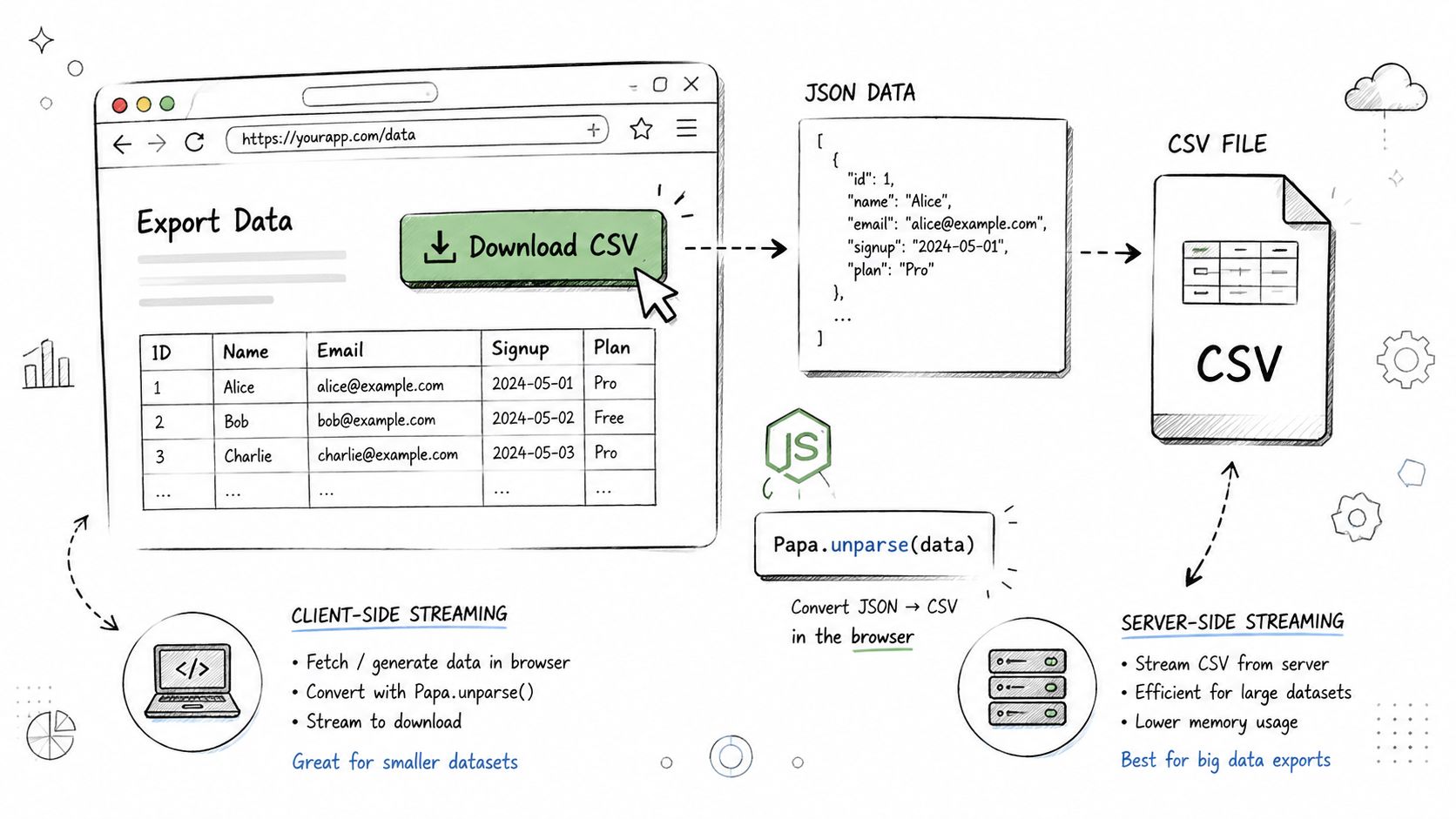
Browser versus backend processing
Client-side generation keeps personal financial records in the browser during the export, which may suit a local workflow. It can become awkward for large datasets, limited-memory devices, or exports requiring database joins. Server-side generation can handle filtering and streaming more comfortably, but it introduces a data-handling decision because records must reach the backend.
For Node.js, a CSV writer paired with fs.createWriteStream() supports a streaming pattern:
writer.pipe(fs.createWriteStream("export.csv"));
The stream should receive records in a stable order, such as date and transaction identifier, and the application should report whether the export completed or stopped. A partial file can look valid while missing later records.
Use the library's escaping support, then test with commas in notes, embedded quotes, blank optional fields, and negative amounts. If the export allows optional columns, document which fields are omitted. A recipient can't reconcile a file if the application omits transfers or account identifiers.
For product context, Ledgerly's budgeting app articles address the broader problem of handling financial records without assuming a bank-linked workflow. The same principle applies here: export choices should reflect who controls the data and where it travels.
5. SQL Database CSV Export
Database-native CSV export is effective when financial records already live in relational tables and the export requires joins, filters, or grouped totals. PostgreSQL's COPY, MySQL's SELECT INTO OUTFILE, and SQL Server's BCP can produce files close to the source data, but a direct SELECT * is rarely a good financial interface.
A PostgreSQL query can be explicit:
COPY (
  SELECT transaction_date,
         account_id,
         category,
         amount,
         note,
         is_transfer
  FROM transactions
  ORDER BY transaction_date, id
) TO STDOUT WITH CSV HEADER;
The column list matters. It separates the public export schema from internal columns, credentials, operational flags, and implementation details. A database view is often safer for a recurring export because the team can review and version the view independently from the underlying tables.
Design the query around the recipient
An accountant may need transaction dates, account names, categories, amounts, notes, and transfer markers. An engineering backup may need stable identifiers, creation timestamps, update timestamps, recurring-item relationships, and correction types. A management report may need only period, category, budget, actual, and variance.
Don't use one file for all three purposes. More fields improve recoverability but increase privacy exposure and make spreadsheet review harder. Fewer fields make a report readable but may prevent a clean migration or reconciliation.
Specify the header, delimiter, quote character, and encoding rather than depending on defaults. Test NULL values and notes containing punctuation. A blank amount is not the same as a zero amount, and an absent account identifier is not the same as a shared account.
Database export rule: Query the meaning you intend to hand off. Don't expose the shape of the database simply because
SELECT *is convenient.
A post-export check should compare row counts, key totals, and representative records with the source system. For recurring exports, stable filenames with timestamps or versioning make it easier to identify which file was reviewed. A checksum or hash can also help verify that the file wasn't altered between creation and receipt. This validation approach is recommended in practical CSV export guidance from WebEyeZ.
6. React Native CSV Export
React Native works well when an app wants one JavaScript-level export formatter while still using native file and sharing capabilities on iOS and Android. The shared code can define the financial schema and escaping rules. The platform-specific layer still has to handle file locations, permissions, share-sheet behavior, and the differences between document providers.
A useful React Native export starts with a normalized row model:
const rows = transactions.map(item => [
  item.date,
  item.accountName,
  item.categoryName,
  String(item.amount),
  item.note ?? "",
  item.isTransfer ? "true" : "false"
]);
The formatter should prepend a fixed header and escape each value. Don't use display strings for amounts if they contain localized separators or currency symbols. Keep a machine-readable amount field and, if needed, a separate display field.
Sharing without losing control
react-native-file-access or a document picker can handle local file operations, while the native Share.share() API can present the platform's sharing options. Store the file temporarily in the app's Documents directory, share it, then clean it up according to the app's retention policy. A financial export shouldn't remain in temporary storage indefinitely without a reason.
Cross-platform behavior needs direct testing. Android and iOS may present different destination choices and permission prompts. A file that opens correctly in Numbers may still import differently into Excel or a database client.
A category report is a good example of a derived export. It can show period, category, spending, and transaction_count, but it shouldn't be mistaken for a transaction backup. A handoff to an accountant usually needs the underlying records, account context, transfer flag, and any correction lines.
Use a progress indicator for a large export so the interface doesn't appear frozen. Also show the filename and row scope before sharing, such as “all accounts” or a selected period. That small confirmation step prevents accidental oversharing.
7. Excel VBA and Macro CSV Export
Excel remains useful after a CSV leaves a budgeting app. Users can import a transaction file, apply category-based formatting, build pivot tables, compare it with a bank statement, or consolidate separate budget periods. VBA is most valuable when the same cleanup and reconciliation steps happen repeatedly.
Workbooks.OpenText() lets a macro specify import behavior instead of accepting whatever Excel guesses. That matters because spreadsheets may reinterpret dates, amounts, and identifiers during import. Set column types deliberately, especially for dates and fields that look numeric but must remain text.
A practical macro workflow can:
- Import the source file: Keep the original values in a separate worksheet.
- Create a normalized sheet: Convert dates and amounts into the agreed analytical form.
- Apply validation: Flag missing accounts, unknown categories, malformed dates, and duplicate identifiers.
- Build a pivot: Summarize spending by category and period without changing the raw rows.
- Reconcile totals: Compare account and category totals with the source export or another statement.
- Record assumptions: Explain sign conventions, excluded transfers, and any manual adjustments.
For leading zeros, set the relevant column to text before or during import. For dates, preserve the source value and create a parsed date column rather than overwriting the original without a trace.
VBA needs boundaries
Macros can make a repeatable process reliable, but they can also hide transformations. Put the macro's purpose and assumptions at the top of the code, use named ranges, and keep imported raw data separate from calculated output. Don't let a macro delete rows that fail validation without notice. Mark them for review instead.
A reconciliation workbook may compare Ledgerly records with a separate statement CSV. Transfers should be matched as movements between accounts, not counted as new spending. Balance corrections should appear as adjustment lines, otherwise the workbook may report a false category variance.
For readers comparing manual budgeting tools, YNAB alternatives without bank login provides relevant context. The export still needs to stand on its own, though. A recipient shouldn't need the original app open to understand what each column means.
8. Flutter and Dart CSV Export
Flutter can share a CSV implementation across iOS and Android while leaving storage and sharing to platform-aware packages. Dart's typed models and null safety are useful for financial data, where optional notes, missing recurring identifiers, and absent transfer destinations need explicit handling rather than accidental string conversions.
The csv package uses a list-of-lists structure:
final rows = <List<String>>[
  ['date', 'account', 'category', 'amount', 'note', 'is_transfer'],
  ['2026-08-21', 'Checking', 'Groceries', '-42.50', 'Market', 'false'],
];

final csv = const ListToCsvConverter().convert(rows);
The row structure is easy to inspect, but it places responsibility on the model that creates each list. Keep the header definition beside the export mapper so a new field can't be added to the data model without a deliberate schema decision.
Make cross-platform files predictable
Use path_provider and getApplicationDocumentsDirectory() for app-controlled storage. Use share_plus for the native sharing flow, and use the intl package for stable date formatting. The display locale may change, but the export schema shouldn't.
A complete transaction export can include:
- Stable identifiers: Preserve transaction, account, and recurring-item relationships.
- Explicit amounts: Document whether income and expenses use positive or negative values.
- Transaction type: Separate expense, income, transfer, and balance adjustment.
- Dates: Distinguish the transaction date from any created or updated timestamp.
- Account context: Include the source account and destination account where a transfer applies.
- Optional notes: Keep blank values blank, without shifting later columns.
Flutter's shared code doesn't eliminate platform testing. Check files on both iOS and Android, then open them in a spreadsheet application and a plain-text editor. Test commas, quotes, line breaks, accented names, currency symbols, empty values, and a file with no transactions.
A recurring-item export should preserve the recurring record itself rather than pretending every future item is already completed. A reporting export can summarize upcoming commitments, but it should label them as planned. Mixing planned and completed rows is one of the fastest ways to produce a misleading financial total.
CSV Export: 8-Method Comparison
| Approach | Complexity 🔄 | Resources & Dependencies ⚡ | Quality & Impact ⭐ / 📊 | Ideal Use Cases 💡 | Key Advantages ⭐ |
|---|---|---|---|---|---|
| Python Pandas CSV Export | Medium, server-side DataFrame logic and handling | Moderate, Python backend, Pandas/NumPy libs, server memory | ⭐ High, excellent for complex transforms and accurate exports; 📊 strong reporting capability | Web dashboards, server-side reporting, large dataset processing | Powerful data manipulation, robust edge-case handling, rich ecosystem |
| Swift / iOS Native CSV Export | Medium, manual formatting/escaping and iOS API use | Low, on-device, Foundation only; careful memory for big exports | ⭐ High, fast and privacy-preserving; 📊 reliable per-user exports | On-device export to Files/Share Sheet, privacy-first mobile apps | Zero dependencies, full control over data flow, seamless iOS integration |
| Kotlin / Android Native CSV Export | Medium, permissions, scoped storage, FileProvider setup | Low–Moderate, on-device with runtime permission handling | ⭐ High, native performance and compliance; 📊 good UX on Android | Android app exports to Downloads, Share intents, cloud providers | Native privacy/storage compliance, easy Share intent integration |
| JavaScript / Node.js CSV Export (PapaParse / csv) | Low–Medium, library usage simplifies client/server flows | Low (browser) to Moderate (server streaming) | ⭐ High for web UX; 📊 flexible, client privacy or server-side streaming | Web dashboards, Electron apps, browser downloads or backend streaming | Client-side privacy with PapaParse, easy web integration, npm ecosystem |
| SQL Database CSV Export (COPY/SELECT INTO OUTFILE) | Low, simple SQL commands but needs DB access | High, requires database server, access controls, infra | ⭐ Very High, fastest for large datasets; 📊 best for bulk/atomic exports | Server-side backups, analytics pipelines, large-scale reporting | Extremely fast, low client memory use, leverages DB indexes and atomicity |
| React Native CSV Export | Medium, JS logic plus native bridges for file ops | Moderate, native modules, cross-platform testing and maintenance | ⭐ Good, cross-platform parity; 📊 slightly lower perf vs native | Apps wanting single codebase for iOS & Android export features | Single codebase, faster iteration, maintains on-device privacy |
| Excel VBA / Macro CSV Export | Low–Medium, macro authoring and maintenance | Low, requires Excel (desktop) on user machine | ⭐ Moderate, excellent for power-user workflows; 📊 great for reconciliation | Power users importing Ledgerly CSVs for pivot reports and audits | Automates spreadsheet workflows, familiar to accountants, integrates with Excel tools |
| Flutter / Dart CSV Export (csv plugin) | Medium, Dart code + plugins for file/share operations | Moderate, Dart/Flutter SDK and pub packages; single codebase | ⭐ Good, high performance; 📊 strong cross-platform consistency | Cross-platform mobile apps prioritizing performance and smaller bundles | Fast runtime, single codebase, strong typing and null-safety advantages |
Choose the Export That Preserves Meaning
The implementation language is only one decision. The more important choice is whether the file is a raw record export, a derived report, a migration file, or a reconciliation artifact. Python Pandas suits teams that need filtering, grouping, and calculated reports. JavaScript works for browser downloads and Node.js pipelines, with client-side generation favoring local handling and backend streaming favoring controlled server processing. SQL is appropriate when a database owns the records and the team can expose a reviewed view rather than internal tables.
Swift and Kotlin are the clearest choices for native, on-device mobile exports. They can write files locally and use the operating system's sharing tools, but each platform requires careful handling of storage, permissions, file providers, and encoding. React Native and Flutter reduce duplicated application logic, yet they don't remove the need to test both platforms. Excel VBA is the practical choice when the recipient works mainly in spreadsheets and needs repeatable reconciliation or reporting.
A trustworthy CSV format needs more than a comma delimiter. RFC 4180 documents the common CSV structure and registers the text/csv MIME type, while the Library of Congress CSV overview describes CSV as a simple de facto format without one single official specification. That combination explains why applications must document their own schema instead of assuming every reader interprets the file identically.
Use this compact import check before sharing or loading a file:
- Confirm delimiter and encoding: Check whether the file uses commas, another delimiter, and UTF-8.
- Inspect headers: Make sure each name describes the field and that the order matches the intended importer.
- Preserve dates and identifiers: Prevent spreadsheet software from changing date values or stripping leading zeros.
- Verify amount signs: Confirm how income, expenses, refunds, transfers, and corrections are represented.
- Separate transfers from expenses: A movement between accounts shouldn't inflate spending totals.
- Check recurring records: Distinguish scheduled items from completed transactions.
- Test balances: Compare account totals and key category totals against the source.
- Review a sample first: Open a small export before processing the full file.
CSV is also relevant to data portability. The UK Information Commissioner's Office guidance on data portability says personal data should be provided in a commonly used, machine-readable format such as CSV. A compliant or useful handoff still requires structured fields and understandable semantics. A raw database dump may contain too much internal detail, while a polished report may omit the records another system needs.
Ledgerly's model fits the on-device side of this decision. It uses manual transaction entry, optional recurring items, multiple budgets, account totals, transfers treated as moves, and balance corrections represented with an adjustment line. Its CSV export keeps recorded data portable, while the on-device design leaves the decision to share the file with the user. That makes the export useful for spreadsheet review, backup, migration, or tax preparation, provided the recipient checks the schema and financial meaning before importing it.
If you're building or using an export, don't begin with the programming language. Begin with the question the file must answer. Then define the row types, fields, signs, dates, account relationships, and validation steps that let someone else read the answer without guessing.
Ledgerly keeps your manually recorded financial data on your iOS or Android device and lets you export the recorded data as a CSV when you need a spreadsheet, backup, or handoff. If that privacy-first, bank-free workflow fits how you manage money, visit Ledgerly and review the app's export and offline budgeting features.
Drafted with Outrank app