August 28, 2026
Tracking Credit Card Payments Without Double Counting
Learn tracking credit card payments the right way. Record charges as transfers, avoid double counting, and stay on top of due dates with this practical
tracking credit card paymentscredit card trackingbudget app tipsmanual expense trackingavoid double counting
You check your credit card and see a grocery charge, a subscription, and a payment from checking. In a manual budget app, all three can look like money leaving your accounts. Add them without understanding the account structure, and your monthly spending becomes overstated while the card balance still looks wrong.
That's the central problem with tracking credit card payments manually. A purchase, a fee, interest, and a payoff are different kinds of financial activity. Once you give each one the right entry type, your category totals, account balances, and payment reminders can agree without relying on automatic bank imports.
Table of Contents
- The Double Counting Trap With Credit Cards
- Why a Credit Card Is a Separate Account, Not a Category
- Recording Charges, Fees, and Interest the Right Way
- Logging Payments as Transfers, Not Expenses
- Tracking Due Dates and Minimum Payment Risk
- Common Mistakes and How Ledgerly Helps You Fix Them
- Building a Weekly Habit That Actually Sticks
The Double Counting Trap With Credit Cards
Suppose you buy groceries for $42 with a credit card. You record the purchase as groceries, then later send $200 from checking to the card. If your tracker treats both entries as expenses, the monthly report shows $242 of spending.
Only the $42 purchase belongs in your grocery spending. The $200 payment settles money you already borrowed. It changes the balances of checking and the credit card, but it doesn't describe a new purchase.
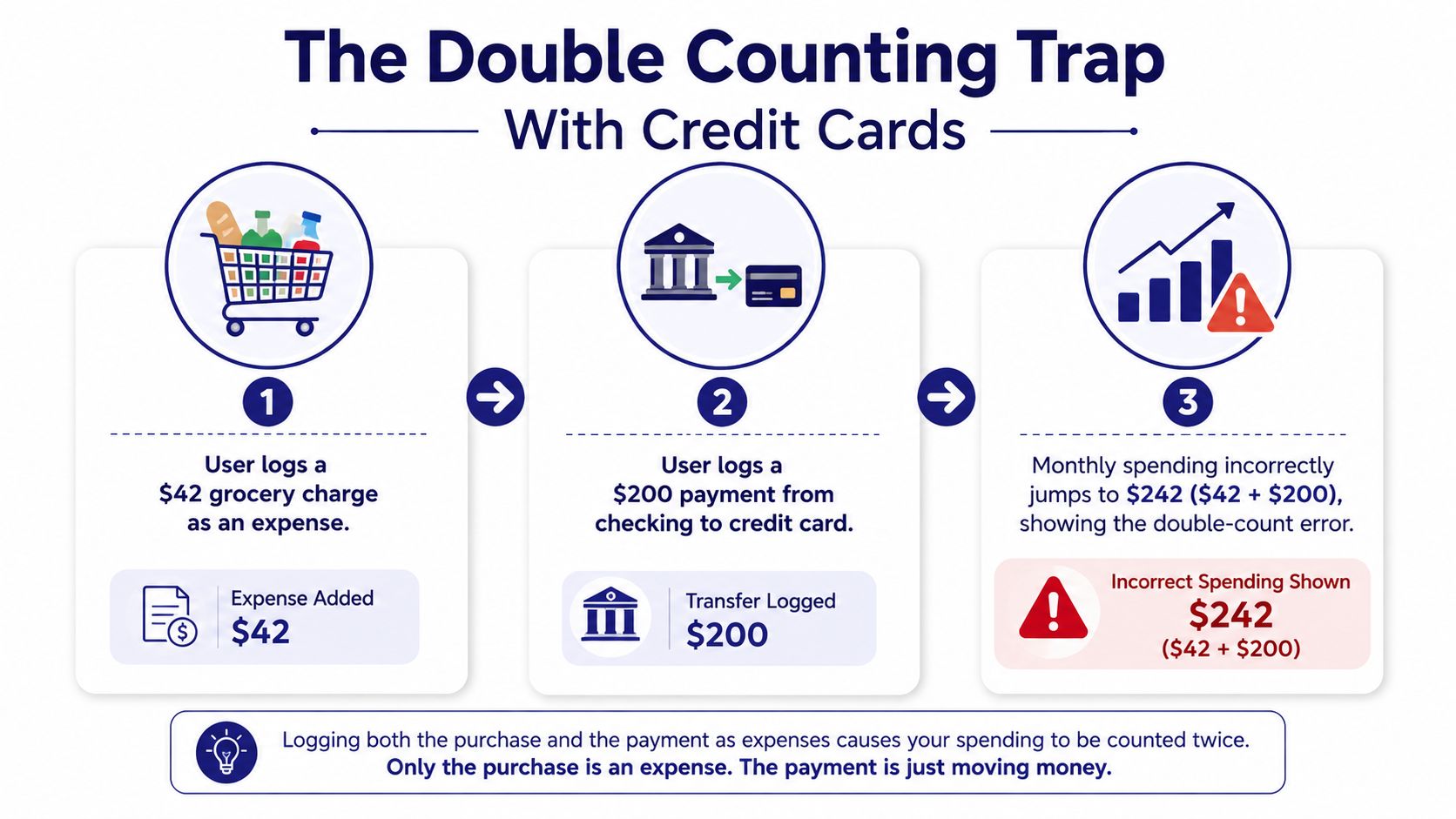
This mistake is common in spreadsheets and simple trackers because they often give you one place for “expenses” and another for “income,” without modeling a card as an account with its own balance. The payment then looks like an ordinary checking outflow. Your report counts the original purchase and the payoff, while the card's outstanding amount may remain unclear.
There are two separate risks here:
- Duplicate spending: The card purchase appears once when you buy something and again when you pay the card.
- Missing liability visibility: You see checking decrease, but you don't have a reliable running record of what the card still owes.
Practical rule: A purchase answers, “What did I buy?” A payment answers, “Which account did I repay?” Never use one entry to represent both.
Manual entry makes the distinction visible instead of hiding it behind an import rule. That can feel slower at first, but it forces you to decide whether each transaction is a purchase, a fee, interest, or a transfer. If you're evaluating whether a manual budgeting workflow is worth the effort, this comparison of budgeting apps helps put that trade-off in context.
The fix begins with the account model. A card isn't a spending category, and a payment isn't a second version of the purchase.
Why a Credit Card Is a Separate Account, Not a Category
A credit card is a liability account. It represents money you owe. “Groceries,” “transportation,” and “subscriptions” are categories that explain why money was spent. Those two dimensions work together, but they aren't interchangeable.
The correct entry for a card purchase has two parts. It increases the card balance and assigns the transaction to a spending category. The later payment reduces the card balance and checking balance, with no category attached.
That distinction gives you two useful views at once. Category reports tell you where your money went, while the card account tells you how much borrowed balance remains. A single-account setup can't provide both cleanly because it treats the card as a label rather than a financial account.
| Action | Single-Account (Wrong) | Dual-Account (Correct) |
|---|---|---|
| Card purchase | Records an expense without increasing a card balance | Records the charge on the credit card account and assigns a category |
| Payment from checking | Records another expense | Records a transfer from checking to the credit card |
| Category report | Includes purchases and repayments | Includes the original purchases only |
| Account balance | Doesn't show the card liability clearly | Shows the amount owed after charges and payments |
| Refund or credit | May be treated as income or a negative expense inconsistently | Posts against the relevant card account and category |
Think of the card as a container for unsettled activity. A restaurant purchase enters that container. A payment removes part of the balance. The restaurant category remains the explanation for the original charge, not for the act of removing the debt.
This model also handles partial payments properly. If you pay only part of the card balance, the transfer reduces what you owe by that amount, while the unpaid portion stays visible. If you categorize the payment as “Dining” or “Bills,” the report loses that distinction and tells you a misleading story about current spending.
Recording Charges, Fees, and Interest the Right Way
Manual tracking works when every card statement item gets its own deliberate entry. The entry should live on the credit card account, not on checking, unless the transaction came directly from checking.
Start with the original charge
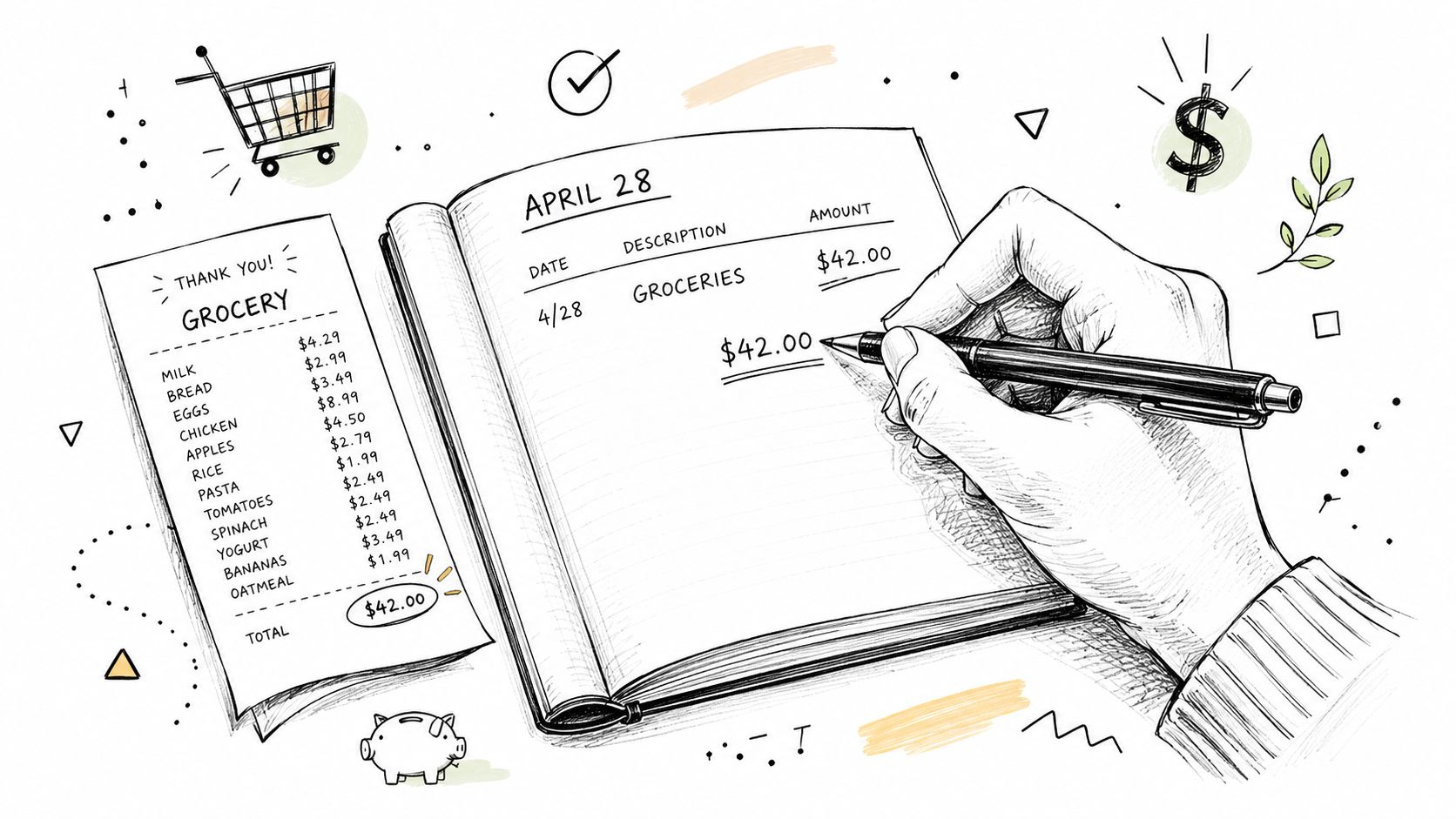
For a $42 grocery purchase, add one transaction to the credit card account:
- Select the credit card account.
- Enter the purchase amount and posting date.
- Choose the Groceries category.
- Add a merchant or note if you need the receipt later.
- Confirm that the card balance increases by the charge.
Don't add a second grocery expense when you pay the statement. The payment will be handled separately as a transfer.
The same account-first method applies to non-purchase items. A foreign transaction fee, annual fee, or late fee should be recorded on the card account with a suitable category such as Fees or Bank Charges. A refund should also be matched to the card account so the running balance reflects the credit issued by the merchant.
Give interest its own line
Interest deserves separate treatment. Record it as an individual transaction on the credit card account and assign it to an Interest category. It isn't a purchase you made at a store, and burying it inside another category makes the cost of carrying a balance harder to see.
In Ledgerly's Money view, filtering to the credit card account should reveal purchases, fees, refunds, and interest together. The running account balance then has a clear purpose: it should represent what the card says you owe, subject to the statement's posting and closing dates.
Interest is the silent manual-tracking error. If you skip it, your recorded card balance can look accurate until the statement arrives, then appear mysteriously higher. The correction isn't to add a larger payment. It's to enter the missing interest line on the date it posted.
Logging Payments as Transfers, Not Expenses
A payment from checking to a credit card is a transfer between accounts you control. It isn't a new expense because the spending happened when the card purchase was recorded.
In Ledgerly, begin from the checking account and use the transfer or move flow. Select the credit card as the destination, enter the payment amount and posting date, then save it. The checking balance decreases, the credit card liability decreases, and the expense categories remain unchanged.
The same transfer appears under both accounts in the Money view. Under checking, it explains the withdrawal. Under the credit card account, it explains the reduction in what you owe. A transfer has no spending category because it doesn't describe a purchase.
Handle imperfect payment timing carefully
Partial payments use the same entry type. If the card balance is larger than the amount you send, record only the amount transferred. The remaining liability stays on the card account.
An overpayment also remains a transfer, but it may create a credit balance on the card. Don't force the transaction into an expense category just to make the account total look familiar. Record the actual movement and investigate the card statement if the resulting balance differs from your expectation.
Payments can post before every related charge appears in your manual record. That's a timing issue, not a reason to reclassify the payment. Record the transfer when it posts, then add the missing charges as they appear. Reconciliation guidance recommends working from the statement closing date and matching purchases, fees, refunds, interest, credits, and carryovers before saving a balanced workpaper. This guide to exporting Ledgerly data can also help when you need to review or archive your transaction history outside the app.
Tracking Due Dates and Minimum Payment Risk
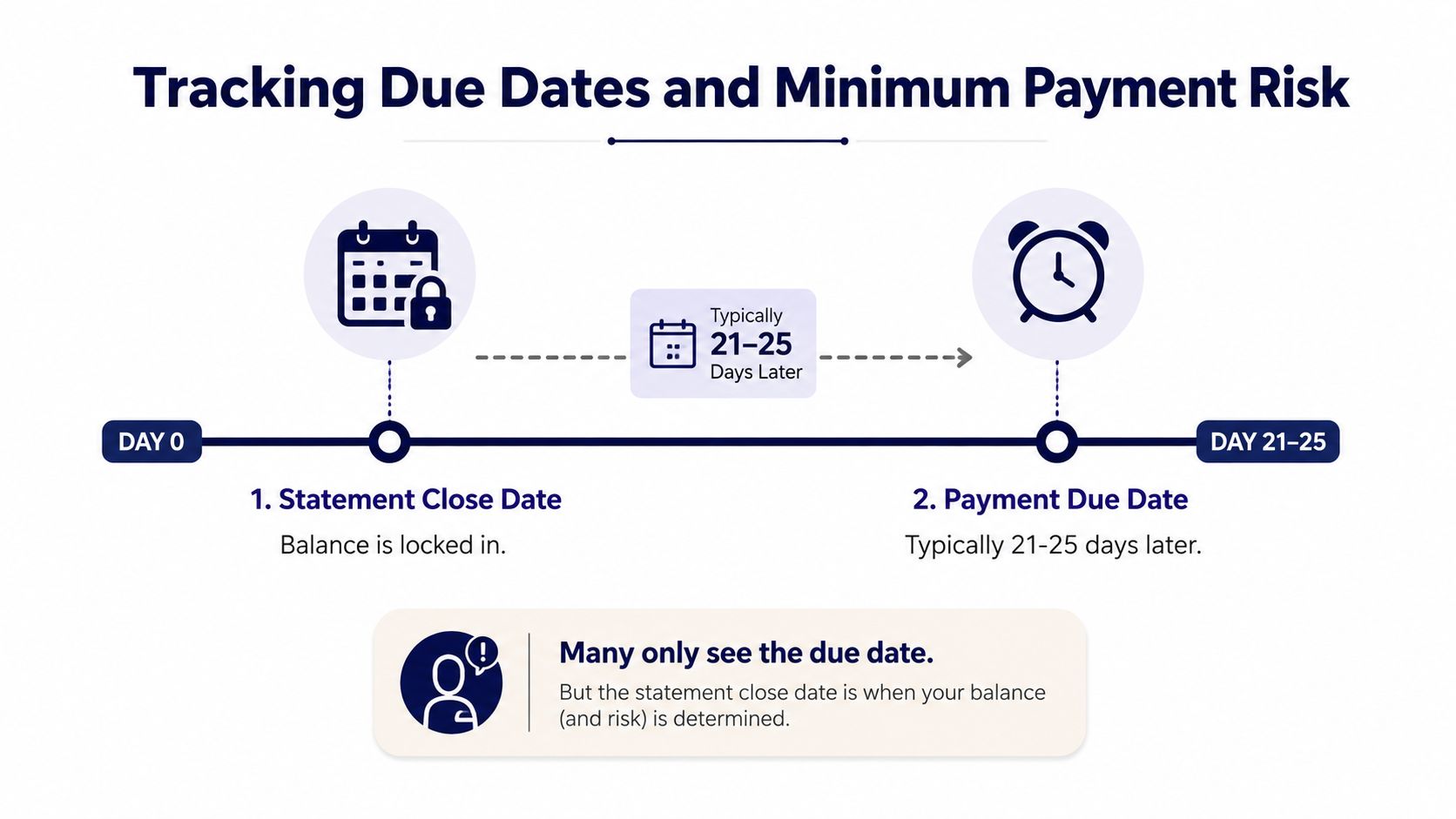
A card statement creates two separate control points. The statement closing date freezes the activity included in that statement, while the payment due date tells you when the issuer must receive payment. The due date is often several weeks after the closing date, but the exact interval depends on the account terms.
That gap matters because the amount due can change from one statement to the next. If you only watch the card's current balance, you may miss the statement balance, minimum payment, or payoff amount that should guide your next transfer.
Recent repayment data makes this more than a bookkeeping preference. A 2025 U.S. regulatory report found that superprime consumers with FICO scores of 800 or higher pay approximately their entire balance each month, while prime-or-lower borrowers pay about 15% or less of their monthly balance. The report also found that the share of cardholders making only minimum payments increased from 13% to 15% for general-purpose cards and from 17% to 20% for private-label cards between 2022 and 2024, as reported in the analysis of the 2025 Credit CARD Act report.
Put the deadline where you'll see it
Use a recurring item or reminder on the credit card account for the due date. If the statement amount isn't known yet, use the reminder to prompt a review rather than pretending the amount is fixed. Once the statement arrives, compare the minimum, statement balance, and your planned payoff amount before creating the checking-to-card transfer.
The CFPB reported that issuers charged $17.0 billion in late fees in 2024, up 17% from 2022, with $5.8 billion from private-label cards, which represented 7.5% of total balances. The same report recorded late fees of $4.5 billion in the fourth quarter of 2023 and $4.2 billion in the fourth quarter of 2024, detailed in the CFPB's 2025 credit card market report.
A reminder won't decide how much you can afford, but it prevents the deadline from disappearing inside a general bill list. Payment timing and payment amount need separate checks.
Common Mistakes and How Ledgerly Helps You Fix Them
The most damaging assumption is that every checking-account outflow belongs in an expense report. A credit card payment disproves it. If you previously entered a $200 payment as “Groceries,” edit that transaction and change its type to Transfer, select the credit card account, clear the category, and verify that the duplicate amount disappears from spending reports.
The next mistake is leaving statement adjustments out of the card account. Interest, annual fees, late fees, refunds, and credits all affect the balance. If they aren't entered, your account won't reconcile even when every obvious purchase appears correct.
Use the account detail as the repair surface
A manual ledger doesn't need a full-month rewrite when one entry is wrong. Correct the affected transaction, or add a single adjustment line when the bank balance and recorded balance differ after you've checked the statement. Keep a note explaining why the adjustment exists so another review can reproduce the correction.
Date handling creates a third problem. A purchase may post on one date, a payment on another, and the statement may close between them. Entering everything on the same date hides that float period and makes month-end totals difficult to interpret.
- Wrong entry type: Reclassify payments as transfers instead of expenses.
- Missing card activity: Add interest, fees, refunds, and credits to the card account.
- Unclear timing: Use the actual posting dates shown on the statement.
- Unexplained difference: Investigate first, then use one documented adjustment rather than several speculative edits.
Ledgerly's manual, on-device approach leaves the decision with you. That means it won't automatically import a duplicate transaction or automatically guess a category, but it also won't rescue an entry made under the wrong account. The control is useful only when the account, type, date, and category are checked at entry time.
Building a Weekly Habit That Actually Sticks
The practical routine is short enough to protect. On Sunday, open the Money view and review each credit card account against the latest issuer activity. Confirm posted charges, identify pending items that still need attention, and check whether the recorded balance agrees with the bank's reported balance.
Use this sequence:
- Review posted charges: Match merchants, amounts, refunds, fees, and interest.
- Check the next deadline: Look for the statement closing date and upcoming due date.
- Plan the transfer: Decide whether the next payment targets the minimum, statement balance, or a larger payoff amount.
- Verify checking capacity: Make sure the planned transfer won't create a shortfall in the account funding it.
- Resolve differences: Correct the individual entry or add one documented adjustment line.
A recurring monthly reminder can keep the due date visible, but don't treat a recurring amount as permanent. Card balances change. The reminder should trigger the statement review, after which you enter the amount that applies.
This habit also works for irregular income. A budget organized around pay periods or variable deposits needs the same account discipline as a monthly plan, but the transfer decision may change each week. This guide to budgeting with irregular income covers the broader planning problem. For the card itself, the important question remains concrete: what do I owe, when is it due, and which checking balance will fund it?
Manual tracking fails when it becomes a second, neglected log. Make the Money view the record you trust, reconcile on a fixed cadence, and correct mistakes while the statement is still in front of you. The mechanics then stay manageable because every new entry has one job.
Ledgerly is a manual, on-device budget and expense tracker with separate accounts, category-based charges, recurring reminders, transfers, balance adjustments, and Money view account totals. Visit Ledgerly to track credit card activity without bank connections and keep payment timing visible.