August 30, 2026
10 Net Worth Tracking Spreadsheet Templates
Compare 10 net worth tracking spreadsheet templates for Google Sheets and Excel, then learn how to adapt Ledgerly CSV exports for easier updates.
net worth tracking spreadsheetnet worth trackerGoogle Sheets templatesExcel spreadsheetspersonal finance

The best net worth tracking spreadsheet is the one you'll open next month. The popular advice says to chase the prettiest dashboard, but that misses the job. A useful sheet has to classify assets and liabilities quickly, keep a comparable history, and fit the way you work in Excel or Google Sheets without turning every update into a chore.
That difference matters because some sheets are built for a fast snapshot, while others are better for trend lines, lender-style statements, shared review, or privacy-first manual entry. A workbook that looks impressive can still fail if it's hard to maintain. A plain sheet that gets updated on schedule is usually more valuable.
For manual workflows, Ledgerly fits as a source of recorded totals and CSV exports, but it doesn't replace the spreadsheet structure itself. A CSV export can give you transaction data and account records, yet you still need to map those items into the categories your chosen template expects. That step matters because the spreadsheet is where you define what counts as cash, what counts as debt, and how you treat transfers, not the export file alone.
Table of Contents
- 1. Vertex42 Personal Financial Statement
- 2. Money Under 30 Net Worth Spreadsheet
- 3. Smartsheet Personal Financial Statement
- 4. SpreadsheetPoint Net Worth Spreadsheet
- 5. Finta Free Net Worth Tracker
- 6. Rebel Finance School Net Worth Tracker
- 7. LivePFS Net Worth Statement
- 8. Finsemble Net Worth Tracker Template
- 9. Tools Without Code Net Worth Tracker
- 10. Financial Aha Free Net Worth Tracker Spreadsheet
- Top 10 Net Worth Spreadsheet Comparison
- Build a Monthly Update Routine
1. Vertex42 Personal Financial Statement
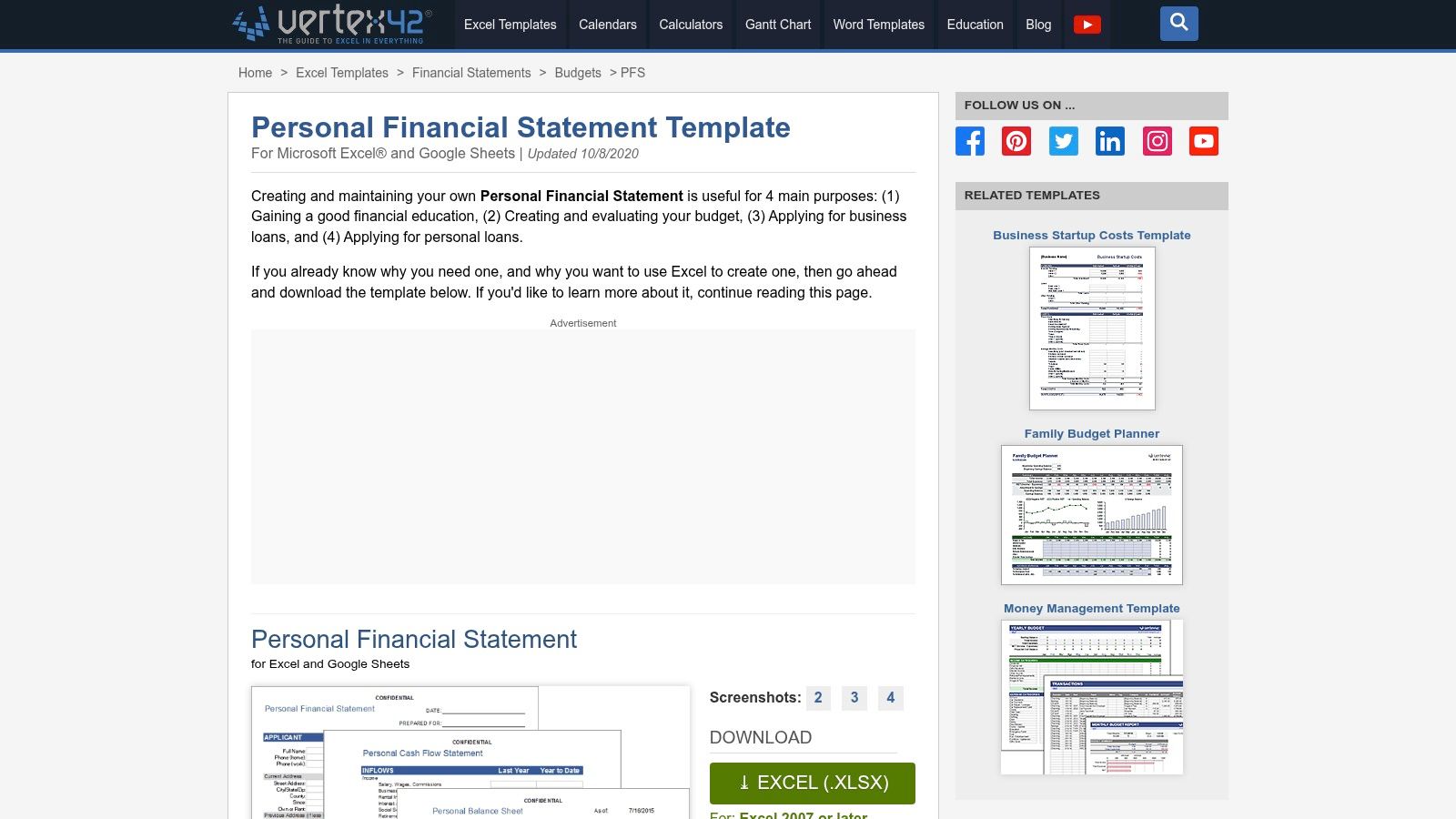
Vertex42's Personal Financial Statement is the most straightforward choice if you want a workbook that feels formal without becoming complicated. The layout reads like a balance sheet, with clear places to list assets and liabilities and let the sheet calculate net worth for you. It's also print-friendly, which makes it a better fit than most casual trackers when someone needs a clean document for a loan conversation or a personal records file. Vertex42's Personal Financial Statement is also Excel-first, so it suits users who like working directly in a workbook rather than inside a browser.
Where it works best
This template fits people who want a structured personal balance sheet and don't need a fancy dashboard. The separate schedules for asset and liability details help when your holdings aren't simple, especially if you like keeping line items tidy instead of dumping everything into one cell. The format also lends itself to expansion, so you can add categories without rebuilding the whole model.
Where it falls short
The trade-off is collaboration. It's a downloadable Excel workbook, not a cloud-native shared system, so it's not ideal if multiple people need to comment in real time. If your main job is long-term trend tracking, you'll probably want something with more history and charting.
Practical rule: use this kind of sheet when you want a formal statement first and a tracker second. If you need monthly trend review, pair it with a separate log.
For readers who want a workbook that looks professional and still stays editable, Vertex42 is a solid anchor. It does the bookkeeping job well, but it asks you to own the maintenance.
2. Money Under 30 Net Worth Spreadsheet
Money Under 30 keeps things simple in a way that helps beginners. The template breaks the sheet into assets versus liabilities, then lets you log net worth over time without forcing you to learn a complex dashboard first. It's available in both Excel and Google Sheets, which makes it easy to use across devices and easy to share with yourself later if you move systems. The linked Google Sheets version is especially useful for anyone who wants a fast copy-and-edit workflow, and the page's setup is intentionally beginner-friendly. Money Under 30's net worth spreadsheet gets the basics right without asking you to become a spreadsheet hobbyist.
Ledgerly's CSV export notes are relevant here because a simple tracker still needs clean source data. A CSV file can help you pull balances and transactions into one place, but you still need to decide which figures belong in your asset section and which belong in liabilities.
Best fit and weak spots
This template suits first-time trackers who want the minimum viable system. It's especially good if your only goal is to start recording monthly progress and stop overthinking the setup. The downside is obvious, it's intentionally basic, so power users will miss deeper charts, milestone views, or richer reporting.
A practical way to use it is to keep the sheet boring on purpose. Add the same categories each month, update balances on a consistent day, and resist the urge to redesign the workbook every time your life changes.
Consistency matters more than polish. A plain sheet updated every month beats a clever one you stop using.
If you're new to net worth tracking, this is one of the easiest places to start.
3. Smartsheet Personal Financial Statement
Smartsheet's Personal Financial Statement sits closer to a workplace document than a personal hobby sheet. The format is tidy, standardized, and designed for people who want a professional-looking record that can live either as an Excel download or inside Smartsheet's own cloud environment. That makes it a good option when one person owns the numbers but another person needs to review them. The built-in collaboration model matters more than many think, because a net worth file often becomes more useful when a spouse, partner, advisor, or business contact can comment on the same copy. Smartsheet's financial planning template collection puts the emphasis on structure and review.
The drawback is that the online version lives inside Smartsheet's ecosystem, so you're choosing a platform, not just a template. That's fine if you already work there, less ideal if you want something light and portable.
Good use cases
- Shared review: useful when someone else needs to check the file before it's submitted or relied on.
- Standardized presentation: helpful when you want the statement to look familiar and tidy.
- Excel fallback: practical if you like local files but still want a cloud option later.
What it doesn't solve
This kind of template doesn't magically make the underlying valuation easier. You still need current balances, a stable category structure, and a routine for updates. If your holdings change often, the sheet can become stale fast unless you commit to a review schedule.
For people who need a document that feels formal without building one from scratch, Smartsheet is a practical middle ground. It's less about experimentation and more about keeping the statement readable, shareable, and easy to defend.
4. SpreadsheetPoint Net Worth Spreadsheet
SpreadsheetPoint is a good example of a template that respects Google Sheets users instead of treating the browser version like an afterthought. The sheet comes with clear instructions, asset and debt categories, and a trend-tracking structure that makes sense for people who want a low-friction start in Google Drive. That matters because many spreadsheets fail at the first step, not the math, but the setup. A “make a copy” workflow lowers that friction and gets you to the first monthly snapshot quickly. SpreadsheetPoint's net worth spreadsheet is aimed at users who want a guided path rather than a blank canvas.
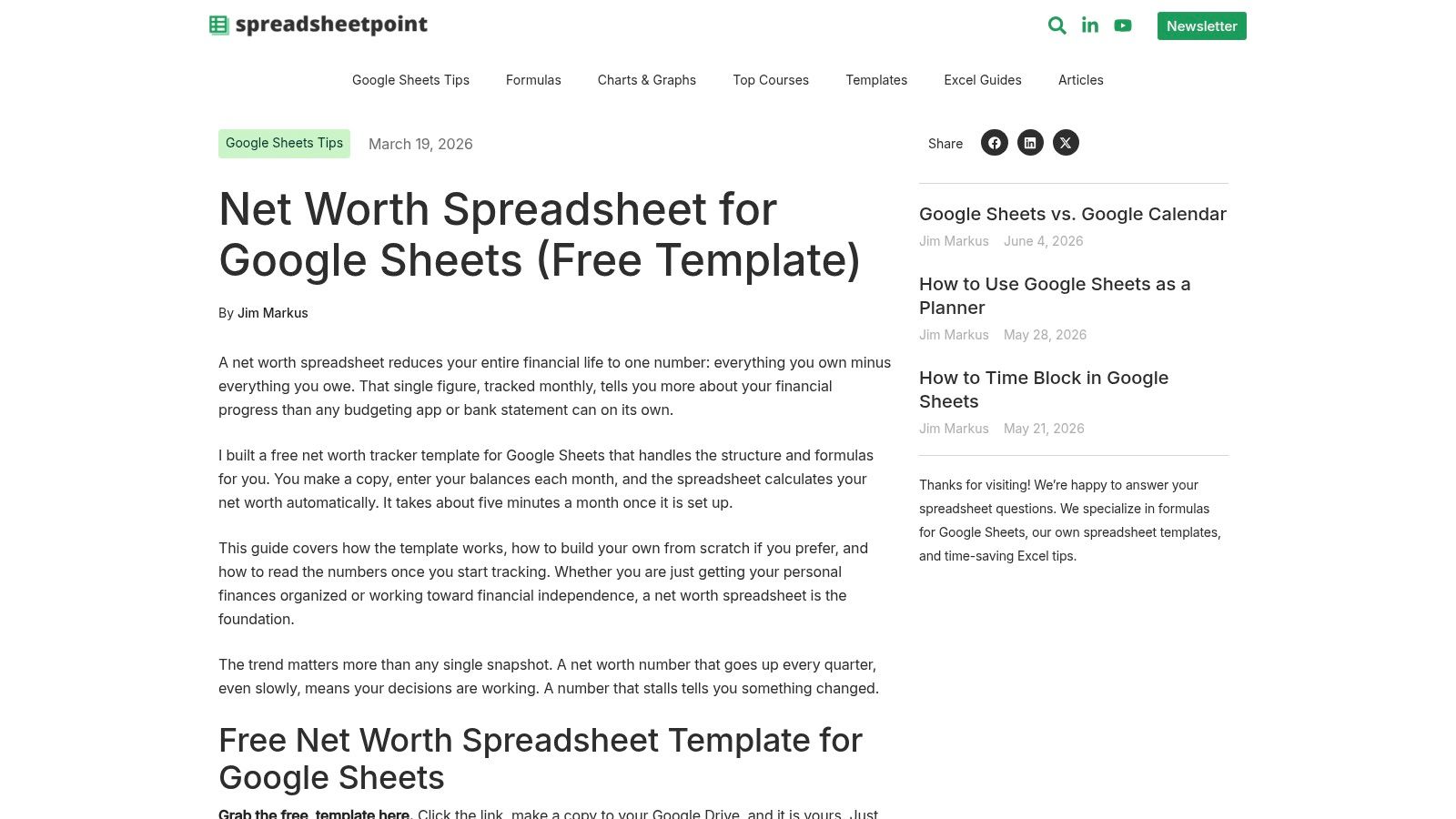
Its biggest strength is orientation. The page explains how to work with the template, which helps people who don't want to reverse-engineer formulas just to enter their numbers. That makes it a strong fit for DIY users who want the comfort of instructions but don't need a big finance suite.
Ledgerly's CSV export examples are a useful companion if you're using exported records as source material. The export can help you copy over account-level totals or transaction summaries, but the spreadsheet still needs your judgment on what belongs where.
What to expect
This is a Google Sheets-first workflow, so Excel users may have to convert the file and accept some limitations. It also doesn't try to overwhelm you with heavy visuals, which is good if you're serious about regularly updating it. The trade-off is fewer built-in analytics than some of the more polished alternatives.
If you want a practical template with readable instructions, SpreadsheetPoint does the job. It's not the most advanced option here, but it's one of the least intimidating.
5. Finta Free Net Worth Tracker
Finta's Free Net Worth Tracker feels more current than many older spreadsheet trackers because it's designed around recurring updates and a clean monthly log. The layout makes it easy to see history without forcing you to build your own structure from scratch, and the template is presented as a modern Google Sheets file with charted updates. In the current market, that's valuable because many people don't need more categories, they need a better update rhythm. Finta's Google Sheets net worth tracker fits that need well.
The free version is still manual by default, which is a real advantage for privacy-conscious users. You can keep your numbers in a sheet without linking bank credentials, and that makes the process more auditable. If you later decide you want more automation, the product mentions an upgrade path, but the free template itself stays focused on manual tracking.
Why this one stands out
The layout is clean enough that monthly entry doesn't feel like admin punishment. It's also built for recurring updates, so it supports the core habit behind a net worth tracker, repeated snapshots instead of one-time calculation. That's a better match for real financial life than a static statement that gets filled in once and forgotten.
Use monthly updates for the sheet, but don't pretend every account changes at the same speed. Some balances move a lot between check-ins, and the sheet should stay honest about that.
This template works best for users who want visual trend history without a lot of setup overhead. It's less suited to people who need a lender-style document or a deeper workbook with many linked tabs. For a clean, modern monthly tracker, though, it's one of the better options.
6. Rebel Finance School Net Worth Tracker
Rebel Finance School's Net Worth Tracker is built for people who want the file to stay in their own Google Drive. That sounds basic, but privacy and ownership are often the whole point of using a spreadsheet instead of a linked finance app. The template focuses on simple snapshots and over-time tracking, which makes it approachable for someone who wants a plain record rather than a finance dashboard full of extra noise. Rebel Finance School's tracker fits neatly into a self-managed setup.
The style is especially friendly to newcomers. It doesn't assume you need elaborate reporting to get value from the sheet, and that can be a strength if you're just trying to build the habit of recording balances. It also pairs naturally with the site's education content, which helps if you want guidance around the concept before you start editing formulas.
Best for simple ownership
This template suits readers who care about the data staying in their own account. That matters if you've had enough of tools that move quickly toward automation or aggregation. A net worth sheet is often more useful when you can inspect every category and know exactly what's being counted.
The limitation is that simplicity cuts both ways. If you want heavy charting, large dashboards, or scenario planning, this won't feel deep enough. But if your goal is to maintain a clean monthly record with minimal clutter, that simplicity is the feature.
The smartest way to use it is to keep your categories stable and your review date fixed. A tracker like this doesn't need constant tinkering. It needs consistent repetition and a narrow purpose.
7. LivePFS Net Worth Statement
LivePFS is built for a different job than most of the sheets on this list. It looks and behaves like a lender-grade personal financial statement, which makes it useful when you want your net worth file to resemble the format a bank or financing reviewer would expect. That's a narrower use case, but a real one. The template also offers Excel, PDF, and CSV downloads, so it's more export-friendly than many single-format spreadsheets. LivePFS's net worth statement is the right kind of tool when presentation matters as much as the calculation.
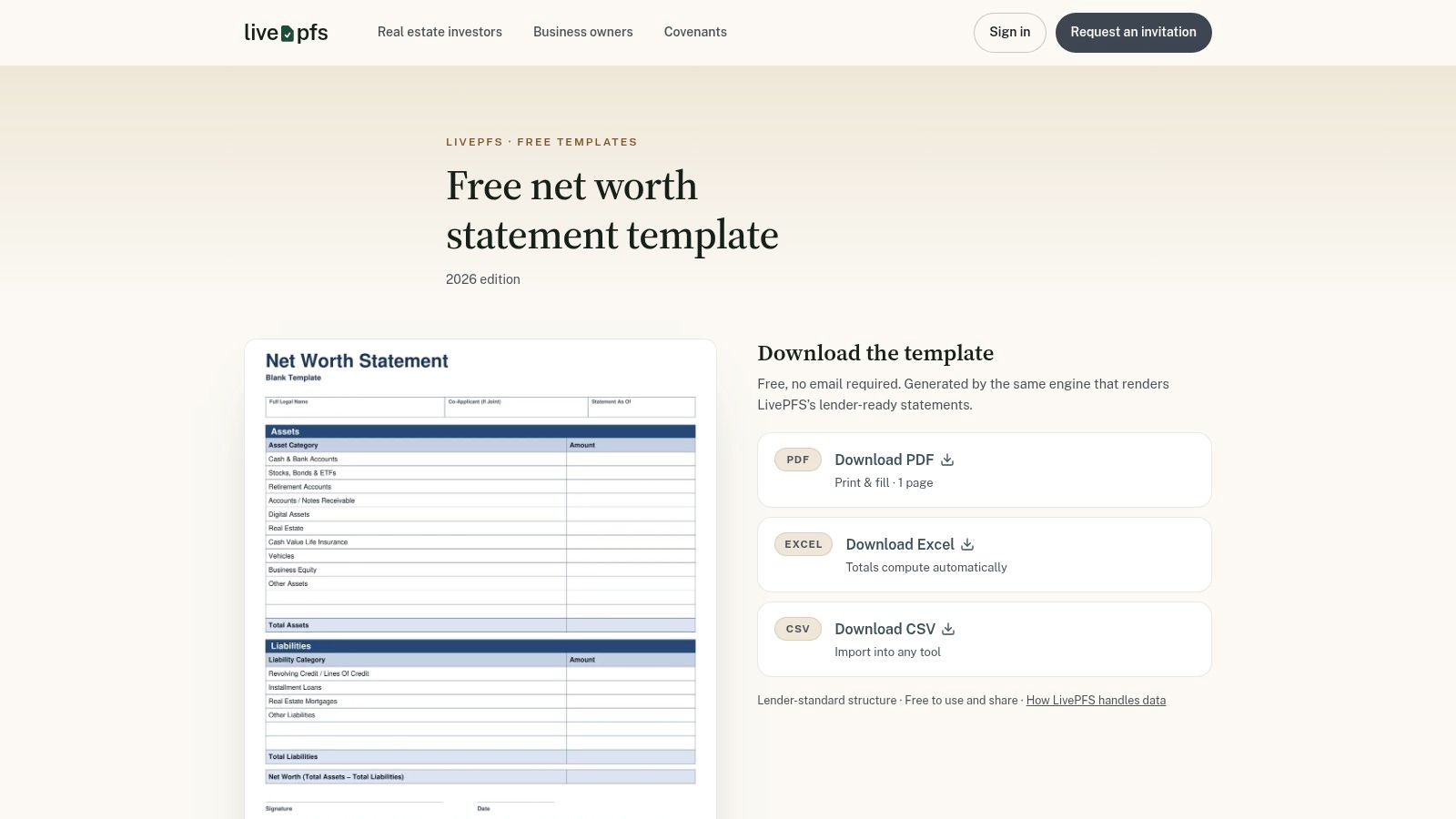
The strongest part of this format is taxonomy. It uses a consistent asset and liability structure, which helps when you need the sheet to read like a formal statement instead of a personal dashboard. That consistency makes the file easier to hand off, review, or print.
Where it falls short
LivePFS focuses on a single-statement format, so it's less about long-term trend charts and more about presenting the current picture cleanly. That's the right trade-off if you're preparing a financing application or want a professional snapshot for records. It's not the best choice if your main goal is comparing one month to the next.
The fact that it offers no email gate and quick downloads is also practical. You can get in, get the file, and move on without extra friction.
If you need a statement that feels lender-ready from the start, this is one of the better fits. If you want a visual wealth diary, look elsewhere.
8. Finsemble Net Worth Tracker Template
Finsemble's Net Worth Tracker Template is a polished Google Sheets option that keeps the ownership model simple. The sheet lives in your own Google Drive, which makes duplication and modification straightforward. That matters because a net worth template often needs personal adjustments, maybe extra debt categories, maybe a different order of accounts, maybe a cleaner trend chart. Finsemble's tracker template gives you a clean base without forcing a rigid workflow.
The visual structure is clear. Assets, debts, and a historical trend chart are all easy to find, so the template does a good job of surfacing the core number without clutter. It's a practical fit for users who want a dedicated tracker, not a full household finance workbook.
What it does well
Finsemble is strongest when the only job is net worth monitoring. It does that job cleanly, and the ownership model is appealing if you want to keep control of the file. It's also easy to modify, which matters more than people expect once they start adding unusual accounts or local categories.
What it leaves out
The template isn't trying to be an all-in-one system. If you want budgeting, forecasting, or a deep spending ledger, it won't cover those needs. That's not a flaw, just a sign that the workbook has a narrower purpose.
For people who want a focused tracker with solid visuals, Finsemble is a sensible pick. It's the kind of sheet you can keep using without much maintenance overhead, which is exactly what many users need.
9. Tools Without Code Net Worth Tracker
Tools Without Code takes a pragmatic route by pairing the spreadsheet with a walkthrough article. That combination helps because a lot of people don't fail at downloading a template, they fail at understanding how to make it part of their routine. The sheet covers assets, debts, and net worth history, and the page also notes how it can be used in Excel as well as Google Sheets. Tools Without Code's net worth tracker is a sensible choice for DIY users who want light guidance with the file.
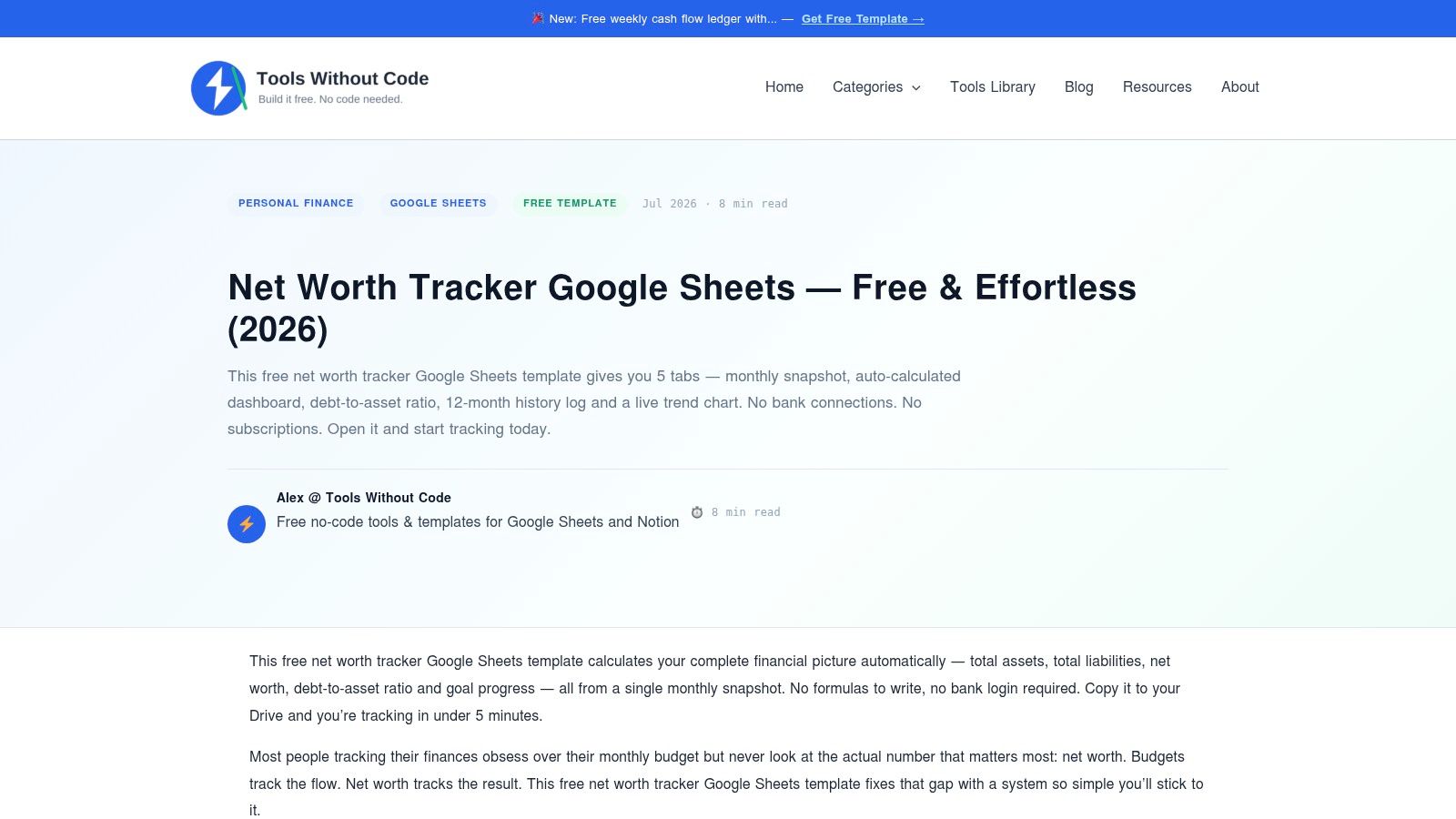
The main advantage here is orientation. If you're learning how to track your balance sheet for the first time, the companion explanation lowers the friction and helps you avoid common setup mistakes. That matters more than a polished visual layer if the sheet is going to become part of your monthly habit.
Ledgerly's CSV export examples are a helpful reference if you're pulling transaction data from a manual app into a spreadsheet. The export gives you raw records, but the workbook still needs stable categories and a clear date convention.
Who should use it
This one is good for people who want to build their own system but don't want to start from a blank file. It's also a reasonable fit if you're testing whether a spreadsheet routine will stick before committing to something more involved.
The trade-off is obvious. The visuals and analytics are simpler than what you'll get in bigger workbooks. That's fine if you care more about maintaining the system than admiring it.
10. Financial Aha Free Net Worth Tracker Spreadsheet
Financial Aha's free tracker is the fastest path on this list if you want to get a sheet into Google Drive and start typing. It's a no-email Google Sheets template with a one-sheet design and computed totals, which makes it ideal for quick starts. The companion article is also useful because it points readers toward other templates, which helps when you're still deciding what kind of tracker you need. Financial Aha's free net worth tracker spreadsheet is a good comparison-shopping stop.

Its strength is speed. There's no gate, no setup ceremony, and no need to build a larger workbook before you can record the first snapshot. That makes it especially useful for readers who need momentum more than complexity.
Limits to keep in mind
The template is intentionally simple, so you shouldn't expect deep analytics or lots of customization. That's fine if your goal is monthly tracking and you want the lightest possible start. If you later need richer history, lender formatting, or collaborative review, you may outgrow it quickly.
What makes this one worthwhile is that it removes excuses. Once the file is open, you can start entering balances and move on with your day. For a lot of people, that's the exact push they need.
Top 10 Net Worth Spreadsheet Comparison
| Template | Key features ✨ | Ease ★ | Price 💰 | Best fit 👥 / Standout 🏆 |
|---|---|---|---|---|
| Vertex42, Personal Financial Statement | ✨ Dedicated balance sheet, asset/liability schedules, print‑friendly Excel | ★★★★ | 💰 Free / Excel-first | 👥 Professionals & loan applicants, 🏆 Professional format |
| Money Under 30, Net Worth Spreadsheet | ✨ Assets vs liabilities, monthly net‑worth log, Google Sheets version | ★★★★★ | 💰 Free | 👥 Beginners & first-time trackers, 🏆 Very approachable |
| Smartsheet, Personal Financial Statement / Net Worth | ✨ Excel + Smartsheet cloud, collaboration & commenting options | ★★★★ | 💰 Free template; Smartsheet paid for full cloud features | 👥 Teams & reviewers, 🏆 Collaboration-ready |
| SpreadsheetPoint, Net Worth Spreadsheet | ✨ Google Sheets template with auto totals, trend tracking & guide | ★★★★ | 💰 Free | 👥 Google Drive users, 🏆 Guided setup & quick copy |
| Finta, Free Net Worth Tracker | ✨ Clean modern layout, monthly logs, optional upgrade for automation | ★★★★ | 💰 Free (optional paid automation) | 👥 Privacy-minded users who may want automation, 🏆 Modern design |
| Rebel Finance School, Net Worth Tracker | ✨ Snapshot + over‑time tracking, "make a copy" privacy workflow | ★★★★ | 💰 Free | 👥 Newcomers wanting simple, private tracking, 🏆 Straightforward |
| LivePFS, Net Worth Statement | ✨ Lender-grade taxonomy, Excel with matching PDF & CSV outputs | ★★★★ | 💰 Free downloads | 👥 Loan applicants & pros, 🏆 Lender-ready statement |
| Finsemble, Net Worth Tracker Template | ✨ Asset/debt roll-ups, historical trend chart, Drive ownership | ★★★★ | 💰 Free | 👥 Users who want clear visuals & control, 🏆 Polished charts |
| Tools Without Code, Net Worth Tracker | ✨ Assets/debts + history, practical walkthrough and Excel notes | ★★★★ | 💰 Free | 👥 DIY builders & tinkerers, 🏆 Practical walkthrough |
| Financial Aha, Free Net Worth Tracker Spreadsheet | ✨ One-sheet computed totals, quick copy + companion guide | ★★★★★ | 💰 Free | 👥 Quick-starters & comparison shoppers, 🏆 Fast no‑signup start |
Build a Monthly Update Routine
Choose the template that matches the job. If you want fast recurring snapshots, a simple Google Sheets tracker is usually enough. If you want detailed schedules and a more formal document, an Excel-first statement like Vertex42 or LivePFS is the better fit. If someone else needs to review the file, Smartsheet makes more sense because the workflow is built around sharing and comments. If you care most about keeping control on your own device or in your own drive, a manual or privacy-friendly template is the more honest choice.
The routine matters more than the download. Start by exporting your Ledgerly data as CSV when you need a source file, then keep that export unchanged so you always have the original record. Map the information into the sheet's categories carefully, because an expense export does not automatically contain every asset and liability you need for net worth. Transfers need special handling too, since moving money between accounts is not the same as spending it.
Update asset balances and liability balances separately. That sounds obvious, but it's where many sheets go wrong, especially when users mix account activity with end-of-month totals. Record the date the same way every time, use the same review day if you can, and keep the categories stable so your history stays comparable. That stability matters more than clever formulas because the whole point of a net worth tracking spreadsheet is to show change over time without turning each update into a rebuild.
A spreadsheet stays useful only when the inputs are repeatable. The best template is the one that fits your privacy preferences, your reporting needs, and the amount of work you'll realistically do each month.
If you want a privacy-first way to keep your own financial records tidy, Ledgerly gives you manual entry, local storage, and CSV export you can bring into a spreadsheet workflow. It works well when you want to track accounts on your own terms and then map the numbers into a net worth template. Visit it if you want a mobile app that pairs cleanly with the spreadsheet habits described above.