September 14, 2026
Personal Finance Tracker Guide: How to Track What Matters
Learn how a personal finance tracker helps you record spending, manage accounts, and stay on budget. Practical methods for privacy-first, manual tracking
personal finance trackerbudget trackingexpense trackermoney managementbudgeting app
You check your account after a normal week and see less money than expected. Nothing dramatic happened. There was no large purchase, no emergency repair, and no obvious splurge. Yet the balance is lower, the next bill is approaching, and your memory offers only a blurry list of coffees, groceries, subscriptions, transfers, and “small” purchases.
A personal finance tracker turns that blur into a record you can inspect. It doesn't need to be a bank-linked dashboard or a complicated accounting system. It can be a recurring practice where you write down what came in, what went out, which account moved, and what remains available. The value comes from the evidence, not from collecting more screens.
Table of Contents
- The End of the Month Mystery
- What a Personal Finance Tracker Actually Does
- What to Track and How to Set Up Categories That Stick
- Manual Entry vs Bank-Linked Aggregation
- Handling Multiple Accounts and Transfers Correctly
- How a Daily Safe-to-Spend Figure Is Calculated
- Reports Worth Reading Each Week or Month
- Common Tracking Mistakes and Habits That Actually Stick
The End of the Month Mystery
It's the last few days before payday. Your checking balance looks uncomfortably low, but you can't point to one purchase that caused the problem. Rent went out, groceries were bought, and a few meals were charged to a card. Still, the month feels more expensive than it should.
That experience is common because memory keeps the memorable purchases and drops the ordinary ones. You remember the dinner with friends, but not every convenience-store stop. You remember the grocery trip, but not the delivery fee, the snack afterward, or the subscription that renewed. Without a written record, those transactions blend into one vague feeling that you “must have spent too much.”
A balance tells you where you are. A tracking record helps explain how you got there.
The explanation matters because people make the next decision from whatever story they can recall. If the story is incomplete, you may cut the wrong category, blame an occasional purchase, or assume the problem will disappear next month. Then the same uncertainty returns when the next paycheck arrives.
A tracker creates something more useful than guilt. It creates a trail. You can see that food spending rose, that several annual charges landed close together, or that money moved between accounts rather than being spent. Household budgeting has long relied on this kind of explicit record keeping. Spain's Household Budget Survey is described as one of the oldest surveys conducted by its national statistics institute, while France's household budget survey records household expenditure and resources across about 900 budgetary items in its detailed classification system, as described in the historical background on household expense tracking.
You don't need to reproduce an official survey at home. You need enough consistent evidence to replace “Where did it go?” with a question you can answer. A related cash flow tracker approach is useful when the main issue isn't just spending categories, but the timing of income, bills, and remaining funds.
What a Personal Finance Tracker Actually Does
A personal finance tracker is a recurring written record of money in, money out, and money still sitting in your accounts. You maintain it for your own household, rather than preparing business accounts for tax, payroll, inventory, or financial reporting. It also differs from a bank-linked app that watches account activity in the background and attempts to classify transactions for you.
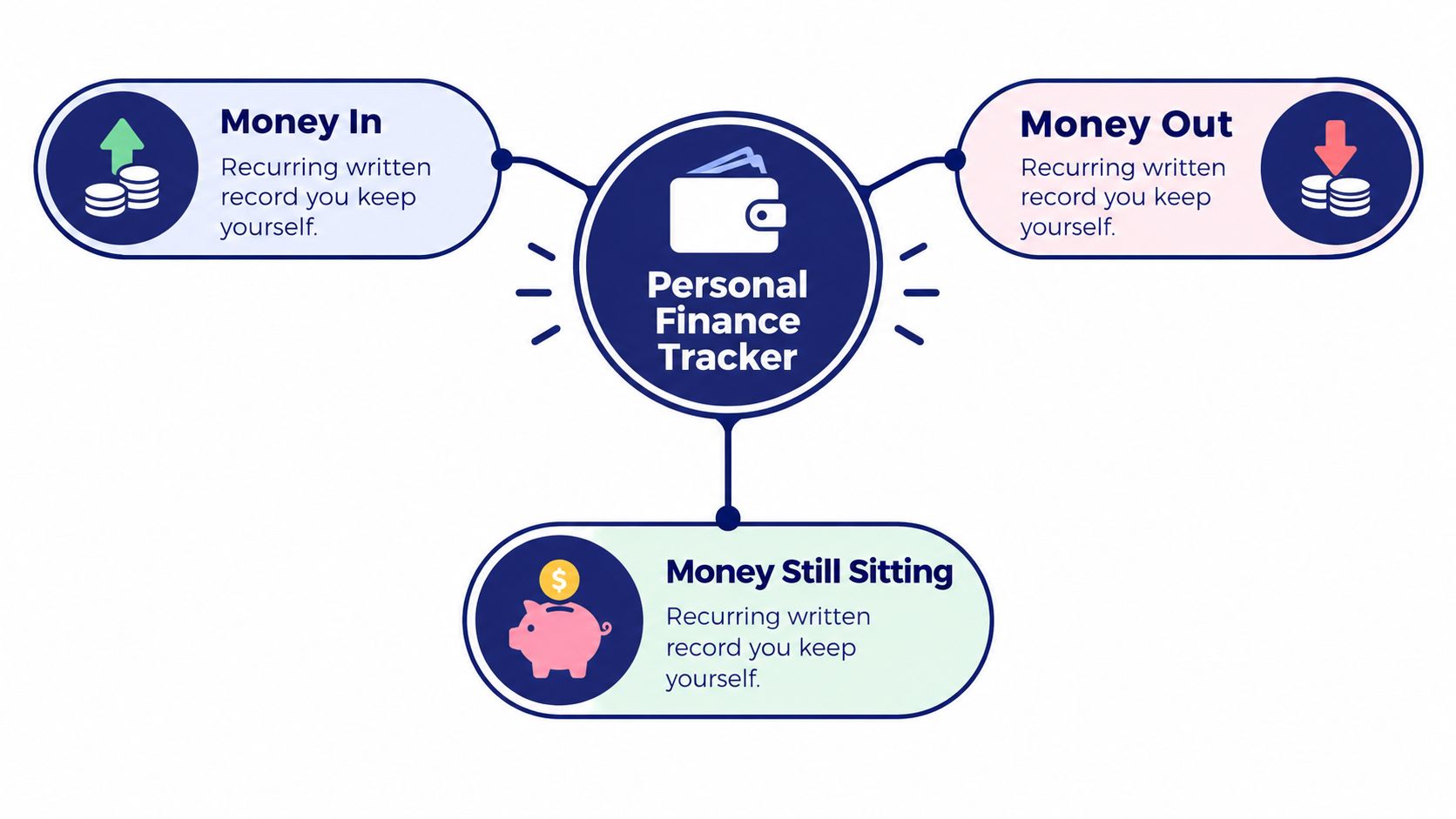
The tracker performs four connected jobs:
- Capture what happened. Record the amount, date, account, and a useful note.
- Group the activity. Label the transaction as groceries, housing, transport, income, savings, or another category that matches your decisions.
- Compare activity with a plan. Check whether spending is moving below, near, or above the limit you chose.
- Reveal patterns over time. Review repeated entries to see what changes from week to week or period to period.
Consider a coffee-shop purchase. On its own, “$5.50 at a café” doesn't tell you much beyond the immediate transaction. Once you enter it, assign it to Dining or Coffee, and review it alongside similar entries, it becomes part of a pattern. You may decide the category deserves a larger plan, or you may notice that convenience spending is filling a gap between meals.
Working definition: Tracking records reality. Budgeting gives that reality a direction.
That distinction prevents a frequent beginner mistake. A tracker isn't automatically a budget. The tracker supplies the transactions and account totals. A budget adds a decision about what those totals should look like. Reports then help you compare the two, so you can adjust future choices instead of arguing with an incomplete memory.
Manual tracking remains relevant because many people still prefer explicit entry and regular review. One household budgeting survey found that 53.8% of respondents tracked expenses manually, 45% set financial goals, and 20.9% used a budgeting app, according to the household budgeting research summary. The point isn't that one method suits everyone. It's that a written, user-controlled record remains a practical foundation for people who want visibility without handing every transaction to an automated feed.
What to Track and How to Set Up Categories That Stick
Start with categories that help you make decisions. A single person might track housing, food, transport, subscriptions, health, discretionary spending, income, and savings transfers. That range gives you a useful view of fixed obligations, flexible choices, and progress toward goals without forcing every purchase into a special label.
A sample setup might look like this:
| Group | Category | Sample Entries | Review Note |
|---|---|---|---|
| Essentials | Housing | Rent, utilities | Separate fixed housing from flexible household purchases |
| Essentials | Food | Groceries, takeaway | Keep the label stable before deciding whether to split it |
| Essentials | Transport | Fuel, public transport, parking | Review changes caused by commuting or travel |
| Commitments | Subscriptions | Streaming, software, memberships | Check whether each recurring charge still earns its place |
| Wellbeing | Health | Prescriptions, appointments, pharmacy | Keep irregular medical costs visible |
| Flexible | Discretionary | Hobbies, gifts, entertainment | Use this for choices that can move with the period |
| Inflows | Income | Salary, freelance payment | Record the receiving account |
| Goals | Savings transfer | Emergency fund, planned savings | Treat the movement as a transfer, not spending |
Breadth matters more than microscopic detail. If your month includes groceries, restaurant meals, fuel, rent, subscriptions, and savings, recording all of those groups will usually teach you more than splitting every food purchase into elaborate subcategories. A simple “Dining” bucket used consistently for two review cycles is more informative than several precise labels abandoned after the first busy week.
Split only when the comparison helps
Split a category when the spending has grown large enough to deserve its own decision, or when two types of spending behave differently. For example, Groceries and Dining may need separate limits if restaurant spending is obscuring food costs. Merge categories when you never change your behavior based on the difference, such as two entertainment labels that always receive the same treatment.
Start with roughly eight to twelve categories. That range is a practical starting point, not a law. After a complete review cycle, ask whether each category helped you notice a pattern, set a limit, or make a choice. Rename, merge, or split only when the answer is clear.
The best category is the one you'll use the same way next time. Consistency makes comparisons possible, and comparisons are what turn entries into decisions.
Manual Entry vs Bank-Linked Aggregation
Two people buy the same $60 grocery order. One enters it into a tracker immediately. The other waits for a bank feed to import it. Both may end up with a record, but they experience the transaction differently. The first person decides the account and category at the moment of entry. The second person may need to correct a merchant label, wait for a pending charge to settle, or decide whether an imported movement is a purchase, refund, or transfer.
| Dimension | Manual Entry | Bank-Linked Aggregation |
|---|---|---|
| Accuracy | You choose the amount, account, and category | The system imports and often guesses classifications |
| Control | You decide how to treat pending items, refunds, and duplicates | You review the feed after another system has processed it |
| Privacy | No bank login is required for ordinary tracking | Account access and transaction data pass through connected services |
| Effort | Requires a deliberate entry habit | Feels low effort after connection, but still needs review |
Manual entry is especially useful for mixed purchases. An online order might contain household supplies, a gift, and personal items. A human can separate those lines at the point of entry. Automatic classification may place the entire order in one merchant category, which makes the report neat but less useful.
Control also matters with shared costs. If a friend sends you money through Venmo or Zelle to cover their portion of dinner, the incoming amount isn't necessarily new income for your household. You need to record your actual share and keep the treatment consistent. Automatic systems can make that judgment harder when they see only names and amounts.
Privacy is another trade-off. Consumer-privacy reporting warns that finance apps may collect or share sensitive financial information through third parties, permissions, or access arrangements, as discussed in this consumer privacy and financial-data report. A local, manual system avoids bank credentials and reduces the amount of financial history held outside your control.
Manual tracking does require a routine. If the alternative is abandoning tracking altogether, aggregation may be the more useful choice. If accuracy, privacy, and explicit decisions matter most, a manual system may suit you better. You can also read this guide to budget apps without bank linking before choosing a setup.
Handling Multiple Accounts and Transfers Correctly
Multiple accounts become confusing when the tracker treats every movement as new spending. Keep the basic rule visible:
Core rule: Every transaction belongs to exactly one account, and a transfer between your own accounts isn't an expense.
Suppose you move $200 from checking to savings for an emergency fund. Checking falls by $200, and savings rises by $200. Your total position hasn't changed. The money moved between buckets.
Now suppose you later pay a $48 credit card bill from checking. Record the card payment as a transfer from checking to the credit card account if the original $48 purchase was already entered when you used the card. Otherwise, the tracker counts the purchase once at the card swipe and again at payment time.
Think of each account as a bucket. Checking, savings, cash, and credit are separate containers. A transfer is the hose between buckets, not water leaving the household. This mental model keeps account totals useful without inflating expenses.
Special cases worth deciding in advance
- ATM withdrawals: Record a transfer from checking to a cash account. The withdrawal is not spending until you use the cash.
- Venmo and Zelle receipts: Log only your actual share when someone reimburses a shared cost. Keep the reimbursement treatment consistent with the original expense.
- Refunds: Add one negative entry in the original category, so the report shows the correction where the purchase first appeared.
- Corrections: Use one adjustment line rather than rewriting old history. The change remains visible and easier to explain later.
Account accuracy is also important for people who use credit cards as a payment method rather than as a separate source of income. The purchase affects spending. The later payment settles the balance. A dedicated explanation of tracking credit card payments can help if your current records blur those two events.
A tracker that handles transfers explicitly can show cash, checking, savings, and credit together while keeping the net total honest. That makes the account view a decision tool rather than a list of alarming movements.
How a Daily Safe-to-Spend Figure Is Calculated
The daily figure is easiest to understand the morning after payday. Your checking account holds $2,300. Your next paycheck is expected in 14 days, and rent of $1,100 is due in 5 days. You also want to keep a $200 buffer untouched.
The calculation is:
- Current checking: $2,300
- Expected income: $2,400
- Rent already scheduled: minus $1,100
- Buffer: minus $200
- Available across the period: $3,400
- Days remaining: 14
- Daily figure: approximately $243 per day
The formula is simple:
(Current funds + expected income - upcoming bills - buffer) ÷ days left
That number changes as life happens. If you spend $62 on dinner and $40 on fuel, the available amount falls by $102. With the same number of days remaining, the daily figure drops rather than pretending the purchase didn't happen. You don't need to rebuild the whole plan. You update the record and read the new weather.
The calculation works only when upcoming obligations are recorded before they arrive. Rent, subscriptions, scheduled transfers, and other known commitments need a place in the tracker, even before the payment leaves the account. Otherwise, the daily amount looks generous because it ignores bills already waiting.
Practical rule: Treat safe to spend as a daily weather report, not a permission slip.
This approach helps people whose income doesn't fit a neat monthly rhythm. A UK financial capability study reported that 8.4 million adults were in insecure work in 2024, a context that includes variable hours, gig income, or mixed pay dates, as described in the research on financial capability and insecure work. For those households, “What can I safely spend today?” may be more useful than a fixed monthly total.
The number isn't a promise that every day should use the full amount. It's a current estimate based on the information you entered. If income changes, a bill moves, or you add a larger purchase, the estimate should change with it.
Reports Worth Reading Each Week or Month
A useful report answers a practical question, not merely displays more information. Start by asking what you need to know before the next decision: Are you pacing against the plan? Which category is drifting? What does each account hold? Which commitments are approaching?
Use a short weekly check first. Review budget progress and upcoming items, then correct obvious account or category mistakes. A monthly review can go deeper by comparing category totals across the period and checking whether account balances still match reality.
| Report | Cadence | Purpose | First Thing to Check |
|---|---|---|---|
| Budget progress | Weekly | Shows whether current spending is near the plan | Categories already close to their limit |
| Category drift | Monthly | Reveals repeated changes in behavior | Food, transport, and flexible spending |
| Account totals | Weekly or monthly | Confirms cash, savings, credit, and net position | Unexpected balance differences |
| Upcoming items | Weekly | Prepares you for bills and transfers ahead | The next obligation before income arrives |
Read patterns, not isolated transactions
Suppose food spending varies because some weeks include more groceries and others include more takeaway meals. One restaurant entry doesn't explain the household's behavior. A category report across several weeks may show that total food pressure comes from convenience purchases, while grocery spending remains steady.
Fuel can tell a similar story. A single fill-up may be ordinary, but repeated higher costs can change the amount available for flexible spending. The report gives you a basis for asking whether the cause is commuting, travel, price changes, or a category that needs a more realistic plan.
Your weekly review doesn't need every chart. Look at upcoming items first if payday is still ahead. Check account totals next if you moved money recently. Then scan budget progress for categories that may require a choice before the next review.
At month-end, record what changed and why. A category above plan isn't automatically a failure. It may reflect a planned event, a reimbursement still due, or a label that needs splitting. Reports help you explain the difference instead of reacting to a headline number.
Common Tracking Mistakes and Habits That Actually Stick
More dashboards don't automatically create better money decisions. Many trackers fail because they demand perfect categories, complete receipt archives, and daily attention from people who already have full schedules.
The first problem is over-granularity. Forty tiny labels may sound precise, but they create constant maintenance. A smaller group of stable categories is easier to review and more likely to remain consistent.
The second is mixing shared and personal expenses without a rule. Decide whether you record the full purchase and then the reimbursement, or only your share. Either method can work if you apply it the same way. The danger is changing the treatment from transaction to transaction.
Replace fragile routines with durable ones
- Perfect categories: Start with broad buckets and revise only when a distinction changes a decision.
- Every receipt logged: Record the information needed for accurate categories and account balances, then avoid turning the tracker into an archive of paper.
- Daily reviews: Use a short weekly sweep when daily entry isn't realistic.
- More dashboards: Keep the reports that answer budget progress, account totals, category drift, and upcoming obligations.
A Sunday review can be enough to enter recent transactions, check transfers, and look at the next bills. A monthly category check can then identify one label to merge, split, or rename. Shared costs need one written rule, and corrections need one adjustment rule.
Ledgerly is one option for this style of tracking. It keeps entries on the device, supports manual transactions, recurring items, multiple accounts, transfers, account corrections, budget periods, CSV export, and optional backup. Its Today, Plan, Money, and Tools screens are designed around daily spending capacity, budget progress, account totals, and administration rather than a bank connection.
The system earns its place when it still works after the novelty fades. Choose a routine you can repeat, keep categories understandable, and let the record become evidence for your next decision.
If you want a private, manual way to record spending, upcoming items, account movements, and daily spending capacity, visit Ledgerly and set up a tracker without connecting your bank. Start with your accounts and a small category set, then use the weekly review habit to turn the entries into decisions.