September 22, 2026
How to Track Your Expenses Without Losing Control
Learn how to track your expenses manually with daily entry, smart categories, and a private offline system that shows what is safe to spend today.
how to track your expensesmanual expense trackingpersonal budgeting tipsoffline budget appexpense categories
You check your bank balance and feel briefly reassured. Then you remember the lunch, the grocery run, the subscription renewal, and the small cash purchase you never recorded. By the end of the period, the money hasn't disappeared mysteriously. Your tracking system failed to show you what was happening soon enough to make a different decision.
How to track your expenses effectively is less about building a perfect spreadsheet and more about creating a daily control system. Record each purchase promptly, choose from a fixed category list, keep transfers separate from spending, and check what's safe to spend before you buy. A privacy-first offline workflow can also give you control without sharing bank credentials or sending transaction data to a budgeting service.
Table of Contents
- Why Manual Expense Tracking Still Works Best
- Set Up Your Tracking System So It Stays Simple
- Capture Every Expense Without Missing Small Purchases
- Handle Transfers Recurring Bills and Balance Fixes Correctly
- Turn Your Log Into a Safe To Spend Today Number
- Stay Consistent Private and In Control Over Time
Why Manual Expense Tracking Still Works Best
Manual tracking sounds slower than bank imports until you try to reconstruct a month from memory. A forgotten coffee, a cash tip, or an impulse purchase may seem insignificant alone, but missing entries make category totals unreliable. Once the totals are unreliable, the budget stops helping you decide what to do next.
Public statistical systems have used diary-based methods for the same basic reason. Eurostat's Household Budget Survey methodology describes households recording detailed expenditure diaries over a fixed period, typically two weeks, while the UK Office for National Statistics asks household members aged 16 and older to keep daily expenditure records for two weeks. The Eurostat household expenditure methodology shows that itemized, frequent recording is an established way to reduce recall errors and capture small purchases.
The useful friction of entering a purchase
A bank feed tells you that money moved. It may not tell you whether the transaction was groceries, a work meal, a gift, or a transfer to savings. Automatic categorization can also place a purchase in a category you wouldn't choose, leaving you to correct the data later.
Manual entry adds a small moment of attention at the right time. You enter the amount, category, and account while the context is still fresh. That makes the record more accurate and forces a useful question: “Do I still want to spend this?”
The habit works best when it stays shallow. Use a short category list, enter transactions immediately, and check the daily amount you can safely use after upcoming obligations. That's a control loop, not a monthly punishment.
Practical rule: If you can't record a purchase in a few seconds, your category structure is probably too complicated.
Manual tracking also has a privacy trade-off. You won't get automatic imports or effortless account reconciliation, but you can avoid bank connections and keep your records on your own device. For privacy-conscious users, that exchange is often more valuable than the convenience of a complete transaction feed. If you're still weighing automation against control, compare the practical trade-offs in whether budgeting apps are worth it.
Set Up Your Tracking System So It Stays Simple
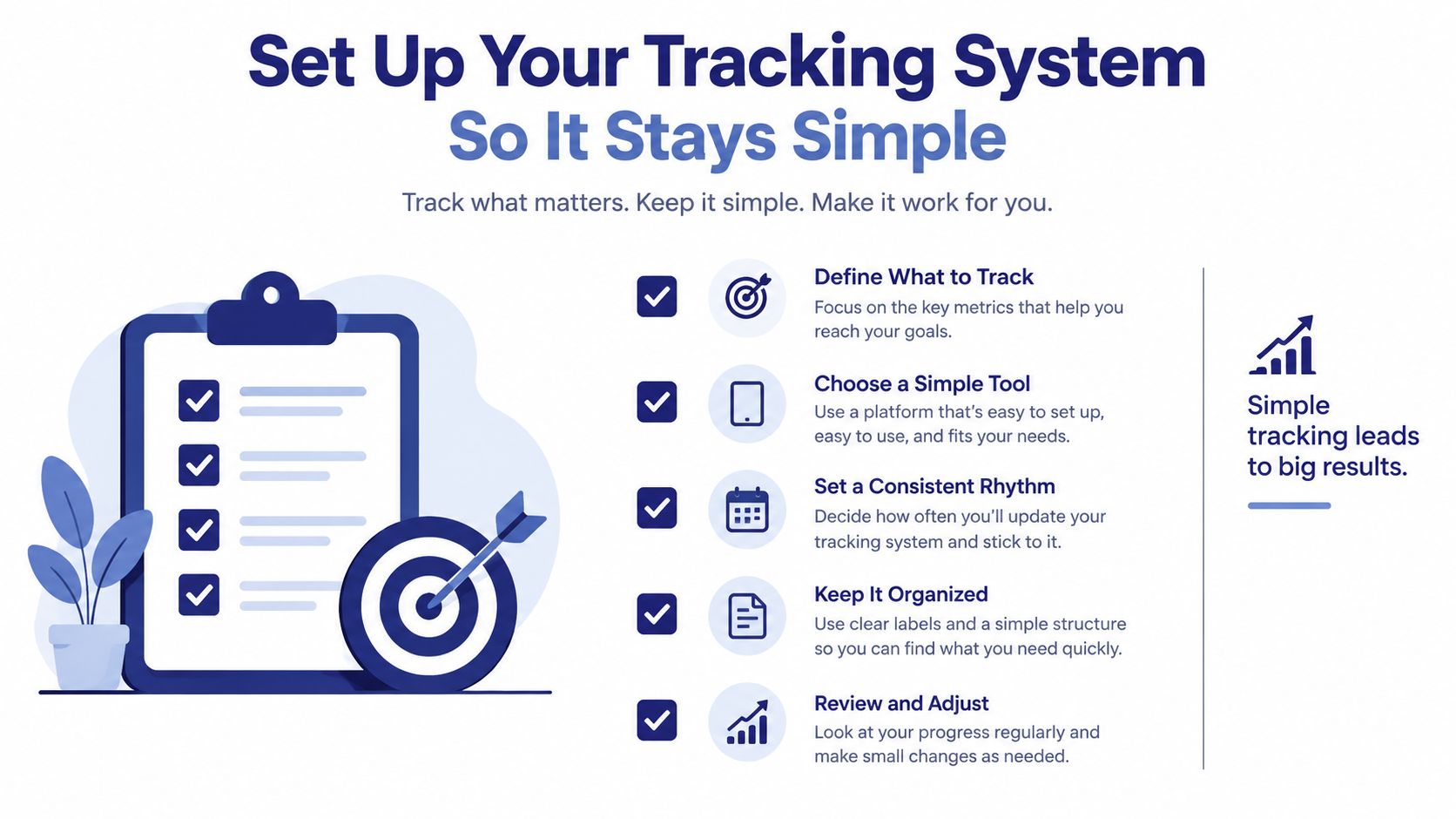
Before recording the first transaction, decide what your system must answer. You need to know how much money you have, what you've spent, what remains for each category, and what you can safely spend today. Anything that doesn't support one of those answers deserves suspicion.
Choose the accounts that matter
Start with the accounts you use:
- Cash: Record physical money separately so it doesn't vanish into an untracked “miscellaneous” total.
- Checking: Use this for day-to-day payments and incoming pay.
- Savings: Include it if you want your net position to reflect reserved money.
- Credit: Track purchases when they happen, then record the payment as a transfer rather than new spending.
Don't add every old account just because it exists. Begin with active cash and payment sources, then add other accounts when they affect current decisions. A smaller system you update consistently beats a complete system you abandon.
Keep categories fixed and shallow
Create categories that help you change behavior. “Food” may be enough if you only need to control total food spending. Split it into groceries and dining out only if those totals lead to different decisions.
A practical starting set might include housing, utilities, groceries, dining out, transport, health, personal, entertainment, debt, savings, and other. Keep “other” narrow and review it when it starts collecting too many unrelated purchases.
Match the period to your cash flow
A calendar month is familiar, but it isn't always useful. If you're paid fortnightly, self-employed, or managing side-project income, use a period that matches when money arrives and when obligations fall due. A pay-cycle budget can show whether the balance will last until the next deposit, while a monthly view can hide a tight gap between paydays.
Ledgerly uses four focused screens for this workflow. Today surfaces daily capacity, Plan shows period and category progress, Money combines account totals, and Tools handles administration. Multiple budgets can keep household spending separate from a side project without forcing unrelated activity into one category tree.
Capture Every Expense Without Missing Small Purchases
The most important entry is the one you make before the detail becomes fuzzy. In a behavioral study, 45.85% of participants logged expenses immediately and 39.41% logged them the same day, and the study linked delayed entry with greater omission risk and less complete data, especially for small cash purchases and impulse spending. You can review the study on expense logging timing for the underlying findings.

Use a three-field capture routine
Every purchase needs three decisions:
- Amount: Enter the amount that left the account or your hand.
- Category: Select the closest fixed category instead of inventing a new label.
- Account: Choose cash, checking, savings, or credit based on where the payment occurred.
Add a short note only when it will help you find the transaction later. A note such as “birthday gift” or “client lunch” is useful. A long explanation usually slows entry without improving the record.
The ideal moment is immediately after paying. If that isn't possible, use a same-day checkpoint, such as entering purchases when you arrive home or before you go to sleep. Don't let receipts become a weekend project. A backlog creates guesswork, and guesswork is where cash purchases and small impulse spending disappear.
Handle ordinary messy examples
Suppose you buy coffee with cash. Enter the amount under dining out and select cash. If you split a grocery purchase between household food and a personal item, either record separate lines at the time or choose one consistent rule for mixed receipts. Consistency matters more than pretending every purchase fits perfectly.
An unplanned purchase deserves the same treatment as a recurring bill. Enter it without editing the record to make the budget look better. The point of the log is to show reality early enough for you to respond.
Recurring items deserve a different workflow. Set up salary, rent, and subscriptions as recurring transactions so they appear under Upcoming. You'll see obligations before they become surprises, while one-off purchases remain manual and visible.
Search also matters when you need to investigate a decision. Search by note, category, or amount rather than scrolling through a long list. The faster you can answer “Where did that money go?” the more likely you are to keep reviewing.
Handle Transfers Recurring Bills and Balance Fixes Correctly
A tracking system can contain every purchase and still produce false totals if it treats account movements as spending. Moving money from checking to savings changes where the money sits, but it doesn't reduce your overall position. Paying a credit card from checking settles a liability or moves money between accounts, while the original purchase remains the expense.
Separate spending from movement
Use a simple test: Did this transaction buy something, or did it move money you already had?
- Savings transfer: Record the movement between checking and savings, not a new savings expense.
- Credit card payment: Record the card payment as a transfer, while categorizing the card purchase when it happened.
- Income deposit: Record the incoming money as income in the account where it landed.
- Refund: Record it consistently as income or a category reduction, then use the same rule every time.
This distinction prevents double counting. For a closer look at the credit-card part of this model, see how to track credit card payments.
Make recurring obligations visible
Recurring transactions are useful for predictable salary, rent, subscriptions, and similar items. They aren't a substitute for reviewing the actual amount. If a bill changes, update the recurring entry rather than allowing an old value to distort the upcoming picture.
The benefit is visibility. A rent payment scheduled in the system reduces the amount you should regard as available before the due date arrives. A subscription you forgot about becomes a visible upcoming item instead of an unexplained account deduction.
Correct balances without rewriting history
Manual systems sometimes drift. You may miscount cash, enter a transaction in the wrong account, or discover that an opening balance was inaccurate. Don't delete a trail of valid purchases to force the displayed balance to match reality.
Use one clearly labeled adjustment line dated when you discover the difference. Then reconcile the account periodically against its actual balance. This preserves the history and makes the correction explainable.
Manual workflows are especially exposed to late entry, inconsistent categorization, and unreviewed logs. One finance-industry estimate puts errors or omissions in expense reports at about 19%, with correction adding roughly $52 per report, according to research on the hidden cost of manual expense management. The household lesson is straightforward: fixed categories, prompt entries, and regular reconciliation protect the quality of the whole system.
Turn Your Log Into a Safe To Spend Today Number
A purchase at the checkout should have a clear answer behind it. Your transaction log becomes useful when it shows what you can spend today without taking money from rent, upcoming bills, savings goals, or the rest of the current period.
Start with available funds. Subtract upcoming obligations and reserved amounts, then account for the days left in the chosen period. The result is a spending ceiling, not an instruction to use every dollar. It gives you a decision based on entries you have already recorded.
Read the number as capacity, not permission
A lower-than-expected result deserves investigation before you change the budget. Check for a missed purchase, a transfer recorded as spending, or a recurring bill missing from Upcoming. An uncomfortable accurate figure protects you better than a comfortable false one.
Ledgerly's Today view calculates safe to spend today from remaining funds, upcoming items, and days left. The Plan view adds category context through progress bars and supports monthly, fortnightly, or between-payday periods. A payday budget planner for between-payday periods can also make timing easier to manage when income arrives in uneven intervals.
Review categories weekly
Set aside a short weekly review. Compare each category's recorded total with its remaining budget and answer three questions:
- What changed: Did a planned purchase, missed entry, or classification problem cause the increase?
- What remains due: Are upcoming bills and subscriptions still accurate?
- What needs adjusting: Should you slow spending, move money between categories, or revise the plan?
That review turns a record into a control system. Research on financial self-regulation found that expense tracking was associated with a lower share of discretionary spending, more budget slack, and later budget adjustments in the Consumer Interest Association study. Recording supplies feedback. Reviewing creates the point where you can act on it.
Adapt the method for irregular income
A stable monthly salary makes planning easier. Variable income requires a stricter baseline, so set ordinary spending against the lowest realistic income period rather than treating a strong payment as permanent capacity. Keep tax reserves, fixed obligations, and income-smoothing money visible instead of blending them into spendable cash.
Record when money arrived, as well as how much arrived. A freelancer may have enough money over a longer horizon while still facing a short gap before the next payment. Reviewing each between-payday period exposes that timing and prevents a good month from creating commitments that a weak month cannot support.
Stay Consistent Private and In Control Over Time
A system survives when it remains easy on an ordinary day. Keep the capture habit short, review at a predictable time, and correct mistakes without turning them into a reason to quit. If you miss a day, reconstruct it while the receipts, messages, and account notifications are still available, then return to immediate entry.
Privacy deserves the same practical attention as convenience. One independent 2026 analysis found that 60% of 20 popular budgeting apps shared at least some data with third parties, while one in four shared financial information specifically, as reported in the budgeting app privacy analysis. That doesn't make every connected app unsuitable, but it does mean you should understand what you exchange for automatic imports.
Choose the smallest workable data footprint
An offline manual model avoids bank logins, automatic categorization, and broad transaction sharing. You keep control over the account names, categories, and timing of every entry. The trade-off is that you must enter purchases and reconcile balances yourself.
A privacy-first tool should make that trade-off explicit. Ledgerly stores budget records on the device, works offline, and doesn't require bank connections. It supports optional backup to Google Drive, iCloud, or a local file, app lock with a passcode and device biometrics, and CSV export. It also supports 165 currencies, which can help users managing accounts or expenses across different currencies.
Don't overbuild the review routine. A daily entry habit plus a weekly category check is enough for many people. Searchable records make it easier to investigate a purchase, while export and backup give you a way to retain or move your data without surrendering control of the underlying record.
The right system won't remove every financial surprise. It will show you more of them while you can still respond. Start today with your current cash, checking, savings, and credit balances, create a short category list, and record the next purchase before you make another one.
If you want a manual, offline way to track expenses with Today, Plan, Money, and Tools views, try Ledgerly. Set up your accounts and fixed categories, enter your next purchase immediately, and use the daily safe-to-spend figure to guide the rest of your period.