September 23, 2026
7 Best Budgeting Apps for Beginners in 2026
Compare the best budgeting apps for beginners in 2026, including privacy-first, manual-entry, envelope, automated, and irregular-income options.
best budgeting apps for beginnersbudgeting appsmanual budgetingprivacy-first appspersonal finance apps
The most automated budgeting app isn't automatically the best choice for a beginner. Automation can save time, but it can also hide miscategorized transactions, depend on bank connections, and make budgeting feel like something the app does for you rather than a habit you control.
This roundup compares seven of the best budgeting apps for beginners by the choices that affect daily use: setup difficulty, manual entry, privacy and data handling, budgeting method, recurring transactions, household use, and support for irregular pay cycles. Digital finance is already familiar to many Americans. S&P Global Market Intelligence reports that 83% of internet adults in the United States used a digital finance service app in 2024, so the key question is usually fit, not whether an app-based approach is viable.
Before choosing, ask yourself:
- Do you want bank syncing or deliberate transaction entry?
- Is convenience more important than keeping records local?
- Do you need a defined method, or just a clear spending view?
- Are you paid monthly, or does your safe spending amount change between paydays?
Ledgerly is the publisher's product, so it receives the same scrutiny as the alternatives. Its strengths and limitations are included plainly.
Table of Contents
- 1. Ledgerly
- 2. YNAB
- 3. EveryDollar
- 4. Goodbudget
- 5. Quicken Simplifi
- 6. Monarch Money
- 7. PocketGuard
- Best Budgeting Apps for Beginners: 7-Point Comparison
- Choose the System You Will Keep Using
1. Ledgerly
Ledgerly puts manual control ahead of convenience. It is a privacy-first mobile budget and expense tracker for iOS and Android that stores records on your device unless you enable a backup. There are no bank connections, automated imports, or automatic categorization. You enter the amount, category, and account, then decide which transactions belong in your records.
That effort creates a clear trade-off. Manual entry requires more discipline than a synced account, but it gives you a review point for every purchase. You can catch a category mistake while recording it, and you do not need to share bank credentials with an aggregation service.
The four-tab interface keeps the daily workflow focused:
- Today shows “safe to spend today,” calculated from remaining funds, upcoming items, and the days until payday.
- Plan supports monthly, fortnightly, or between-payday planning, with category progress and configurable periods.
- Money combines cash, checking, savings, and credit accounts into a net total.
- Tools handles exports, backups, and app protection.
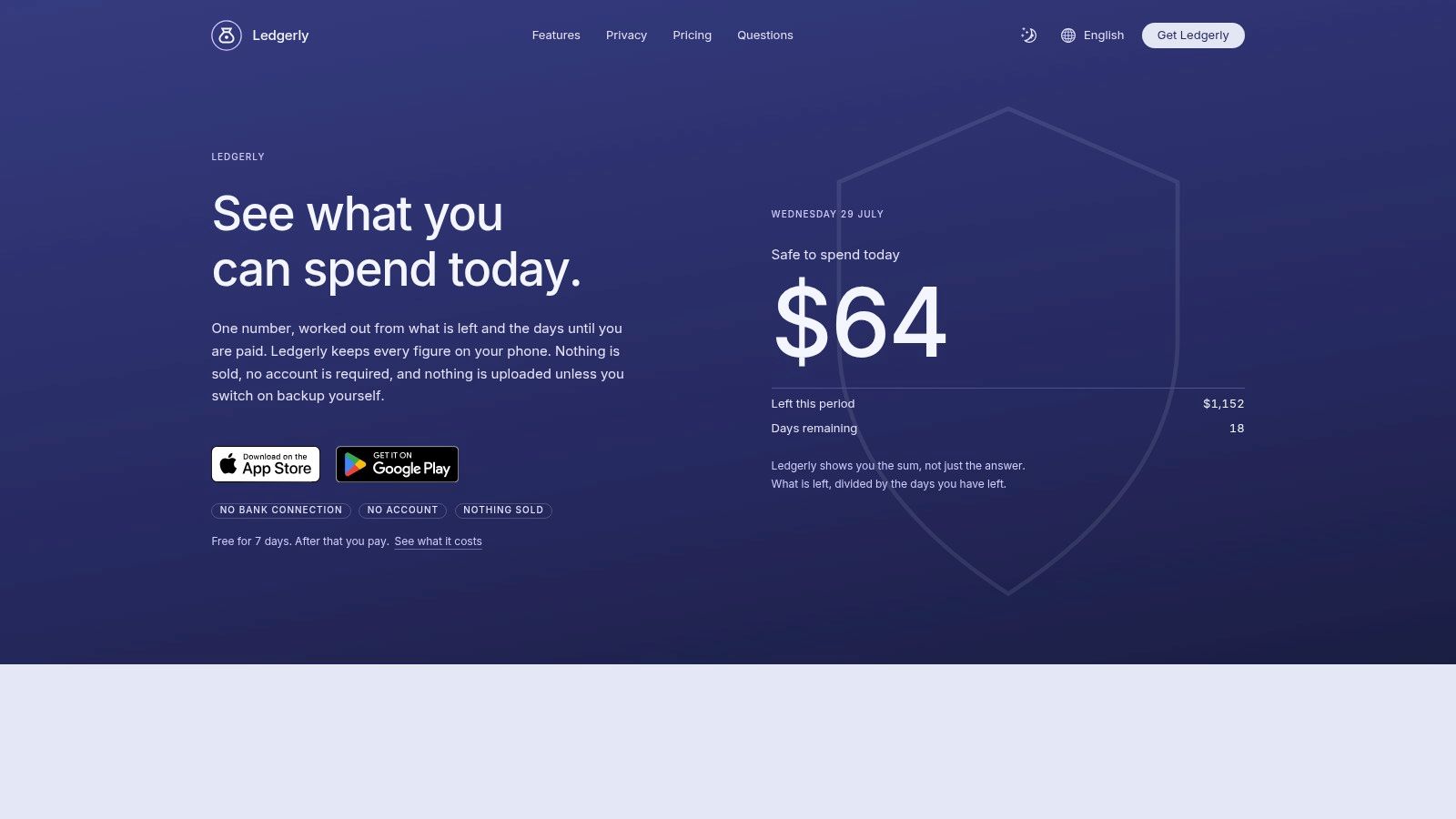
Where Ledgerly works best
Recurring salary, rent, and subscription items appear under Upcoming, so the daily spending figure accounts for known commitments. Transfers remain movements between accounts rather than expenses, which avoids double counting. If a balance is wrong, you can apply one correction line instead of rebuilding the account history.
Practical rule: Choose manual tracking only if you will record purchases close to when they happen. Ledgerly gives you control, but the habit has to come from you.
Privacy-conscious users get the clearest distinction. Records remain on the device, while optional backups can use Google Drive, iCloud, or a local file. Crash reports exclude transaction data, and CSV export plus biometric app locking provide more control over access and portability.
The app suits offline use, multiple accounts, and irregular income, especially when a fixed monthly budget does not match how money arrives. Users paid on a regular monthly schedule may find the same system more effort than they need if they mainly want automatic transaction collection.
Ledgerly offers a 7-day free trial that starts after setup, followed by monthly, yearly, or lifetime purchase options. Exact prices are set through the App Store or Google Play by country. After the trial, you can still read, search, export, and back up existing records, but adding new transactions requires a purchase. The product website publishes guides and comparisons, without advertising customer testimonials, awards, or third-party certifications.
Visit Ledgerly if you want a manual, offline budgeting system with local data control and a daily spending guide.
2. YNAB
YNAB is the strongest choice for beginners who want to learn a budgeting method rather than just monitor transactions. Its YNAB Method uses zero-based planning, asking you to give every dollar a job, prepare for less-frequent expenses, and make spending decisions from the money currently available.
That structure is useful when a blank category list feels intimidating. The app provides onboarding, documentation, goal targets, and a substantial education ecosystem, so you're not left to invent a process after installation. The downside is that YNAB asks you to participate actively. It's not a passive dashboard that reports what happened last month.
Bank syncing is available for many United States institutions, while file import gives users another way to bring in transactions. You can also enter and adjust records manually, which matters when a bank connection is delayed or a category needs correction. YNAB runs on the web, iOS, and Android, with real-time syncing between devices.
A good fit for method-led beginners
The app makes more sense when you have a defined purpose for each category. A rent category, a groceries category, and a future car-repair category aren't just labels. They represent decisions about money you already have and costs you expect to face.
YNAB also works well for households because one subscription can be shared with up to five other people. That makes it practical for partners or family members who need the same plan, although shared visibility also requires agreement about categories and responsibilities.
The subscription price is higher than many simpler alternatives, and casual users may find the method rigid. If you want privacy without bank login requirements, compare it with budgeting apps that work without a bank login. Choose YNAB when coaching, structure, and habit formation matter more than minimal setup.
3. EveryDollar
EveryDollar is a straightforward zero-based budgeting app from Ramsey Solutions. It keeps the basic workflow easy to grasp: plan income across categories, record spending, and compare what you planned with what you've spent. For a first budget, that simplicity can be more valuable than a dashboard packed with forecasts and account charts.
The free plan supports manual entry, so you can test the method without immediately committing to a subscription. Premium adds automatic bank syncing, reports, and a Financial Roadmap, with a 14-day Premium trial available through the mobile apps. Automatic syncing is currently limited to the United States, which makes the free manual workflow more relevant for users elsewhere.
EveryDollar's strongest use case is a beginner who wants a clean monthly plan and a familiar educational framework. The app pairs naturally with Ramsey's Baby Steps, so users who already prefer that approach may find the surrounding guidance useful. It also provides a clear distinction between planned spending and actual spending, which helps new budgeters see where a category is drifting.
Manual first, automation later
Starting manually is a sensible way to learn what your categories mean. You'll notice whether “food” needs to be separated into groceries and restaurants, or whether recurring bills need their own treatment. Moving to Premium later can reduce entry work, but automation won't remove the need to review categories and correct mistakes.
The simplest useful budget is the one you understand well enough to update.
EveryDollar isn't designed for users seeking extensive analytics or highly flexible planning periods. Its monthly emphasis can also feel limiting when paydays vary or income arrives from several sources. If you want to understand the broader case for using an app before paying, see this guide to whether budgeting apps are worth it. EveryDollar suits beginners who want a simple zero-based budget, a free manual starting point, and optional automation within a familiar financial education system.
4. Goodbudget
Goodbudget turns the traditional envelope system into a shared digital workflow. Instead of treating categories as passive reports, you assign available money to envelopes before spending. That makes the app especially useful for beginners who understand physical cash envelopes or want a visible limit for each spending area.
The free plan includes one account and two devices. Premium expands envelopes, accounts, and devices, and adds optional bank syncing for United States banks. The web and mobile apps support shared planning, so couples and families can work from the same envelope structure rather than maintaining separate spreadsheets.
Goodbudget is intentionally more transparent than automated all-in-one tools. You can see how much remains in each envelope, but you'll do more of the transaction entry and allocation yourself. That can feel slower at first, yet the extra interaction teaches the relationship between available money and planned spending.
Best for visible category limits
The envelope model works particularly well when overspending happens because categories feel vague. An envelope for dining, transport, or entertainment gives the user a concrete boundary. Annual and goal envelopes also help beginners prepare for costs that don't arrive every month.
The limitation is flexibility. Users who want a projected cash-flow dashboard, investment analysis, or extensive automatic classification may outgrow the simpler interface. Premium syncing is also limited to United States banks, so manual tracking remains central for many users.
For a practical introduction to recording purchases and building the habit, use this guide on how to track your expenses. Goodbudget is the better fit for envelope budgeting, manual control, and shared household planning, not for people who want the app to do most of the bookkeeping.
5. Quicken Simplifi
Quicken Simplifi is built for beginners who want less manual work and a forward-looking view of cash flow. Its Spending Plan projects income and expenses, while automatic bank and card syncing brings transactions into the account. Recurring expense detection helps surface commitments that might otherwise be forgotten.
That approach changes the daily workflow. Instead of entering every purchase, you review what the app imported, confirm categories, and watch how upcoming bills affect available spending. This is convenient for users with several accounts, but it also means your confidence depends on the quality and timeliness of the connections.
The interface is designed to get users started quickly. Web, iOS, and Android access keep the plan available across devices, and the subscription includes live support. The Spending Plan is more useful for preventing future overspending than for merely describing where money went, because it puts upcoming cash-flow pressure in view.
Automation with a pricing caveat
Simplifi is billed annually, and pricing can change. First-year promotions may renew at higher rates, so beginners should check the renewal terms before treating the introductory price as the ongoing cost. That isn't a budgeting feature, but it affects whether the app remains comfortable to keep.
The app is less suitable for someone who wants a strict zero-based method or full manual control over every record. It also isn't the strongest choice for irregular income unless you're willing to maintain income expectations and review the forecast whenever pay timing changes.
Choose Quicken Simplifi when automation, quick onboarding, and projected cash flow matter more than local-only storage or a hands-on envelope system.
6. Monarch Money
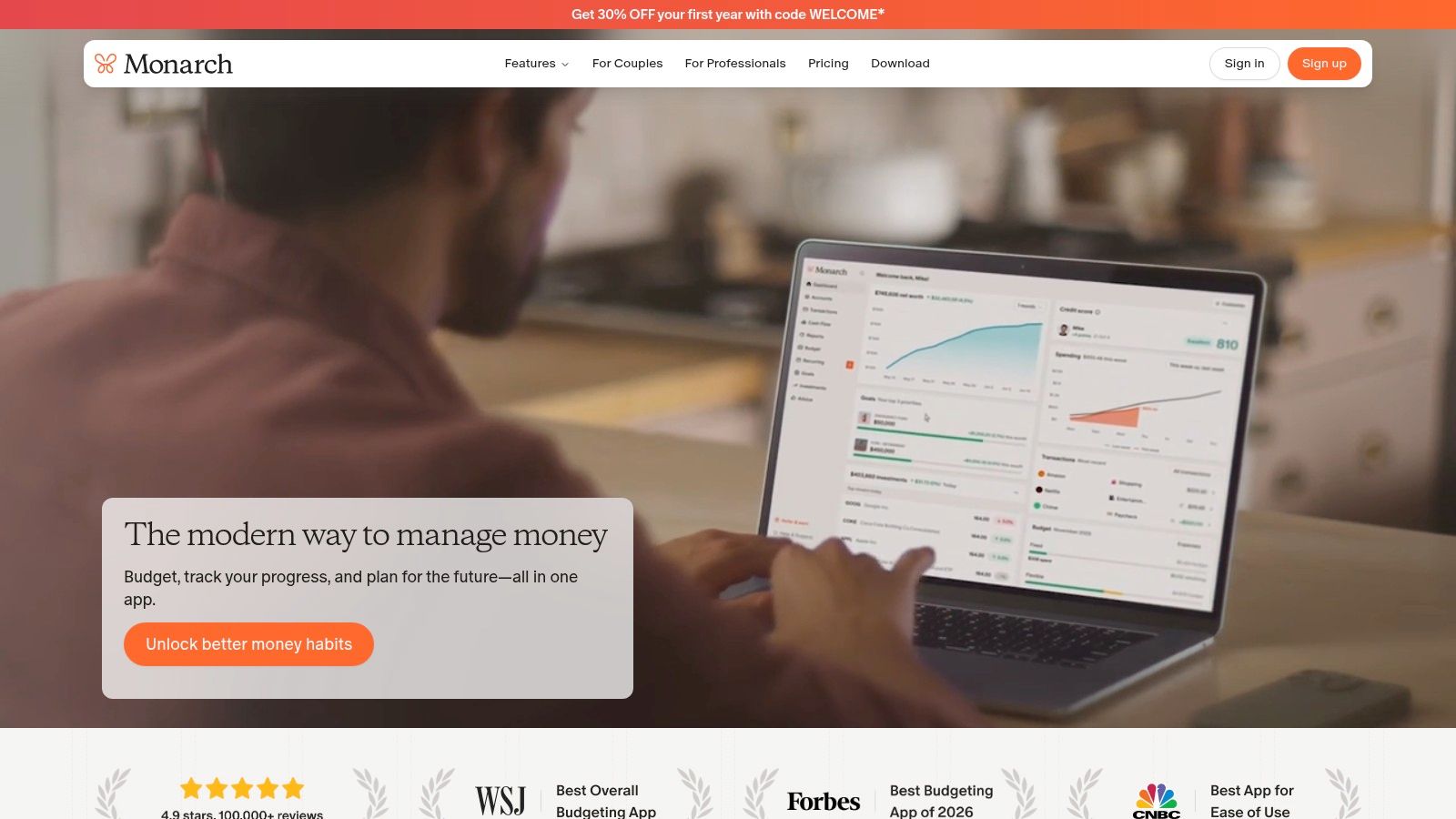
Monarch Money is a polished option for beginners who want budgeting alongside a broader household financial picture. It combines budgets, goals, account tracking, and a 12-month cash-flow forecast in a customizable dashboard. The app connects to more than 13,000 institutions, including integrations for Apple Card, Coinbase, and Zillow, according to its product information.
That breadth helps households that want one shared place to review spending and longer-term plans. Partners can be invited without an extra charge, and the setup process walks users through connected accounts and categories. The result feels closer to a household command center than a single-purpose expense tracker.
Automation reduces the amount of routine entry, but it introduces the same review obligation found in other synced apps. Imported transactions still need inspection, especially when merchants are categorized unexpectedly or when a transfer appears like ordinary spending. Beginners who don't want to connect accounts should look elsewhere, because Monarch's primary experience is aggregation.
Strong for couples and long-term planning
Monarch's ad-free design and transparent data policy will appeal to users who want a cleaner experience than an advertising-supported financial app. Its forecast and goal features also give beginners room to grow beyond basic category tracking.
The trade-off is commitment. There isn't a permanent free plan, and the service is subscription based. Higher tiers add investment analytics and other features, which may be unnecessary for someone who only needs a weekly spending record.
Monarch is a good fit for couples, shared household finances, and long-term planning. It's less appropriate for privacy-first beginners, people who insist on offline operation, or users who need a budgeting period built around variable paydays rather than a broader forecast.
7. PocketGuard
PocketGuard is aimed at one beginner question: how much money can I safely spend after bills, savings goals, and other commitments? Its leftover-money view gives users a simple starting point instead of asking them to interpret a dense collection of reports.
The setup is quick, and bank connectivity is available in the United States and Canada. Subscription tracking helps identify recurring commitments, while the Plus plan adds rules, bulk editing, import and export, debt-payoff tools, and unlimited budgets. There's also a one-time lifetime purchase option, which is unusual among subscription-led budgeting products.
PocketGuard works best when the user wants practical guardrails rather than a detailed budgeting philosophy. A clear leftover figure can help someone who is new to budgeting avoid spending the entire account balance before upcoming bills clear. It's less demanding than a zero-based system, but that simplicity also means fewer deep planning tools.
Useful guardrails, limited depth
Users who want to shape every category, plan irregular expenses in detail, or collaborate around a complex household budget may find PocketGuard restrictive. Advanced features require Plus, so the initial simplicity shouldn't be confused with a completely free full-featured experience.
Variable-income users should also examine how the app handles changing income and timing. A leftover number is useful only when upcoming obligations and expected cash are current. If your paydays move frequently, you may need to update assumptions more often than a salaried beginner would.
Choose PocketGuard for a quick safe-to-spend view, bill awareness, and debt-payoff tools. Pick another app if your priority is detailed method-based planning, offline control, or extensive reporting.
Best Budgeting Apps for Beginners: 7-Point Comparison
| Product | 🔄 Complexity | ⚡ Resource / Effort | 📊 Expected outcomes | 💡 Ideal use cases | ⭐ Key advantages |
|---|---|---|---|---|---|
| Ledgerly | Low–moderate, manual entry required, simple UI | Low tech needs, higher time for manual entries; trial then paid options | Accurate, privacy-first budgets; reliable offline single-currency tracking | Privacy‑conscious manual trackers; irregular pay cycles; offline use | On-device privacy, "safe to spend" view, CSV export, optional backups |
| YNAB (You Need A Budget) | Moderate, method-driven with learning curve | Subscription cost; optional bank sync; time to learn the YNAB method | Strong habit formation and disciplined zero‑based budgeting | Beginners who want structured coaching and habit building | Excellent onboarding/education, method-first design, device sync |
| EveryDollar (Ramsey) | Low, straightforward zero‑based monthly workflow | Free manual tier; Premium adds bank sync (US) and reports | Simple planned vs. spent budgeting; basic reporting with Premium | Beginners following Ramsey Baby Steps; starters wanting free option | Very easy to use, free manual option, pairs with Ramsey education |
| Goodbudget | Low, manual envelope-style workflow | Free limited plan; Premium for unlimited envelopes/devices and bank sync | Clear category control and teaching-oriented budgeting | Couples/families using envelope method; manual budgeters | Transparent envelope model, good for shared budgets, lower annual cost |
| Quicken Simplifi | Low, guided, automated spending plan | Subscription (annual); requires bank/card linking for automation | Forward-looking cashflow projections; reduced manual tracking | Users wanting hands‑off, forward-planning budgeting | Automated sync, recurring detection, guided Spending Plan |
| Monarch Money | Moderate, feature-rich setup and customization | Subscription only (no permanent free plan); connects many institutions | Long‑term forecasts, household collaboration, polished dashboards | Couples/households seeking long-term planning and clarity | 12‑month forecasts, strong usability, ad‑free and collaborative tools |
| PocketGuard | Low, minimal setup focused on "leftover" money | Free plan; Plus subscription for advanced rules and tools; bank links (US/CA) | Fast safe‑to‑spend guidance and pragmatic debt tools | First‑time budgeters wanting quick actionable insights | Simple leftover calc, quick setup, debt payoff aids, lifetime option |
Choose the System You Will Keep Using
There isn't one universal winner among the best budgeting apps for beginners. The right choice depends on the operating decision you're willing to repeat: manually record spending or review synced transactions, follow a defined method or use flexible tracking, share a household plan or keep data private, and budget by month or by changing pay periods.
Choose Ledgerly if privacy, offline access, manual entry, and irregular pay cycles matter most. It keeps records on the device unless you switch on backup, avoids bank aggregation, supports configurable planning periods, and provides a daily “safe to spend today” figure. The cost is ongoing discipline, because the app won't import transactions for you.
Choose YNAB if you want method-led coaching and a structured zero-based system. It's the strongest option for beginners who want to learn how to assign available money deliberately and prepare for future expenses. EveryDollar is better for a simpler free manual start, especially if a monthly zero-based budget and Ramsey's educational approach fit your preferences.
Goodbudget is the natural choice for envelope budgeting and shared plans. It makes category limits visible and teaches allocation clearly, though it offers less automation. Quicken Simplifi suits users who want automatic syncing and a forward-looking Spending Plan without the demands of a strict budgeting method.
Pick Monarch Money for polished household collaboration, broad account aggregation, and long-term planning. Its subscription model and connected-account focus make it less suitable for users who want a local-only or free experience. PocketGuard is the practical option for beginners who mainly want a quick leftover-money figure, bill awareness, and debt-payoff tools rather than deep reporting.
Historical usage supports focusing on repeat behavior, not just installation. Bankrate reported that 56% of budgeting app users used their app at least weekly, while an independent survey found that 88% of users considered budgeting apps very helpful or extremely helpful. The lesson is straightforward: the app you can open, understand, and update consistently will usually beat the feature-rich app you abandon.
Choose one candidate, add your accounts and recurring items, then record real transactions for the first week. At the end of that week, assess whether the required manual work and level of data sharing match your priorities. If either feels wrong, switch systems before the habit becomes another source of friction.
Ledgerly offers on-device budgeting, manual transaction entry, recurring items, CSV export, optional backups, and a daily safe-to-spend view for beginners who want control without bank connections. Visit Ledgerly to try a privacy-first approach and see whether its manual workflow fits the way you manage money.