September 24, 2026
Budget Planning and Forecasting: A 2026 Guide
Master budget planning and forecasting with actionable strategies that align your financial goals and business realities for the year ahead.
budget planningforecastingcash flowscenario planningpersonal finance
You open your accounts before approving a purchase and still can't answer a basic question: how much cash is available after rent, payroll, subscriptions, tax, and the invoice that hasn't arrived yet? An automatic balance can look reassuring while hiding commitments, pending payments, transfers, or a category mistake. By the time an annual spreadsheet exposes the problem, the decision that caused it is already behind you.
Budget planning and forecasting work better when they remain active operating disciplines rather than occasional paperwork. You need a clear record of what happened, explicit assumptions about what comes next, and a review habit that respects both uncertainty and privacy. Manual, offline tracking takes more intention than a bank-linked dashboard, but it can give you stronger control over categories, account movements, and the assumptions behind every decision.
Table of Contents
- Why Manual Budgeting Beats Automated Guesswork
- Understanding Forecasting Fundamentals and Reality
- Core Methods for Cash Flow Planning
- The Shift from Annual Rituals to Continuous Planning
- Privacy-First Financial Control
- Visualizing Your Financial Life with Mobile Tools
- Taking Back Control of Your Financial Future
Why Manual Budgeting Beats Automated Guesswork
A business owner can spend a quiet Sunday building a careful budget, then discover a few weeks later that the numbers no longer describe reality. A customer pays late, a supplier changes terms, a recurring software charge lands on a different date, and an internal transfer gets counted as income in one view and an expense in another. The dashboard still produces a neat total. The neat total is the problem.
Automated categorization recognizes patterns, not meaning. It may assign a mixed personal and business purchase to the wrong category, treat a transfer between accounts as spending, or place an annual renewal in a month that makes the monthly trend look worse than it is. Those errors don't always look dramatic. They distort the decisions you make from the data.
Practical rule: If you can't explain why a transaction belongs in a category, the category isn't ready to guide a decision.
Manual entry creates a useful pause. You record the amount, date, account, category, and note, then decide what the transaction means in your own financial system. That effort makes the record slower to build, but it also makes the record auditable. When actual spending differs from the budget, you can investigate the cause instead of blaming an opaque classification rule.
Privacy adds another trade-off. Independent research into popular budgeting apps found that 60% of 20 apps shared at least some data with third parties, while one in four shared financial information specifically. The research on budgeting app data practices also describes broad collection of data types and device permissions. Those findings don't prove that every connected app is unsafe, but they do show why some people reasonably reject bank credentials, cloud aggregation, and passive data collection.
Manual budgeting isn't a rejection of technology. It's a choice about where judgment belongs. A local spreadsheet, paper ledger, or offline mobile tool can still calculate totals, recurring obligations, daily capacity, and account balances. The difference is that you control the input and the storage, rather than accepting an automated snapshot as the whole truth.
Understanding Forecasting Fundamentals and Reality
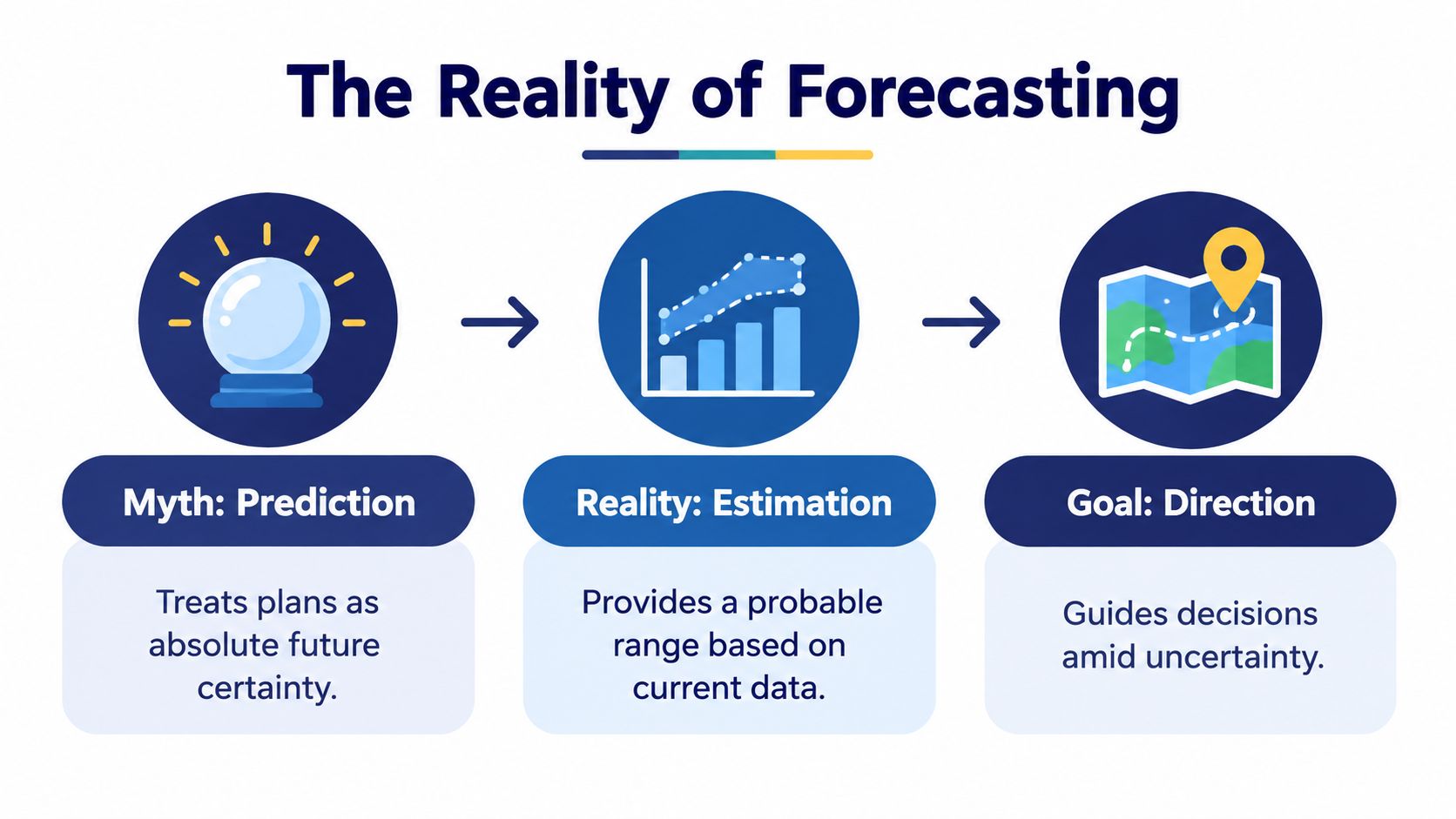
A business owner may open a forecast expecting a precise answer, then discover that one late payment changes the month. That is normal. A forecast is a structured estimate built from known information, selected assumptions, and a defined time horizon. Planning sets the destination and the resources you intend to commit. Forecasting tests what is likely to happen if current conditions continue.
Public-sector forecasting shows why precision has limits. An Urban Institute analysis of U.S. federal budget forecasting errors found an average absolute error of 1.1% of GDP, described in the report as about $120 billion for 2002. In 4 of 21 cases, errors exceeded 2% of GDP. The analysis also reported average absolute errors of 0.7% of GDP for receipts and 0.5% of GDP for outlays during the period examined.
Those figures do not set a standard for a household or small business. They demonstrate a practical risk: small percentage differences can create large financial consequences when applied to a large base. For a smaller organization, the same problem appears as a cash shortage, a missed obligation, or an investment that must be postponed.
Forecasts need ranges and triggers
Build a base case, then identify the assumptions most likely to change. A service business may track signed work, expected collection dates, contractor costs, payroll, tax reserves, and operating expenses. A household may track pay dates, rent, utilities, debt payments, annual renewals, and irregular income.
Record each assumption beside the date it should be reviewed. Then define the action that follows if the assumption changes. If a customer has not paid by the expected date, the forecast should show whether to delay discretionary spending, contact the customer, or draw from a reserve. A manual, offline forecast makes those decisions visible without requiring automatic bank access.
Measure usefulness, not perfection
Deloitte UK research on planning, budgeting, and forecasting reported that 50% of organizations could complete a forecast in under two weeks, compared with 66% in its 2014 survey. The same brief references an independent accuracy study reporting 12.4% mean absolute percentage error and 9.7% average budgeting variance.
The practical standard is timeliness and review discipline. A detailed forecast delivered too late cannot support a decision. A quick forecast built on unchecked assumptions can create false confidence. Use a transparent estimate, compare it with actual results, update it when facts change, and connect each material variance to a safer action.
Core Methods for Cash Flow Planning
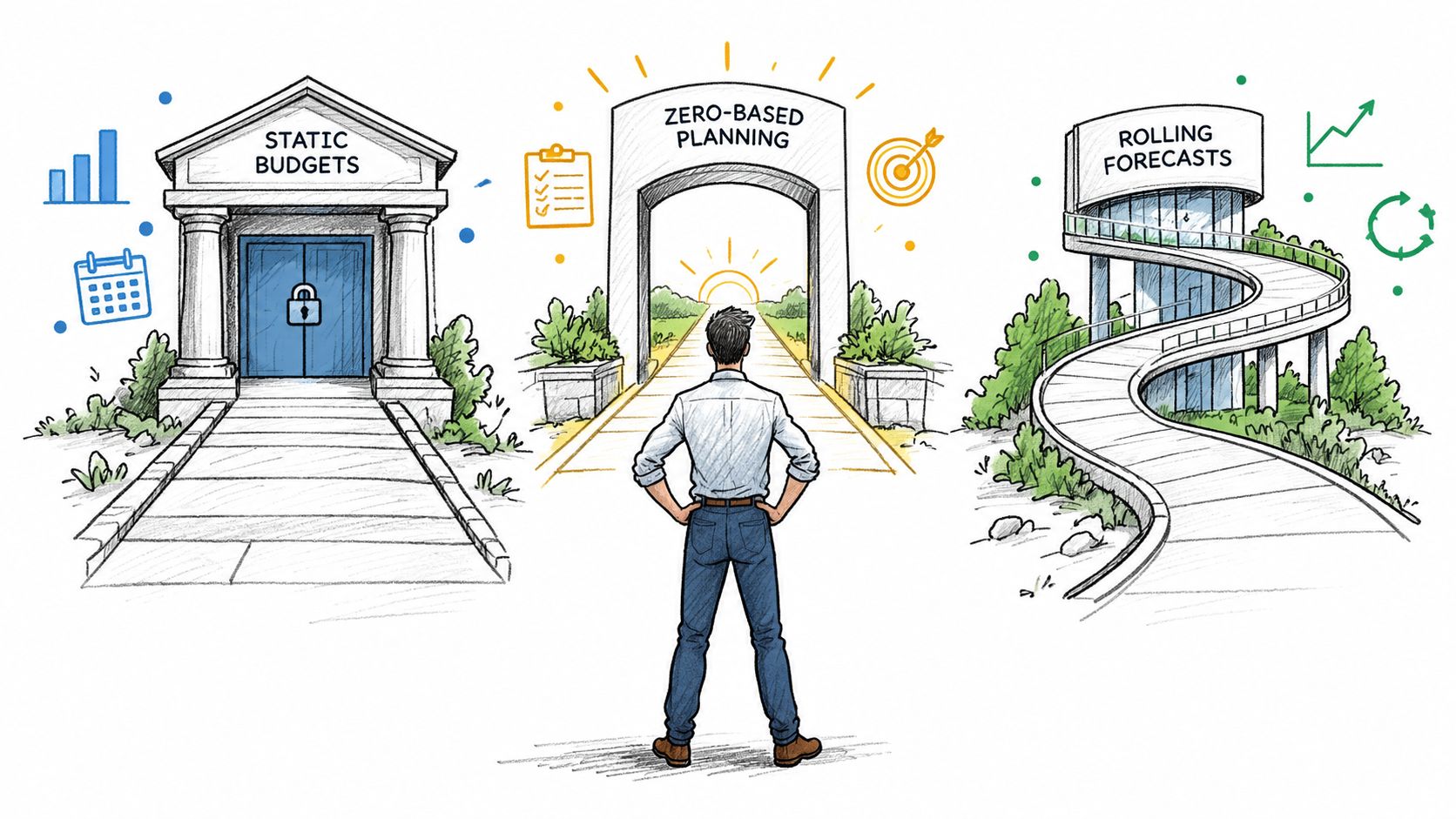
No single framework suits every income pattern. A salaried household with stable bills can use a different rhythm from a freelancer whose receipts arrive unevenly. A small business may need all three methods, with each serving a different purpose.
Static budgets create a useful baseline
A static budget assigns expected income and spending to a defined period. It works well when obligations are predictable and you need a simple standard for comparing actual performance.
Start by listing committed costs, then separate flexible spending from optional spending. Assign each category an amount, record actual transactions against it, and review the variance. The static budget shouldn't pretend that the future will remain unchanged. Its value is that it makes your initial priorities visible.
Use it for:
- Stable obligations: Rent, salaries, insurance, and regular subscriptions need clear allocations.
- Goal funding: Savings, debt reduction, or a planned purchase can receive an explicit place in the plan.
- Accountability: A baseline helps you identify whether a shortfall came from lower income, higher costs, or a deliberate choice.
Rolling forecasts keep the horizon alive
A rolling forecast replaces the expired period with a new future period whenever you review the numbers. You don't rebuild the entire plan. You update known transactions, revise assumptions, and carry the forecast forward.
This approach suits irregular income and changing operating conditions. Enter expected receipts only when you have a defensible basis, distinguish committed payments from hopes, and keep a visible reserve for costs you can't time precisely. The forecast should answer a practical question: given what I know today, what cash will be available when the next obligations fall due?
Scenario planning protects decisions
Scenario planning tests the consequences of different conditions rather than choosing one supposedly accurate future. Build a most-likely case, a cautious case, and a stronger case. Change only the assumptions that differ, such as customer payments, sales volume, contractor use, or discretionary spending.
A useful scenario is actionable. It says what you'll do if the cautious case appears, not merely what the numbers might look like. You might defer a purchase, reduce a variable cost, accelerate collections, or preserve a cash buffer.
Driver-based budgeting makes this analysis easier to explain. The variance analysis guidance on driver-based budgeting describes modeling 5 to 15 key business drivers that account for roughly 80% or more of financial outcomes, then linking those drivers to line items and checking them against 2 to 3 years of history. For a smaller operation, the principle is more important than the scale. Track the few variables that explain most movement, rather than maintaining dozens of arbitrary categories.
The Shift from Annual Rituals to Continuous Planning
An annual budget gives you a strategic anchor, but it can't tell you what changed after the year began. A rolling forecast gives you a current view, but it can become directionless if it isn't tied to priorities. Keeping them separate creates two versions of reality, one for commitments and another for decisions.
The practical fix is a hybrid cadence. Set the annual budget around goals, planned investments, capacity, and acceptable spending. Maintain a rolling forecast from actual transactions and confirmed commitments. Compare the two without treating the budget as a verdict or the forecast as permission to abandon the plan.
Use different jobs for each document
| Tool | Main question | Best use |
|---|---|---|
| Annual budget | What are we choosing to fund? | Goals, allocations, and commitments |
| Rolling forecast | What is likely to happen now? | Cash decisions and updated expectations |
| Scenario plan | What will we do if conditions change? | Contingencies and risk response |
| Variance review | Why did reality differ? | Learning and corrective action |
The recent coverage of alignment between plans, budgets, and forecasts identifies a practical gap: many organizations still operate these as separate processes. It also reports that only 38% of organizations use structured scenario planning, an average budgeting cycle of nearly nine weeks, and 90% of finance teams manage risks and opportunities while fewer formalize them into integrated planning processes.
Those findings point to an operating problem, not a vocabulary problem. If your review cycle takes longer than the decisions it supports, the process has become ceremonial. A manual system can be faster because it limits the model to information you can verify and decisions you can influence.
Build a review rhythm you can sustain
Review transactions whenever they accumulate enough to affect a decision. Review upcoming obligations before each pay or collection cycle. At a broader interval, compare actual income and spending with the forecast, explain material variances, and revise only the assumptions that changed.
Keep a short variance log. Write, “software renewal arrived earlier,” “customer payment moved,” or “fuel cost exceeded the working assumption.” This turns a miss into reusable knowledge. Over time, your forecast becomes more realistic because it reflects your actual timing patterns rather than an idealized calendar.
A forecast earns trust when every change has a reason attached to it.
Privacy-First Financial Control
A business owner reviewing cash at the end of the week may want a clear answer without giving a third-party service access to every purchase, transfer, and account balance. A privacy-first budget starts with that boundary. Your financial record can remain on your device and still support useful decisions, provided you create a consistent process for entering transactions, reconciling balances, and protecting backups.
Manual entry requires attention at the point of recording. That effort creates useful judgment: you choose the category, identify the account, and distinguish a purchase from a transfer. The result reflects your circumstances instead of an algorithm's classification.

Design the local workflow
An offline file is only the starting point. Clear operating rules keep the record complete and usable.
- Capture immediately: Record each transaction while the receipt or payment confirmation is available.
- Name categories consistently: Choose labels that support decisions you make, rather than copying every category from a template.
- Record transfers separately: Money moved from checking to savings is not spending. Recording it as an expense understates the balance twice.
- Reconcile deliberately: Compare the recorded balance with the statement or physical cash, then enter one clear correction when needed.
- Protect the device: Use an app lock, device passcode, and available encryption.
- Control backups: Export a local copy on a schedule you choose, or use a storage destination you explicitly trust.
The independent privacy research on budgeting apps highlights that privacy concerns extend beyond bank connections. The research examines the range of data collected and the device permissions requested by budgeting apps. Manual local tracking does not remove every risk, including a lost device or exposed backup, but it avoids giving bank credentials and transaction histories to services built around aggregation.
Accept the right trade-off
Privacy-first tracking costs attention. You will not receive an automatic transaction feed, so your records depend on your own consistency. In return, you gain data minimization, explicit categorization, and ownership of the planning process.
A practical test is whether the extra entry step prevents more confusion than automation removes. If a connected tool regularly misclassifies transactions or creates concern about data sharing, a local manual workflow may provide better control across the full planning cycle. Keep the process small enough to maintain, and make every backup and reconciliation rule part of the routine.
Visualizing Your Financial Life with Mobile Tools
Manual budgeting doesn't require a dense spreadsheet. A mobile tool can reduce calculation work while leaving the financial judgment with you. The important test is whether the interface shows the assumptions behind a figure, rather than presenting a mysterious score.
Begin with account structure. Create separate records for cash, checking, savings, credit, and any side-project account that shouldn't be mixed with household spending. Enter opening balances carefully, then record each transaction against the account where it occurred.

Start with the decision you need today
A useful Today view should answer whether today's discretionary spending is safe after considering what remains in the current period and what is already scheduled. For example, a daily spending capacity calculation can use remaining funds, upcoming recurring items, and the days left in the selected period. It isn't a guarantee. It's a transparent operating signal that changes when you add a transaction or an obligation.
A Plan view should show progress by category and support the period that matches your cash pattern. Monthly planning may suit regular pay. Fortnightly or between-payday planning can make more sense when income and bills don't align with calendar months.
Ledgerly is one example of this manual, offline approach. Its iOS and Android app uses manual transaction entry, optional recurring items, configurable planning periods, a Today view for calculated daily spending capacity, and a Money view that combines cash, checking, savings, and credit totals. Its records stay on the device unless you enable a backup, and it supports CSV export for your own files.
Keep the model understandable
Your tool should make ordinary corrections simple. If a balance is wrong, use one adjustment line rather than rewriting history. If money moves between accounts, record a transfer so the total net position doesn't change. Search by note, category, or amount when you need to investigate a variance.
Review the Money view for the overall position, then inspect the account detail when the total moves unexpectedly. This sequence prevents a common mistake: optimizing a category while ignoring debt, cash timing, or a transfer that changed the visible balance.
The best mobile interface for privacy-conscious planning is not the one with the most automation. It's the one that lets you move from transaction, to category, to forecast, to decision without losing the reasoning in between.
Taking Back Control of Your Financial Future
Budget planning and forecasting turn vague anxiety into decisions you can inspect. Manual tracking strengthens that process because every entry represents a choice, every transfer has a clear meaning, and every forecast assumption can be challenged by the person responsible for the money.
The system doesn't need to predict perfectly. It needs to show what you know, what you expect, and what you'll do if conditions change. A static budget establishes priorities, a rolling forecast updates the path, and scenario planning gives irregular income or uncertain costs a prepared response.
Privacy is part of financial control, not a separate technical preference. Keeping records local and avoiding unnecessary bank connections can reduce exposure while forcing a more accurate relationship with your own spending. The trade-off is regular attention, but that attention is what makes the numbers useful.
Create your categories, enter current balances, list recurring obligations, and choose a review rhythm you can maintain. Then compare your forecast with actual results and write down the reason for each meaningful variance. After a few cycles, you'll have more than a budget. You'll have a working financial model that belongs to you.
Ledgerly gives privacy-conscious users a manual, offline way to record transactions, manage recurring items, review category plans, and see daily spending capacity without bank connections. Visit Ledgerly to try a device-based budgeting workflow built around explicit entries and user-controlled data.